


Title Tag: What It Is and How to Write One (2026)

A title tag is the HTML <title> element in a page's head that names the page. It shows up as the clickable headline in search results, as the label on a browser tab and in many shared links. It matters for SEO because it tells searchers and search engines what the page covers, and a clear one earns more clicks.
That is the short version. Here is the practical one: how a title tag works, how long it should be, how to write one, and how to test whether it is doing its job. Let's break it down.
What Is a Title Tag? The Short Answer
A title tag is a single line of text, written inside the <title> element, that gives a web page its name. Search engines read it to understand the page. People see it as the blue link in search results and as the label on a browser tab.
Quick definition: The title tag is the page's name in HTML. Where you'll see it: the search result headline, the browser tab, bookmarks and link previews.
I think of it as the cheapest piece of copy on your site to change and one of the most read. Every searcher who sees your page reads it first.
Title tag, meta title, SEO title: same thing?
Mostly, yes. People use these terms loosely:
- Title tag or
<title>element: the HTML itself. - Meta title: a common nickname for the same thing, even though it is not a true
<meta>tag. - SEO title: the title you write for search results, often set in a CMS field.
- Page title: the generic name for the title, and sometimes the on-page headline, which causes confusion.
The meta description that pairs with your title is a separate element with its own rules, and it deserves its own guide.
How a Title Tag Works in HTML and in Search Results
The title tag in HTML: the <title> element in the head
The The title element, HTML Living Standard, WHATWG defines the title element as part of the document's head. Here is a title tag in HTML:
<head>
  <title>Title Tag: What It Is and How to Write One</title>
</head>
title: The Document Title element, MDN Web Docs notes that the element holds text only. You cannot style it or nest other tags inside it. Each page should have exactly one.
Where title tags appear
- Search results: Google calls this the title link.
- Browser tabs and the title bar.
- Bookmarks and browser history.
- Shared links: many platforms use the title, or a separate Open Graph title if one is set.
In a typical result, the title link sits on top, the URL sits above or beside it, and the snippet sits underneath. The title is the one part the searcher is invited to click.
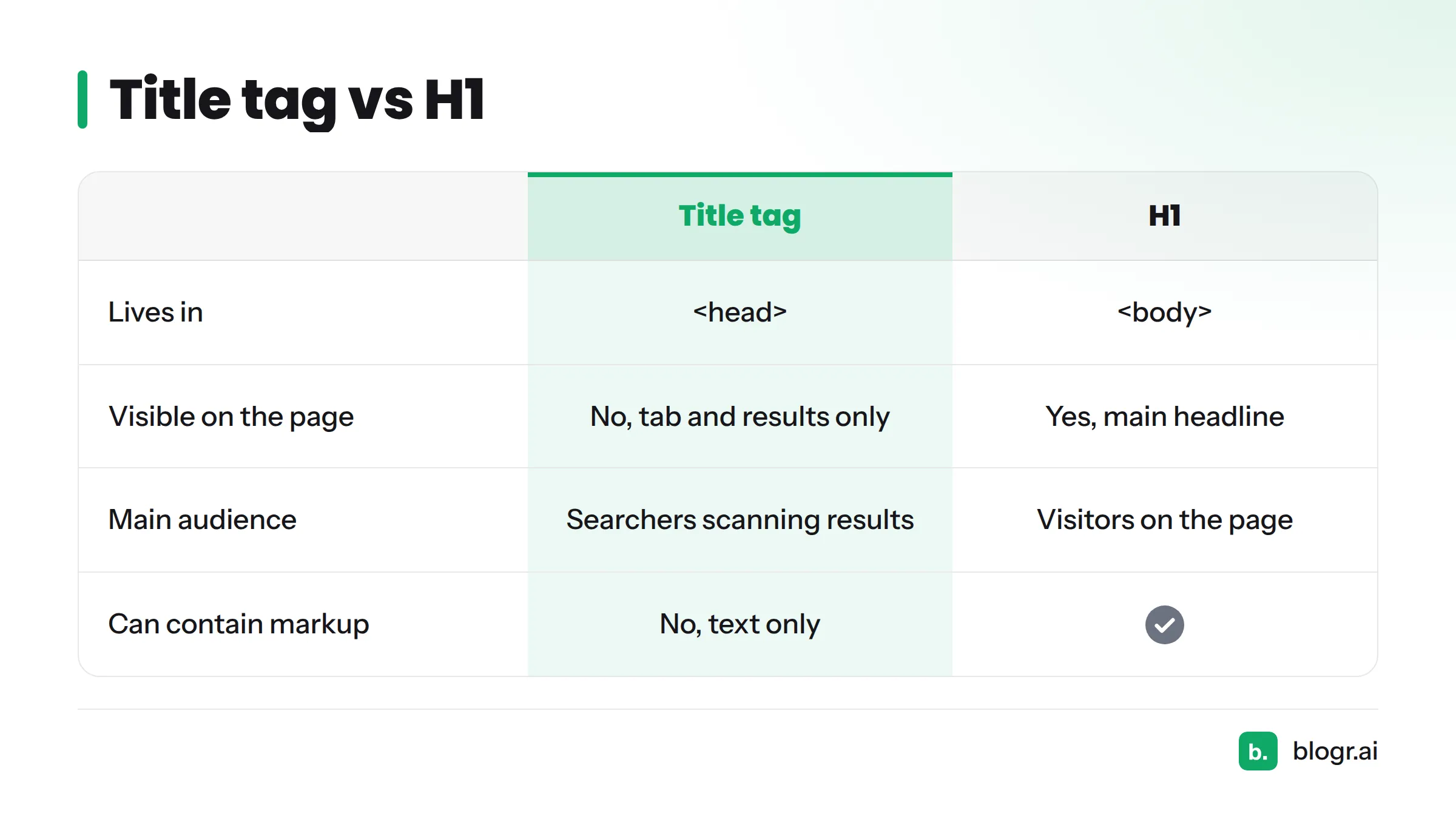
Title tag vs H1
| Title tag | H1 | |
|---|---|---|
| Lives in | <head> |
<body> |
| Visible on the page | No (tab and search results only) | Yes, as the main headline |
| Main audience | Searchers scanning results | Visitors already on the page |
| Can contain markup | No, text only | Yes |
| Should match the other? | Can be identical or differ slightly | Can be identical or differ slightly |
Both should describe the same page accurately. A small difference is fine. A big mismatch confuses visitors and gives Google a reason to rewrite your title.
Title Tag and SEO: Why Titles Matter for Rankings and Clicks
Helping search engines and users understand the page
Influencing your title links in Google Search, Google Search Central says Google's systems build title links mostly from the title element, and that good titles help people judge whether a result fits their query. Google also lists other sources it may draw on, so a clear title is your best way to steer what shows up.
Google has not published a fixed weight for title tags as a ranking factor, so treat any claim of exact ranking power with suspicion. From my own experience, a precise title does two jobs at once: it signals the topic and it sets expectations.
First impressions, impressions and click-through rate
A page can earn impressions without earning clicks. The Performance report (Search), Search Console Help, Google shows impressions, clicks and click-through rate (CTR) per page and per query. A page with plenty of impressions and weak CTR often has a title problem, or a result that looks less appealing than its neighbors. Our guide on why you rank but get no clicks walks through that diagnosis.
Accessibility and usability
Understanding Success Criterion 2.4.2: Page Titled, W3C requires that pages have titles describing their topic or purpose. Screen reader users hear the title first when a page loads, and anyone juggling twenty tabs relies on it to find their place.
Title Tag Best Practices: Length, Keywords and Clarity
Title tag length: how long should it be?
Aim for roughly 50 to 60 characters as a guideline, and put the important words first. Google does not enforce a character limit. It truncates titles by pixel width, so wide letters like "W" and "M" use up space faster than "i" or "l". Google's documentation says long titles may be shortened in results, and MDN also points to roughly the first 55 to 60 characters as what tends to display.
A truncated title ends in an ellipsis, so a key phrase placed at the tail can vanish. Check your draft in a SERP snippet preview tool before you publish.
Put the primary keyword early, and write for the person
Lead with the phrase your reader searched, then add the benefit. "Title Tag: What It Is and How to Write One" works because the topic comes first. Avoid the keyword blob, a list of near-identical phrases separated by commas. MDN warns against it, and so does Google.
Make every title unique
Duplicate titles make pages look interchangeable. If five product pages all read "Shop Our Range," searchers cannot tell them apart, and neither can Google. Give each page a title that names its own topic.
Brand name in the title: when and where
- Established brand with high recognition: put the brand at the end, after a separator such as a pipe or dash.
- Unknown brand: keep the title short and let the topic carry it, or still place the brand last.
- Home page: brand first is usually fine.
MDN also recommends putting the page's purpose before the site name for accessibility, which fits the brand-last habit.
Match search intent
Someone searching "what is a title tag" wants a definition. Someone searching "title tag examples" wants samples. Look at what ranks, then word the title for the same need. A "how to" title promises steps, and a "what is" title promises a definition. Our piece on on-page SEO for founders covers how intent shapes the rest of the page.
Google may rewrite your title
Google says it may replace your title when it is too long, stuffed with keywords, boilerplate, or out of step with the page. You lower the odds by writing a title that is concise, specific and honest. A title that promises what the page does not deliver invites a rewrite.
Best-practice checklist
- One topic per title, one title per page
- Primary keyword near the front
- About 50 to 60 characters, checked by pixel width
- Unique across the site
- Brand name last, if used
- Matches the H1 and the page content
- Written for a person, not a crawler
SEO Title Examples: Before and After Rewrites
Here is the scenario I see most often. Search Console shows a page with healthy impressions and a poor CTR. The ranking is fine. The title just does not give people a reason to click.
These SEO title examples are illustrative, not client data, and I have left out figures on purpose. Outcomes vary, and no rewrite guarantees more clicks.
| Before | After | Why we changed it |
|---|---|---|
| Home | Emergency Plumber in Leeds: 24/7 Call-Out | The default CMS title said nothing. The new one names the service, the place and a benefit. |
| Blog Post 12 | Acme | How to Descale a Kettle in 10 Minutes | Acme | A placeholder title gave searchers no topic. The rewrite states the task and the time. |
| Running Shoes, Best Running Shoes, Cheap Running Shoes | Best Running Shoes for Beginners (2026 Picks) | A keyword blob became one clear promise with a defined audience. |
| Title Tags | Title Tag: What It Is and How to Write One (2026) | A one-phrase title matched the topic but offered no reason to click. The rewrite adds the "what" and the "how". |
What the rewrites have in common
- The topic appears in the first few words.
- Each title makes one specific promise.
- Filler, repetition and placeholders are gone.
- The new title still matches what the page delivers.
For the wider CTR workflow, see how to improve CTR in Search Console.
How to Write a Title Tag Step by Step
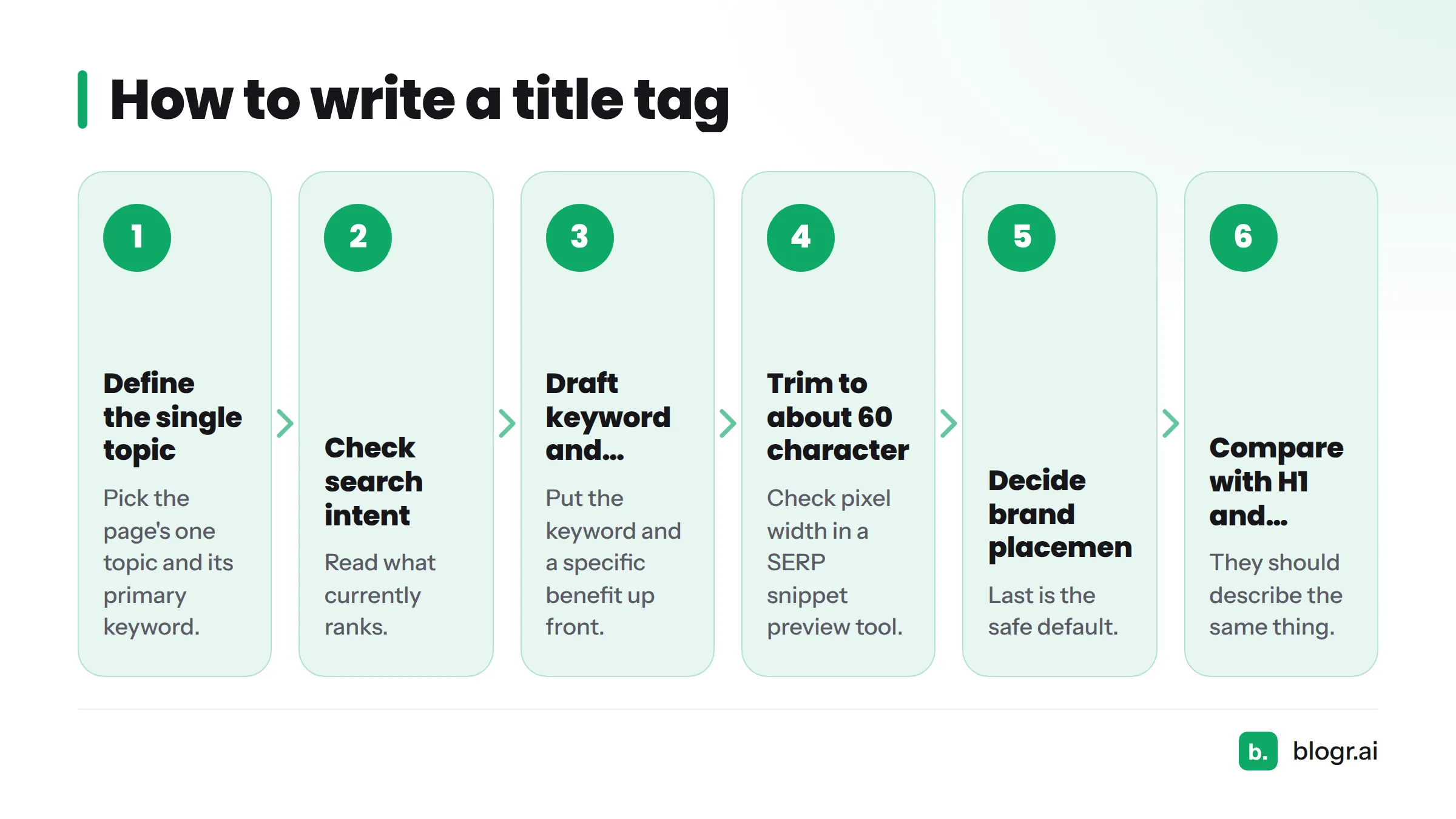
- Define the page's single topic and its primary keyword.
- Check the search intent by reading what currently ranks.
- Draft with the keyword and a specific benefit up front.
- Trim to about 60 characters and check pixel width in the SERP snippet preview tool.
- Decide on brand placement. Last is the safe default.
- Compare against your H1 and the page content. They should describe the same thing.
- Publish and note the date so you can compare Search Console data later.
If you want a video refresher, this short beginner overview covers the basics.
Common Title Tag Mistakes to Avoid
- Keyword stuffing, or the "keyword blob"
- Missing titles
- Duplicate titles across many pages
- Vague or one-word titles
- Promising what the page does not deliver
- Burying the keyword at the end
- ALL CAPS and symbol clutter
- Default CMS titles such as "Home" or "Untitled"
How to Check and Improve Your Titles Over Time
Find candidates in Search Console
Open the Performance report, switch to the Pages view, and sort by impressions. Look for pages with high impressions and low CTR. Our walkthrough on reading Search Console data shows the filters, and the guide to striking distance keywords helps you prioritize.
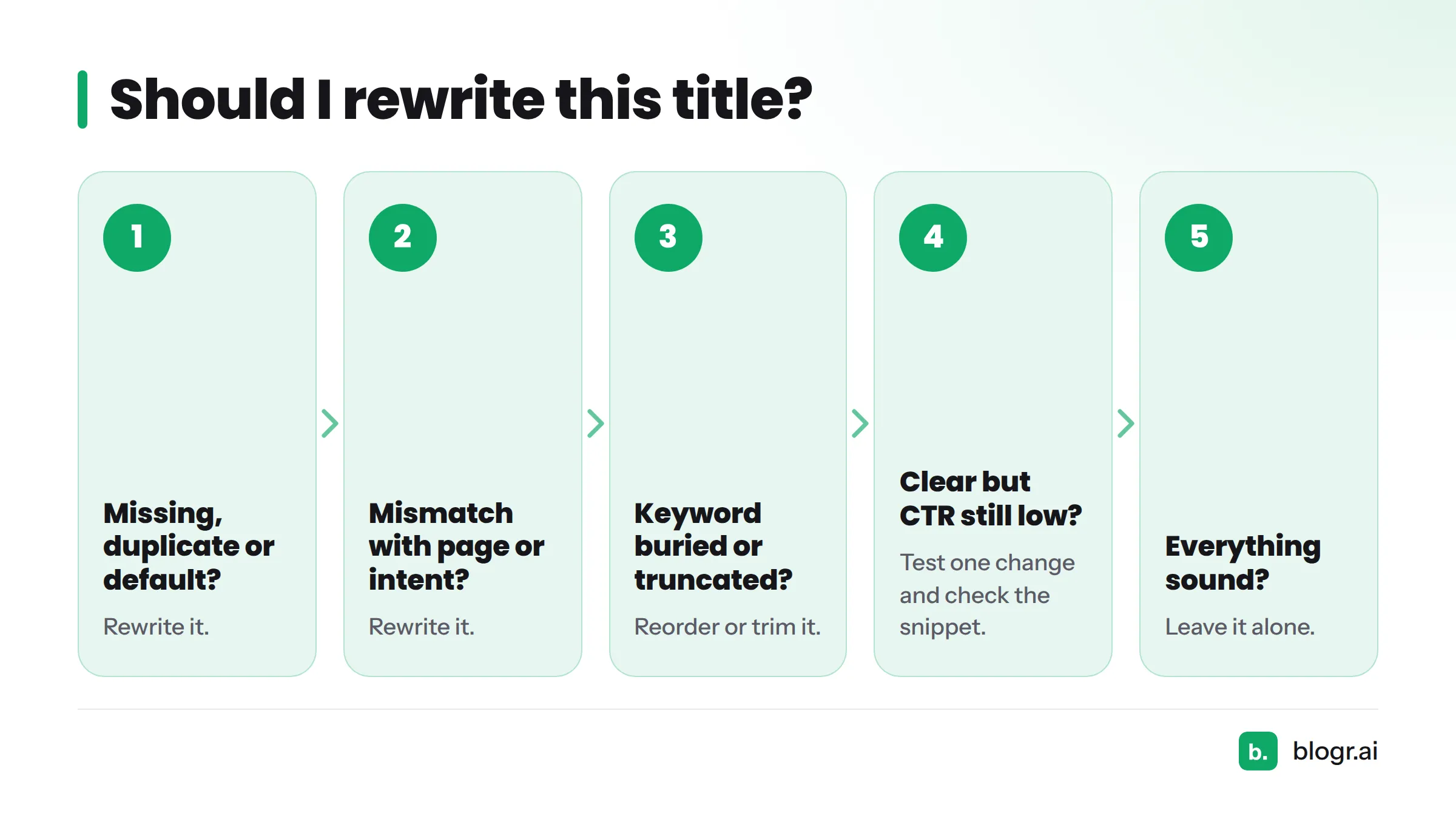
Should I rewrite this title?
Ask these in order:
- Is the title missing, duplicated or a CMS default? Rewrite it.
- Does it mismatch the page or the search intent? Rewrite it.
- Is the keyword buried or the title truncated? Reorder or trim it.
- Is the title accurate and clear, but CTR is still low? Test one change, and check whether the snippet or competing results are the real cause.
- Is everything sound? Leave it alone.
Re-measure and iterate
Change one thing at a time, note the date, and wait for enough data before comparing. A few days of noisy impressions proves nothing. Compare equal date ranges, and remember that seasonality and ranking shifts also move CTR.
Audit for duplicates and missing titles
Crawl your site with any SEO crawler, export the title column, and sort alphabetically. Duplicates and blanks stand out immediately. Fix the highest-traffic pages first.
Next steps: paste your draft into the SERP snippet preview tool, then run a quick Search Console audit of your top pages. The free SEO tools from blogr.ai are a good place to start, and you can see how blogr.ai turns Search Console data into next actions.
FAQ
How long should a title tag be?
Around 50 to 60 characters is a sound guideline. Google truncates by pixel width, not character count, so keep the important words near the front.
Does Google always use my title tag?
No. Google may rewrite titles that are too long, stuffed with keywords, generic or inconsistent with the page. A concise, accurate title lowers the odds.
Should the title tag match the H1?
It can, but it does not have to. Both should describe the same page. Small differences are fine, while large mismatches cause confusion.
What is the purpose of a title tag?
It names the page for search engines and people. It earns the click in search results, labels the browser tab and helps screen reader users orient themselves.
Where is the title tag placed?
Inside the <head> section of the HTML document, wrapped in <title> and </title>.
Can you give me an example of a title tag?
<title>How to Descale a Kettle in 10 Minutes | Acme</title>
It names the topic first, makes one clear promise and ends with the brand.