


Automated Blogging: Auto-Publish to Your CMS | blogr.ai
Automated blogging means finished articles publish themselves instead of sitting in a document until you copy them into a CMS. With blogr.ai, you approve a title, the article gets written, and auto-publish sends it to WordPress, Webflow, Shopify, Ghost, or any webhook as a draft or a live post. Nothing goes out without your approval.
That last part matters. Most people who search for blog automation want two things at once: no more copy-paste, and no surprises on their live site. Here is how both work together.
Start the 7-day free trial and watch a post land in your CMS. The founders behind blogr.ai run their own sites on this same pipeline, so every behavior described below comes from real connections, not a demo.
How Automated Blogging Works: From Approved Title to Published Post
Automated blogging is the practice of using software to publish blog posts without manual copy-pasting. With blogr.ai, approved articles go automatically to WordPress, Webflow, Shopify, Ghost, or a webhook, as drafts or live posts, and nothing publishes without the owner's approval.
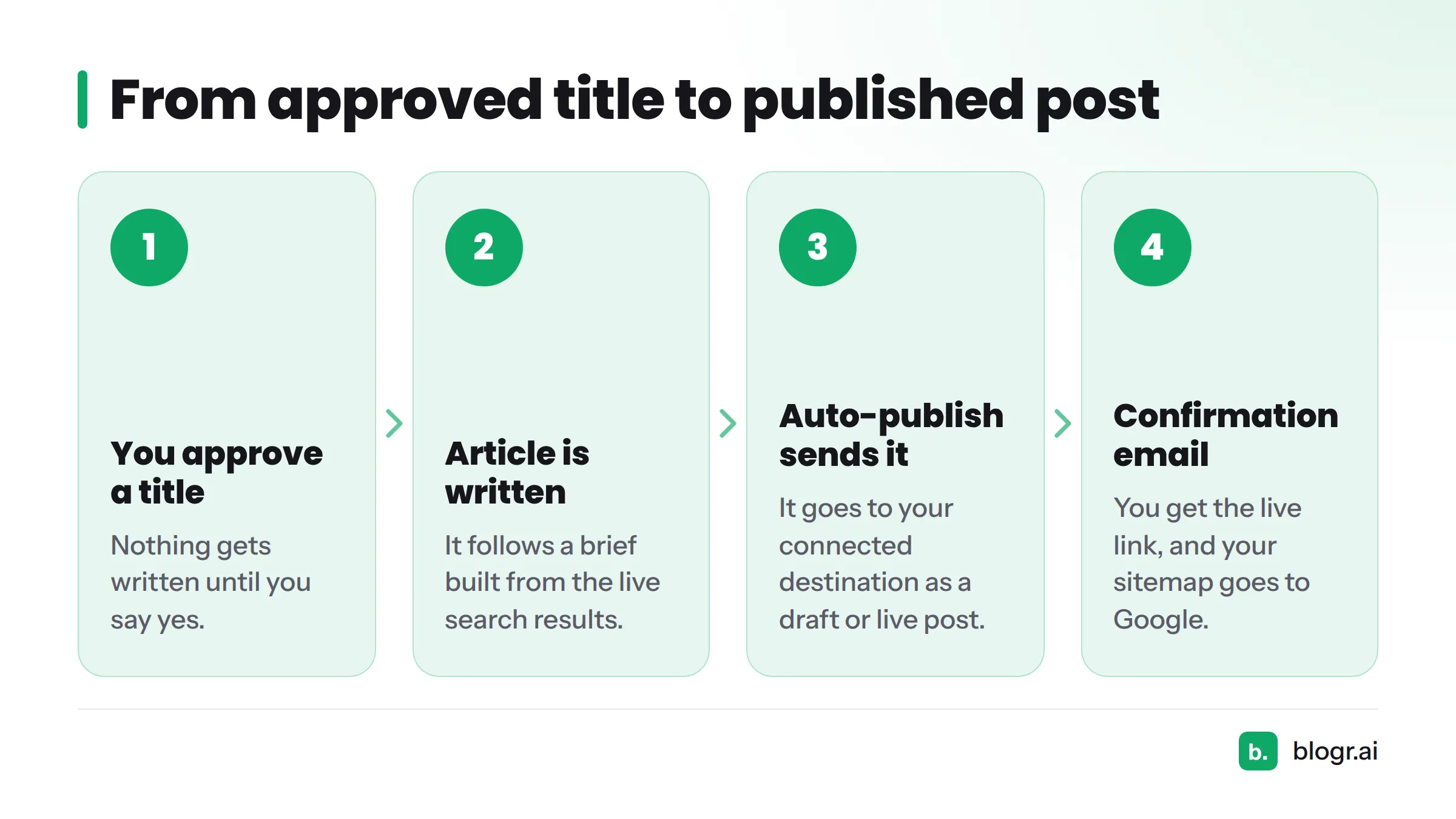
The flow has four steps:
- You approve a title. Nothing gets written until you say yes.
- The article is written. It follows a brief built from the live search results.
- Auto-publish sends it to the destination you connected, as a draft or a live post.
- You get a confirmation email with the live link, and your sitemap goes to Google.
Picture it as a straight line: approved article, publish payload, your CMS, a live or draft post, then a note in your inbox.
Callout: No article is written or sent anywhere without an approval first. The approval step has its own mechanics, covered under the safeguards section below.
If you want the wider picture of how research, writing, and refresh fit together, read about the full SEO content automation loop.
What blogr.ai Sends to Your CMS When It Auto-Publishes
Let's break it down. When software publishes to a CMS automatically, it sends a package of data, usually called a payload. Think of it as the filled-in form you would otherwise type by hand.
| Field | What it carries | What you get |
|---|---|---|
| Title | The approved headline | Your post title, and usually the H1 |
| Body | The full article as HTML | Headings, lists, and tables kept intact |
| Slug | The URL ending | A clean, readable address |
| Meta description | The search snippet text | Control over what searchers read in results |
| Featured image | The article's lead image | No manual upload |
| Status | Draft or live | A say in who sees it first |
Exact field handling varies by platform, because each CMS names and validates fields in its own way. The WordPress REST API handbook shows how one platform defines posts. The others follow a similar pattern with their own rules.
What does not get sent? Anything you have not approved. An unapproved title never gets written, and an unwritten article never gets posted. The payload only exists after your yes.
Supported Destinations: WordPress, Webflow, Shopify, Ghost and Webhooks
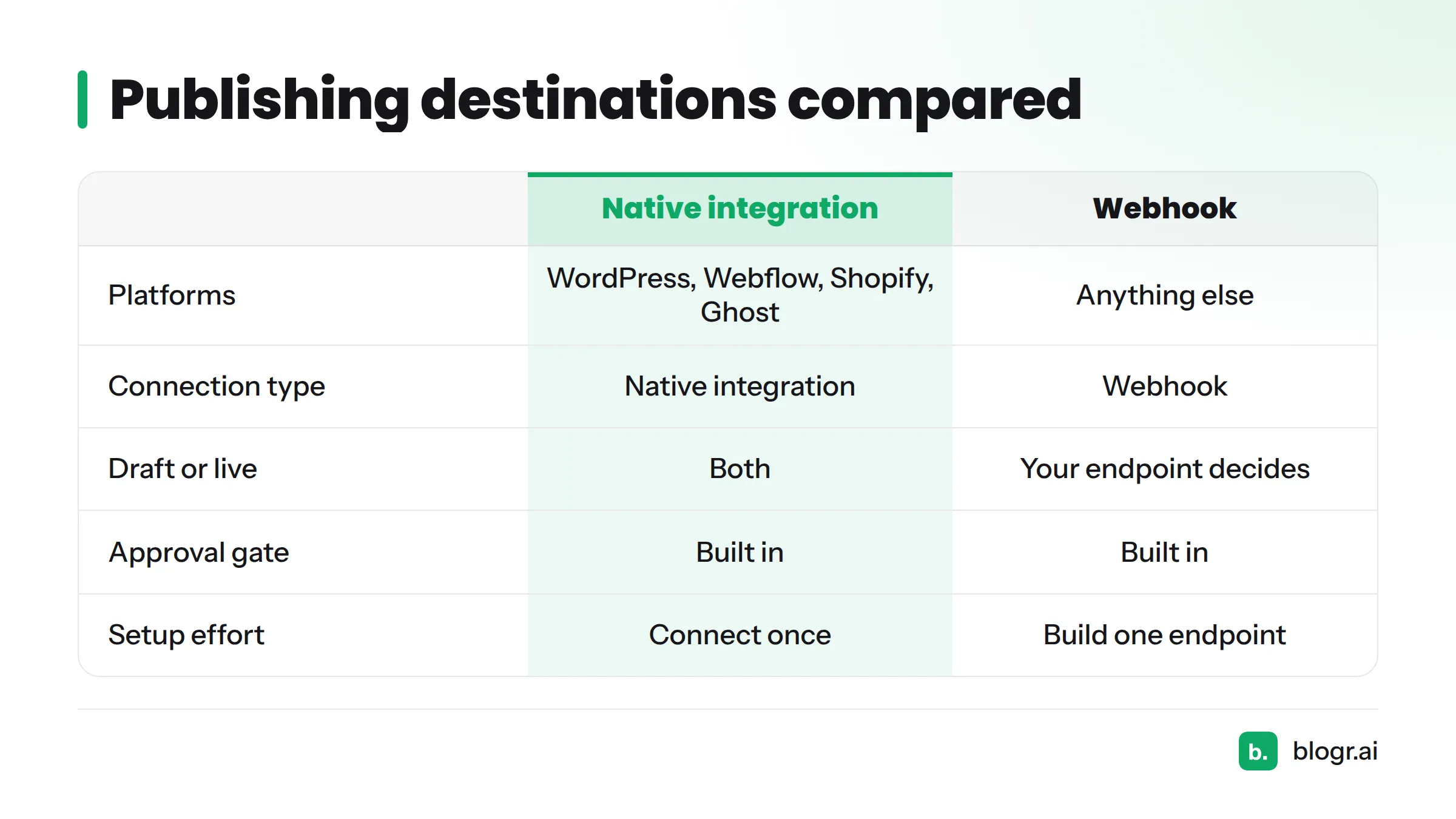
| Platform | Connection type | Draft or live | Notes |
|---|---|---|---|
| WordPress | Native integration | Both | See the WordPress integration |
| Webflow | Native integration | Both | Posts arrive in your blog collection |
| Shopify | Native integration | Both | Lands in your store's blog |
| Ghost | Native integration | Both | Works for newsletter-style sites too |
| Anything else | Webhook | Your endpoint decides | Sends the payload to a URL you control |
Browse all of them on the CMS publishing integrations page. Setup steps live there, so this page skips them.
Webhooks for Everything Else
A webhook is an HTTP request your site receives when something happens. blogr.ai can publish to any endpoint via webhook, which covers custom builds. Sites made with Lovable or Directify use this route, and a read-only REST API is available for reading your data back out.
Developers, this part is for you. Your endpoint receives the payload as JSON over HTTP POST. Return a clear success or error response, and blogr.ai treats it accordingly. The MDN guide to HTTP POST is a handy refresher.
How This Compares with DIY Chains
Plenty of people wire up Zapier, IFTTT, or Jetpack by hand. That works, and I respect the tinkering. The trade-off is that you build and maintain every safeguard yourself.
| Approach | Setup effort | Approval gate | Failure visibility |
|---|---|---|---|
| Native integration (blogr.ai) | Connect once | Built in | Reported to you |
| Webhook (blogr.ai) | Build one endpoint | Built in | Depends on your response |
| DIY chain (Zapier, IFTTT, Jetpack) | You design every step | You build it | You build it |
Start the 7-day free trial and connect your first destination in minutes.
Drafts Versus Live Posts: Choosing What Happens on Publish
You control the status. Pick the one that matches how much you trust the pipeline today.
| Choose draft when | Choose live when |
|---|---|
| Your site is new | The pipeline has earned your trust |
| You work in a regulated niche | You publish on a steady schedule |
| An editor wants the final look | Your team approves titles carefully |
| You want to test formatting first | You want zero clicks after approval |
My own advice: start with drafts for your first five posts. Check how headings, tables, and images render in your theme. Once everything looks right, flip to live.
Scheduling and Drip Queues
Dumping fifty pages on a site overnight looks odd and is hard to review. A drip queue publishes on a schedule instead, say one post every few days. You keep a steady rhythm, and you still catch problems early. That makes it the simplest way to schedule blog posts automatically without losing oversight.
What Happens When a Destination Rejects a Post
Every CMS can say no. Credentials expire, fields fail validation, or an endpoint goes offline. Here is what to expect and what to do.
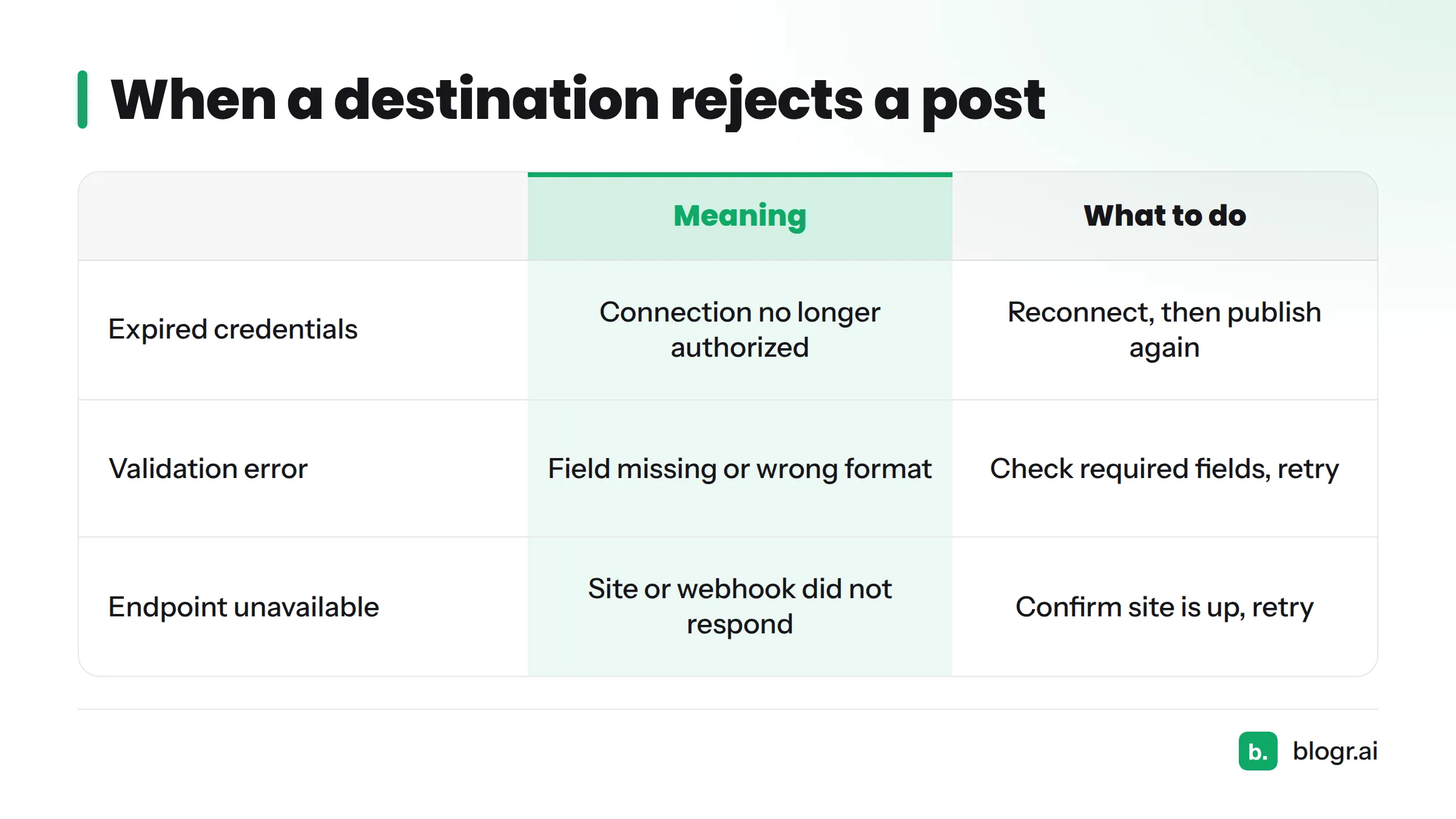
| Failure type | What it usually means | What to do |
|---|---|---|
| Expired credentials | The connection is no longer authorized | Reconnect the destination, then publish again |
| Validation error | A field was missing or in the wrong format | Check the required fields in your CMS and retry |
| Endpoint unavailable | Your site or webhook URL did not respond | Confirm the site is up, then retry |
Callout: A failed publish never silently disappears. The article stays in your account, so you can fix the cause and send it again.
Safeguards That Keep Auto-Publish Under Your Control
- Approval gate: titles need your yes before writing starts.
- Draft-first option: review in your CMS before anything goes public.
- Per-site connection: each site publishes only to its own destination.
- Drip pacing: a steady schedule instead of a content dump.
- Live-link email: you hear about it when a post goes live.
- Sitemap resubmission: Google learns about new URLs quickly.
- Live-SERP briefs: each article is built from what currently ranks, which keeps it on-topic.
Will Automation Hurt Your Rankings?
The publishing method is not the issue. Google says it rewards helpful, people-first content regardless of how it is produced, and it targets content made mainly to manipulate rankings. Read the Google Search Central guidance on AI-generated content yourself. Automation only becomes a risk when nobody checks quality, which is why the approval gate exists.
Who Auto-Publish Fits, and Next Steps
- SaaS teams that need steady posts without a content hire.
- Ecommerce stores growing a Shopify blog.
- Agencies running several client sites.
- Local businesses with no time to format posts.
- Publishers on Ghost or WordPress with a regular schedule.
- Solo founders who would rather build product than paste HTML.
Next steps: see the plans by number of sites, read what real users say, or learn what an automatic blog is and isn't. When you are ready, start the 7-day free trial.
FAQ
Can I review posts before they go live?
Yes. You approve every title first, and you can send articles to your CMS as drafts so you review the final post before it goes public.
Which platforms does auto-publish support?
WordPress, Webflow, Shopify, and Ghost have native connections. Any other site can receive posts through a webhook.
Will automated blogging hurt my rankings?
Quality and usefulness decide rankings, not the publishing method. Approval gates and live-SERP briefs keep articles useful and on-topic.
Can I run auto-publish on several sites?
Yes. Each site connects to its own destination, and plans are tiered by number of sites. More answers are in the blogr.ai FAQ.