


Blog Template for Students: Free Fill-In Post Format
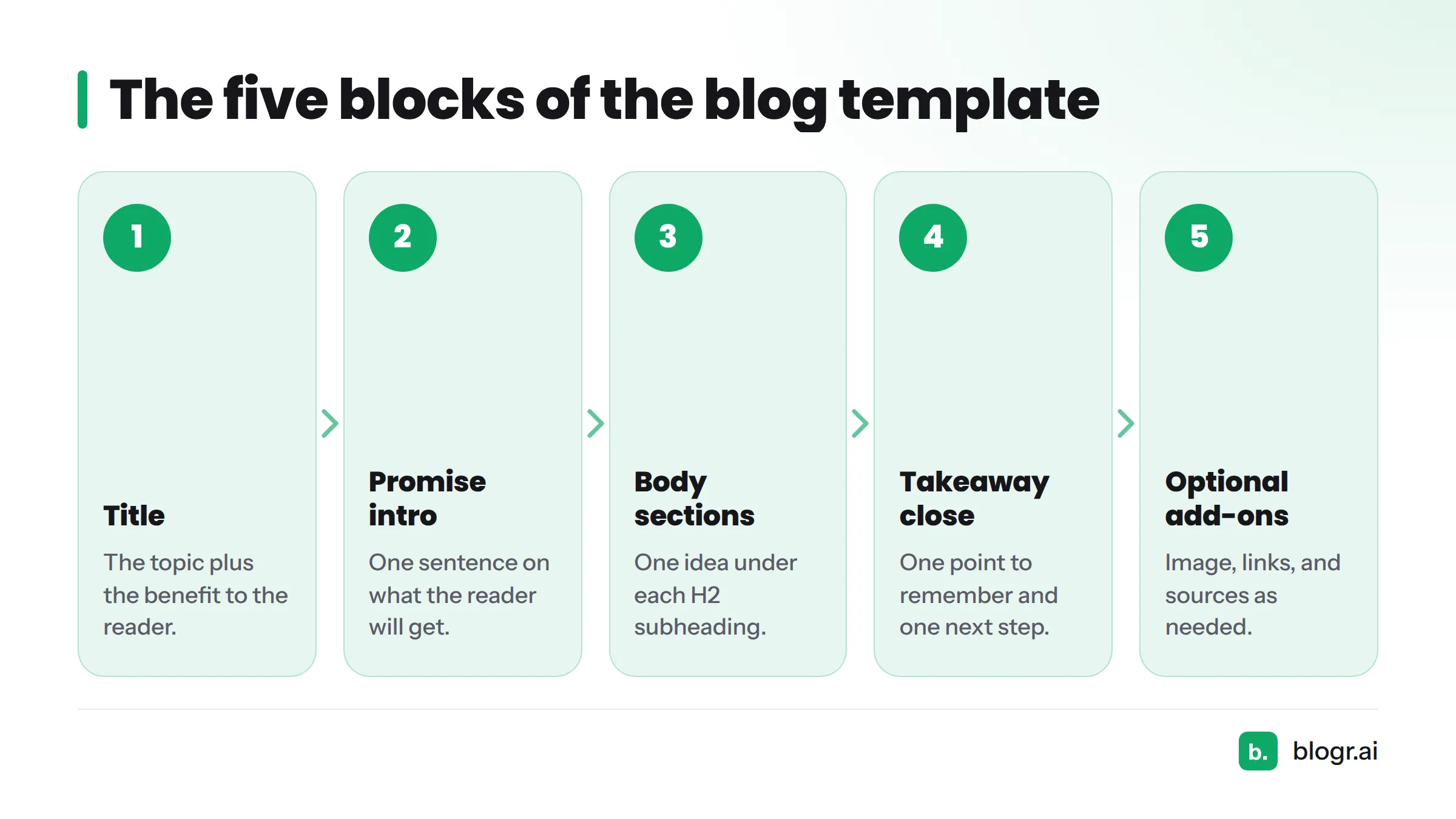
A simple blog template for students has four blocks: a title, a one-sentence promise intro, three or so body sections under scannable subheadings, and a takeaway close with a call to action. Optional add-ons are an image, links, and sources. Copy the fill-in version below and start typing.
Copy template: select the boxed text in the next section and paste it into Google Docs, Microsoft Word, or any plain-text editor. The same structure works on WordPress, Blogger, and Google Sites.
I built this layout from how SEO operators structure posts on the blogr.ai team, then stripped it down for class assignments. Every block has a short instruction and an illustrative example. The examples are made up for demonstration. They are not finished posts.
The Blog Post Template at a Glance
Here is the whole student blog template in one box. Replace everything in brackets.
[TITLE: say what the reader gets]

[ONE-SENTENCE PROMISE INTRO: "In the next few minutes, you will learn X so you can Y."]

## [SUBHEADING 1]
[2-4 short sentences. One idea.]

## [SUBHEADING 2]
[2-4 short sentences. One idea.]

## [SUBHEADING 3]
[2-4 short sentences. One idea.]

## [TAKEAWAY CLOSE]
[One sentence that sums up the point. One call to action for the reader.]

[OPTIONAL: image with caption, one or two links, sources list]
The blocks in order:
- Title
- One-sentence promise intro
- Body sections with H2 subheadings
- Takeaway close with a call to action
- Optional add-ons
| Block | What goes in it | Suggested length |
|---|---|---|
| Title | The topic plus the benefit to the reader | One line |
| Promise intro | What the reader will get | One sentence |
| Body section | One idea under one subheading | Two to four sentences |
| Takeaway close | One point to remember, one next step | Two sentences |
| Add-ons | Image, links, sources | As needed |
These lengths are my editorial suggestions, not official benchmarks. Check your assignment sheet if your teacher sets a word count.
Block 1: Title and One-Sentence Promise Intro
How to fill it in
Write a title that names the topic and tells the reader what they gain. Then write one sentence that makes a promise. Use this formula: "In the next few minutes, you will learn [thing] so you can [result]."
Keep the intro to that single sentence. Your audience should know within seconds why the post is worth reading.
Example
Title: Five Study Habits That Made My Mornings Easier
Intro: In the next few minutes, you will learn five small study habits so you can finish homework before dinner.
Block 2: Scannable Subheadings and Body Sections
How to fill it in
Give each body section its own H2 subheading. In Google Docs or Word, pick "Heading 2" from the style menu. In a blog editor, choose H2 from the block settings. Write a subheading that tells the reader what the section holds, then add two to four short sentences. One idea per section keeps paragraphs easy to scan.
Three sections is a good starting point. Add a fourth only if your topic truly needs it.
Filled-in example paragraph
Subheading: Pack Your Bag the Night Before
Paragraph: I set out my notebooks and charger before bed. That cut my morning rush to five minutes. I also stopped forgetting my lunch, which helped me focus in first period.
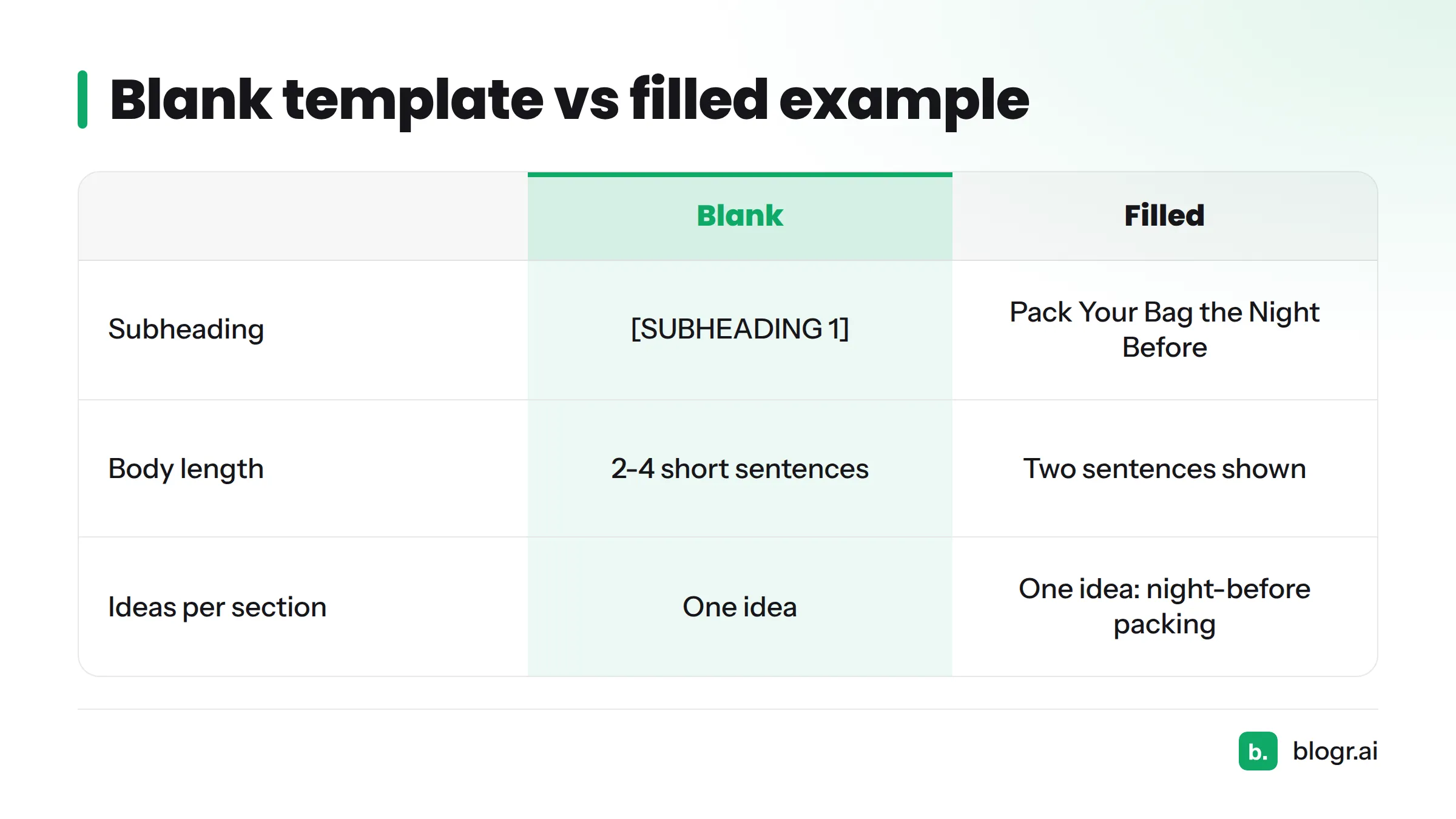
Blank vs filled:
| Blank | Filled |
|---|---|
| [SUBHEADING 1] | Pack Your Bag the Night Before |
| [2-4 short sentences. One idea.] | I set out my notebooks and charger before bed. That cut my morning rush to five minutes. |
Block 3: Takeaway Close
How to fill it in
Finish with one sentence that states the main point, then one call to action. A call to action is a single request to the reader: try something, share a tip, or leave a comment. Do not add new ideas here.
Example
Takeaway close: Small habits beat big plans. Try packing your bag tonight and tell me in the comments how tomorrow feels.
Block 4: Optional Add-Ons (Image, Links, Sources)
Use this short checklist after your draft is done:
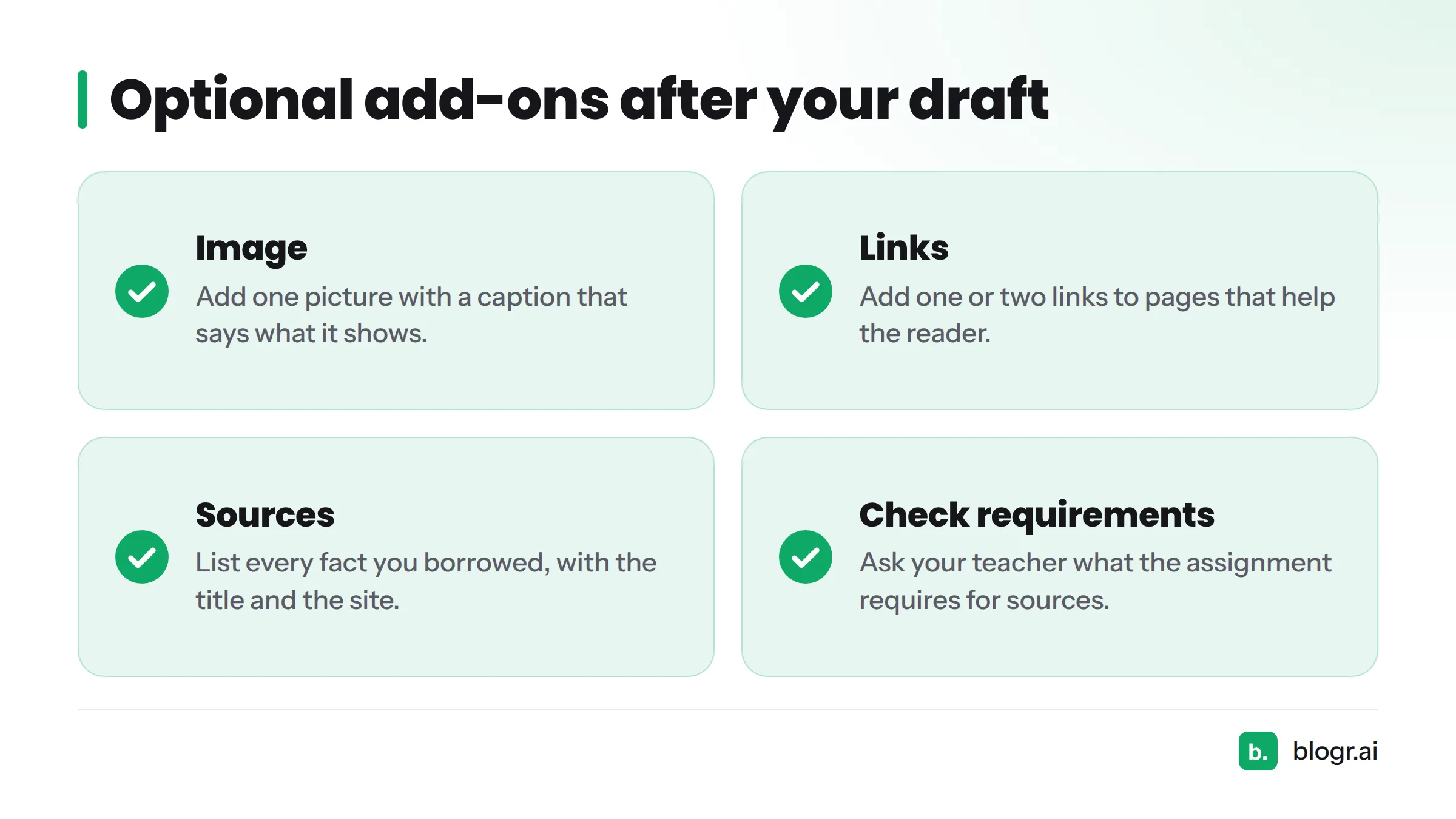
- Image: add one picture with a caption that says what it shows.
- Links: add one or two links to pages that help the reader.
- Sources: list every fact you borrowed, with the title and the site it came from.
Ask your teacher what your assignment requires for sources. Rules differ from class to class.
Fill order tip: write the subheadings first, then the body paragraphs, then the intro, and the title last. The promise is easier to write once you know what the post contains.
Download the Fill-In Template
Copy the boxed template above and paste it into Google Docs, Word, or a plain-text file. It includes the title, promise intro, three body sections, the takeaway close, and an add-ons line. Want a PDF? Paste it into your document editor and use its "Download as PDF" option.
Prefer more structures than one? Browse more SEO content templates from blogr.ai.
Next Steps and Related Templates
You now have a blank page turned into a plan. Here is where to go next:
- See finished layouts in Blog Post Examples: 12 Formats With Annotations.
- Read a full walkthrough in Sample Blog Post: A Full Annotated Example.
- Look for our guides on how to write an SEO blog post, blog examples for students, a blog assignment template for teachers, and an FAQ post format as they go live.
Fill in the blocks, keep each section short, and post your first draft today.