


Humanize AI Content: 8 Edits That Actually Work
To humanize AI content, edit the draft for substance, not disguise. Open with a point of view, cut filler, vary your rhythm, add specific examples and first-hand experience, fact-check everything, match your brand voice, and read it aloud before a human approves it.
This guide is for anyone whose AI content sounds robotic. Budget about 20 to 30 minutes for a 1,500-word draft. Here is the promise up front: these edits make an article more useful to the person reading it. They do not guarantee any result from an AI detector, and I won't pretend they do.
Quality edits over detector evasion. No edit, and no tool, guarantees a particular detector score. Edit for the reader and the rest follows.
The 8 edits at a glance:
- Rewrite the opening so it takes a stance.
- Cut filler phrases and stock transitions.
- Vary sentence length and rhythm.
- Swap generic claims for specific examples.
- Add first-hand experience and operator judgment.
- Fact-check every claim, name, and number.
- Match your brand voice and the reader's vocabulary.
- Read it aloud and get human sign-off.
What It Means to Humanize AI Text (and What It Doesn't)
Let's break it down. People use the phrase for two very different jobs: editing for quality and rewriting to dodge software. Only one of them makes your content better.
Humanizing AI means editing the draft
To humanize AI text is to edit an AI draft until it reads like a knowledgeable person wrote it. That means opening with a point of view, cutting filler, varying rhythm, adding specific examples and first-hand experience, and fact-checking before a human approves it.
Think of the model's output as a rough first draft from a fast, well-read intern. The intern knows a little about everything and has lived none of it. You supply the line edit and the judgment.
Why AI content sounds robotic
Large language models such as ChatGPT, Claude, and Gemini predict likely next words. Likely words are common words, so drafts drift toward the average. You will spot four patterns fast:
- Generic phrasing. "Many businesses benefit from..." names nobody and shows nothing.
- Stock transitions. "Furthermore," "in conclusion," and "it's important to note" show up on a schedule.
- Uniform rhythm. Sentence after sentence lands at 18 to 22 words.
- No lived detail. No mistakes, prices, screenshots, or trade-offs.
Google's guidance cares about the output, not the tool. Its guidance on using generative AI content says AI can be useful, but producing many pages without adding value for readers may violate its spam policies. That is the real risk of an unedited draft.
AI detector and SEO: why evasion is the wrong goal
AI detectors such as GPTZero and Turnitin estimate how likely text is machine-written. Vendors say plainly that results are probabilistic. Turnitin's own AI writing detection guidance warns that its scores should not be the sole basis for adverse action against a student. Some detectors reference perplexity (how predictable the wording is) and burstiness (how much sentence length varies). Those are signals, not proof.
When people ask about the AI detector and SEO connection, the honest answer is that search engines say they reward helpful, accurate content, and a detector score is not part of that promise. Chasing a number gets you worse prose. Chasing usefulness gets you a better article.
| Quality editing | Detector evasion | |
|---|---|---|
| Goal | A better article for the reader | A lower score on a tool |
| Method | Specifics, facts, voice, judgment | Synonym swaps, scrambled phrasing |
| Risk | Takes 20 to 30 minutes | Meaning drifts, errors creep in |
| Outcome | Content worth reading | No dependable guarantee |
Online tools to humanize AI text, or a manual edit?
Use this quick decision guide:
- Tight on time, rough draft? Run it through a free AI text humanizer for a first pass, then do Steps 4 to 8 by hand. It's a simple way to humanize AI free of charge before the real edit.
- Publishing under your name or a client's? Edit manually. Tools cannot add your experience or check your facts.
- Short social caption? A tool pass plus a read-aloud is usually plenty.
A tool can smooth phrasing. It cannot know what you know, so the remaining steps stay manual.
Step 1: Open With a Point of View
AI openings stall. They define the topic, praise it, then warm up. Readers leave during the warm-up.
Before: "In today's fast-paced digital world, email marketing is more important than ever for businesses of all sizes."
After: "Most small shops send one newsletter a month and wonder why nobody opens it. Weekly, shorter emails fix that more often than a new subject-line trick."
Test: Does the first sentence answer the query or take a stance? If you could paste it above any article on the topic, rewrite it.
Step 2: Cut Filler Phrases and Stock AI Transitions
Google's AI Overview for this query points to "furthermore," "delve," and "testament" as common tells. I'd add "it's important to note" and "in today's fast-paced world." Search your draft for each one and replace it with plain words, or cut the sentence.
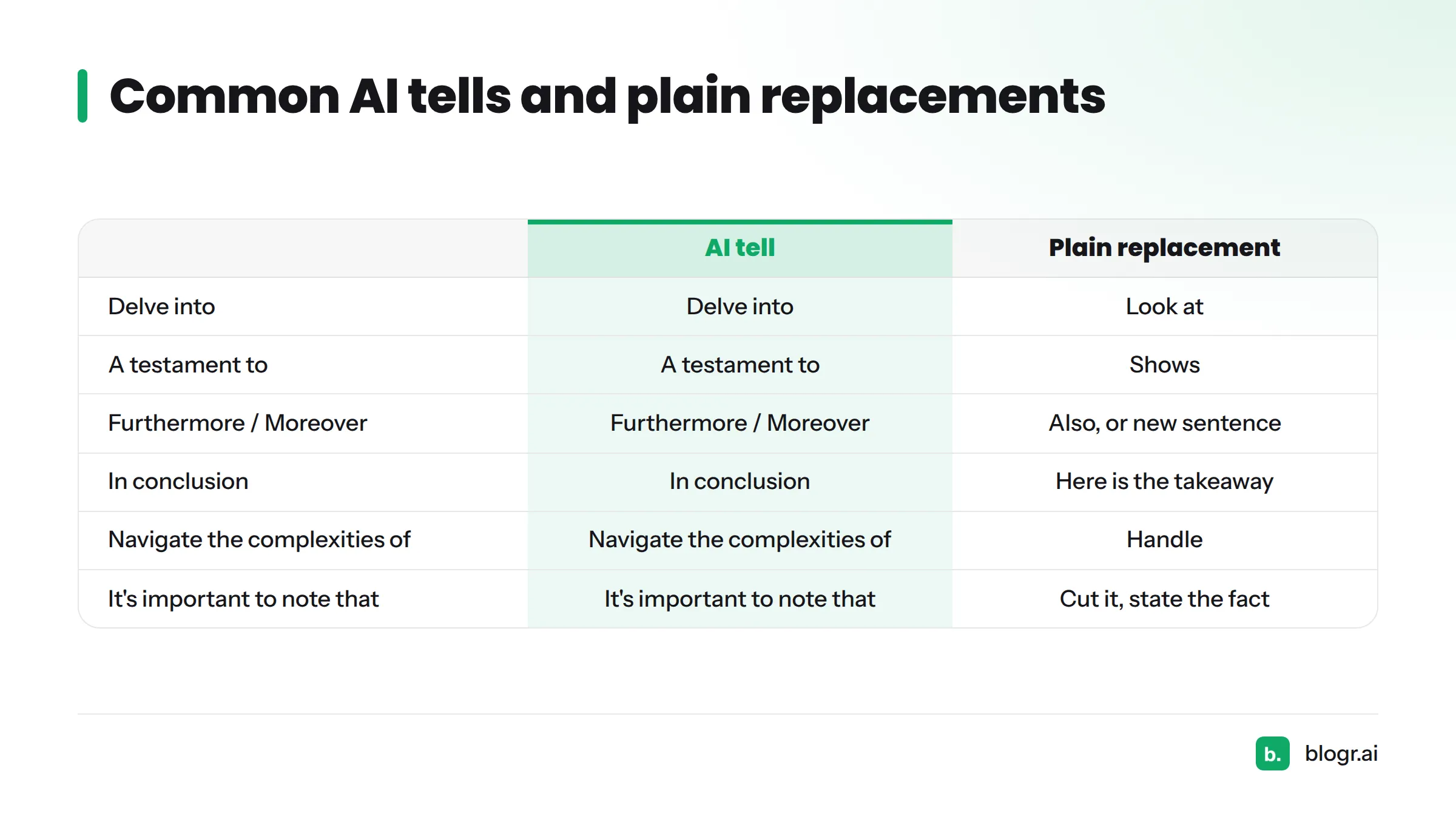
| AI tell | Plain replacement |
|---|---|
| In today's fast-paced world | (Cut it. Start with the point.) |
| Delve into | Look at |
| It's important to note that | (Cut it. State the fact.) |
| Furthermore / Moreover | Also, or start a new sentence |
| A testament to | Shows |
| In conclusion | Here is the takeaway |
| Navigate the complexities of | Handle |
| Plays a crucial role | Matters because (then say why) |
Before: "Furthermore, it is important to note that keyword research plays a crucial role in content strategy."
After: "Keyword research decides what you write next. Skip it and you guess."
The Federal Plain Language Guidelines back this approach: short words, active voice, and direct sentences.
Step 3: Vary Sentence Length and Rhythm
Run a quick rhythm audit. Take one paragraph and write the word count of each sentence in the margin. If the numbers look like 19, 21, 18, 20, you have a metronome. Aim for a mix, such as 5, 22, 9, 14, 3.
- Follow a long sentence with a short one.
- Use a fragment now and then. Like this.
- Keep paragraphs to one to four sentences.
Before: "Content refreshes are valuable for maintaining rankings over time. They help ensure that information stays accurate and relevant for readers. Many teams schedule refreshes on a quarterly basis to stay consistent."
After: "Old posts decay. Rankings slip, stats go stale, and a competitor publishes something fresher. Many teams block out one afternoon a quarter to fix the worst offenders."
If you re-edit older posts, our guide on how to update old blog posts shows what to prioritize.
Step 4: Swap Generic Claims for Specific Examples
Use a three-line formula: claim, specific, consequence. State the claim. Back it with a named scenario, number, or process. Say what it changes.
Before: "Many businesses struggle with slow websites."
After: "A bakery with a 6 MB homepage photo loads slowly on a phone. Shoppers leave before the menu appears, so the order button never gets tapped."
Be honest with yourself here. If you invent a number, you've created a fact-check problem for Step 6. Use real figures from your own work or from a source you can link.
Step 5: Add First-Hand Experience and Operator Judgment
Google's Search Quality Rater Guidelines describe E-E-A-T: experience, expertise, authoritativeness, and trust. The first "E" is the one AI cannot fake. You can read the concept in Google's guidance on creating helpful, reliable, people-first content.
Add these where they fit:
- An opinion ("I'd skip this tactic for new sites, here's why").
- A trade-off you've felt.
- A mistake you made and what you changed.
- A screenshot, a price, a date, a result from your own account.
Add one thing only you could know per section.
Before: "Internal linking can improve site structure."
After: "On one client site, we found 14 posts with zero internal links pointing to them. Adding three links each took an afternoon. I'd do that before writing anything new."
For a broader view of how AI answers weigh trust signals, see our explainer on generative engine optimization.
Step 6: Fact-Check Every Claim, Name, and Number
Models state wrong things in a confident tone. A single bad stat costs more trust than a dozen clunky sentences. Triage in this order:
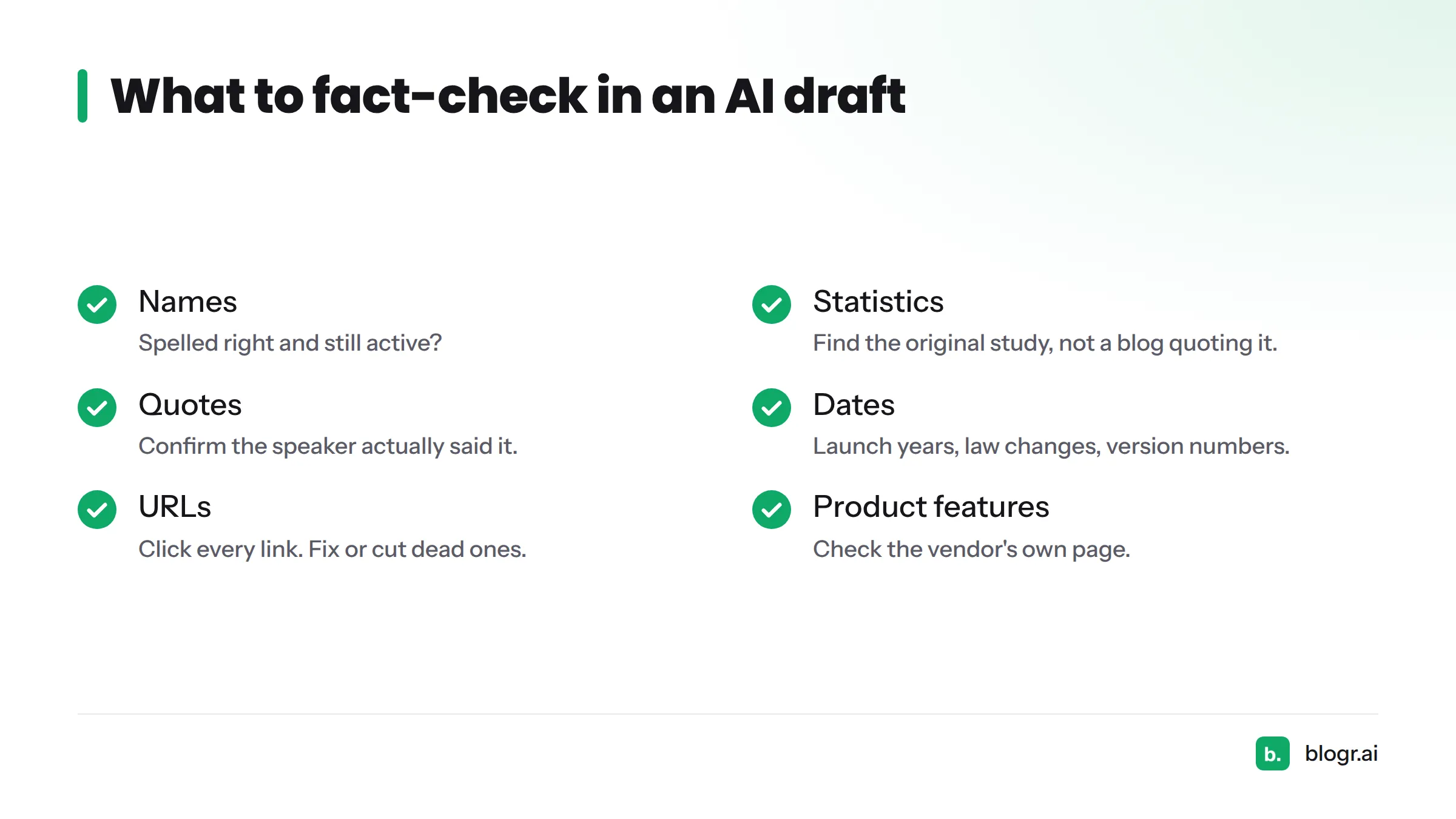
- Names: people, companies, products. Are they spelled right and still active?
- Statistics: find the original study, not a blog that quoted it.
- Quotes: confirm the speaker actually said it.
- Dates: launch years, law changes, version numbers.
- URLs: click every link. Fix or cut dead ones.
- Product features: check the vendor's own page.
- Legal, medical, and financial claims: verify with a primary source or cut them.
Cite primary sources such as government pages, standards bodies, and vendor documentation. If you cannot find a source, state the point as your own opinion or remove it.
Step 7: Match Your Brand Voice and the Reader's Vocabulary
Voice is what makes a page feel like it came from you. Keep a one-page tone sheet: three adjectives for how you sound, a list of banned words, and two sample paragraphs you love.
Then match the reader. Check the language they type into Google and the words used in top results. Our live SERP briefs are built on that idea: write to the search intent, in the audience's terms.
Before: "Utilize our solution to optimize your content workflows."
After: "Use it to get a post from idea to published in an afternoon."
An AI SEO writer can generate a draft already shaped to a brief, which gives you a stronger starting point. The voice pass is still yours.
Step 8: Read It Aloud and Get Human Sign-Off
Read the whole piece out loud at normal speed. You will stumble where sentences run long, repeat a word, or sound like no one you know. Mark each stumble and fix it. This works because your ear catches rhythm problems your eyes skim past.
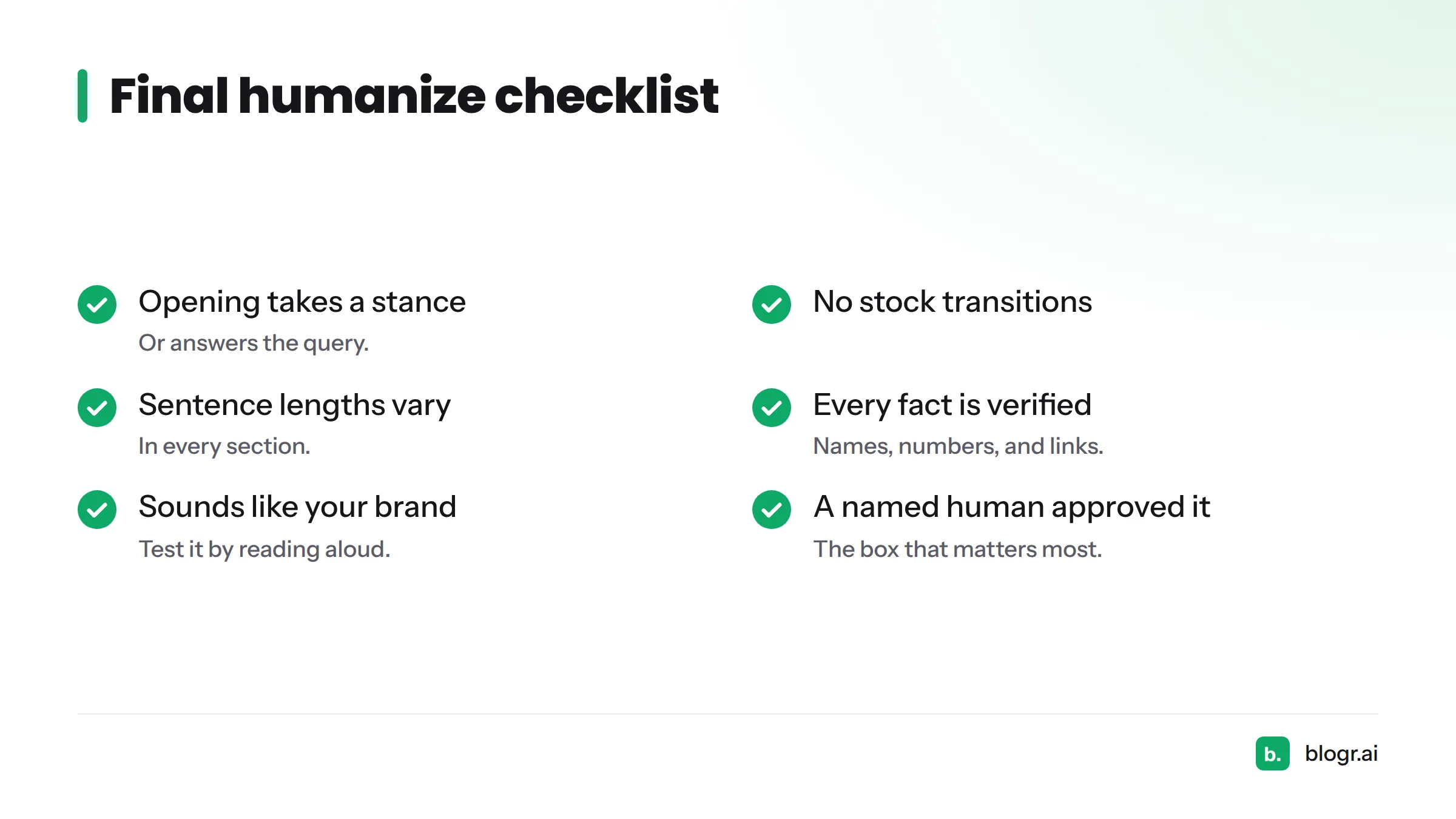
Final checklist:
- The first sentence takes a stance or answers the query.
- No stock transitions remain.
- Sentence lengths vary in every section.
- Each section has one specific example.
- Each section has one thing only you could know.
- Every fact, name, number, and link is verified.
- It sounds like your brand when read aloud.
- A named human has approved it.
That last box matters most. Someone accountable should approve the piece before it goes live. Copy this list into your notes as a one-page "humanize AI edit checklist" and reuse it on every draft. Short on time? Do a 10-minute fast pass: Steps 1, 2, 6, and 8.
FAQ
Does humanizing AI content help SEO?
Editing improves the things search engines say they reward: original, helpful, accurate content. It does not guarantee rankings. Google says it focuses on content quality, however it is produced.
Can AI detectors reliably spot edited AI text?
No. Detectors give probability estimates, and vendors acknowledge false positives, including on fully human writing. Treat a score as a hint. Never treat it as proof either way.
Are free AI humanizer tools safe to use?
Check each tool's privacy policy before pasting anything sensitive. Look for how long text is stored and whether it is used for training. Then proofread the output, since rewriting tools can shift meaning or introduce errors.
How long should a pass to edit AI generated text take?
About 20 to 30 minutes for a 1,500-word draft. The fast version is 10 minutes: opening, filler, fact-check, read-aloud.
Should I disclose that AI helped draft the content?
Follow your publisher's, school's, or client's rules. Google does not require AI labels for every page, though it suggests disclosure where readers would reasonably expect to know how content was made. When in doubt, be open about it.
What's the difference between a humanizer tool and manual editing?
A tool rephrases text. Manual editing adds what a tool can't: your experience, verified facts, and judgment. Use a tool for speed on a first pass, then edit by hand.
Next Steps: Try the Free AI Text Humanizer
Want a head start on Steps 2 and 3? Paste your draft into our free AI text humanizer for a quick first pass, then finish with the manual edits above. Disclosure: it's our tool, and like every humanizer it works best as the start of an edit, not the end. If you'd rather start from a stronger draft, see how blogr.ai builds SEO articles from live search results.