


What Is Schema Markup? A Practical Guide (2026)

Schema markup is structured data, written in the Schema.org vocabulary, that you add to a page so search engines can read what it describes: an article, a product, an organization. It can make a page eligible for rich results. It is not a guaranteed ranking factor, and it does not promise any enhanced listing.
I have added markup to blog posts, tool pages, and product pages. Some of it paid off in visible ways. Some of it changed nothing I could see. Here is the practical version, with real code.
What Is Schema Markup? The Short Answer
Think of a web page as a letter written for humans. Schema markup is the label on the envelope that tells a machine what is inside. The text stays the same. The label says "this is an article, written by this person, published on this date."
Search engines such as Google and Bing already read your text. Markup removes the guessing. It states the facts in a machine-readable form, so a crawler does not have to infer the author or the price from layout alone.
Schema markup, Schema.org, and structured data: how the terms relate
People use these words interchangeably, but they name three different things.
| Term | What it means | Role |
|---|---|---|
| Schema.org | A shared vocabulary of types and properties, run as a collaborative community project | The dictionary |
| Structured data | Any data organized in a predictable, machine-readable pattern | The general concept |
| Schema markup | Structured data on a web page that uses the Schema.org vocabulary | The thing you add |
Google, Microsoft, Yahoo, and Yandex launched Schema.org, and you can browse the full hierarchy on the Schema.org website.
Common mix-up: schema markup is not "microdata." Microdata is one of three formats you can use to write it. The vocabulary is one thing. The syntax is another.
How Schema Markup Helps a Page in Search
Markup gives search engines explicit facts about a page. Typical examples:
- Entities: that a page is an Article, a Product, or an Organization.
- Authors and dates: who wrote it, when it was published, when it changed.
- Prices and availability: for product pages.
- Site hierarchy: where a page sits, shown through breadcrumb trails.
Google says it uses structured data to understand page content and to turn on special search features, which it calls rich results. The Google Search Central introduction to structured data lays this out in detail.
The word that matters is eligibility. Valid markup makes a page eligible. It does not make a rich result appear.
What schema markup does not do:
- It does not act as a direct ranking factor. Google states this, and its guidance on structured data and Search adds that following the guidelines does not guarantee a rich result.
- It cannot rescue thin content.
- It should never describe things a visitor cannot see on the page.
I cover how markup relates to answer engines separately in structured data and AI search. This guide stays on the fundamentals of schema markup SEO.
Common Schema Types and When to Use Them
The Schema.org vocabulary is huge, yet most sites need only a handful of structured data types.
| Type | What it describes | Best-fit page |
|---|---|---|
| Article | A news story, blog post, or other written piece | Blog posts and guides |
| Product | An item for sale, with price and availability | Product pages |
| FAQPage | A page with questions and one answer each | Support or FAQ pages |
| Organization | The company behind the site | Home or About page |
| BreadcrumbList | The path from the home page to the current page | Almost any inner page |
Google's supported types and display rules change over time. FAQ rich results, for one, have been restricted. Check the current Google Search Central list of supported structured data features before you plan around a specific result.
Choosing schema markup types for blog posts, tool pages, and product pages
Here is the decision guide I use:
- Blog post or guide: use Article, plus BreadcrumbList. Add Organization once, site-wide.
- Product page: use Product with price and availability that match the visible page. Add BreadcrumbList.
- Tool or calculator page: no type fits perfectly. I describe the page honestly, often with WebPage plus BreadcrumbList, and I do not force a type that misrepresents it.
- Q&A page: FAQPage is accurate for a real list of questions and answers. Do not expect a rich result.
One rule covers all four: if you cannot point to the matching content on the visible page, leave the property out.
Schema Markup Format: JSON-LD, Microdata and RDFa
You can write the vocabulary in three syntaxes.
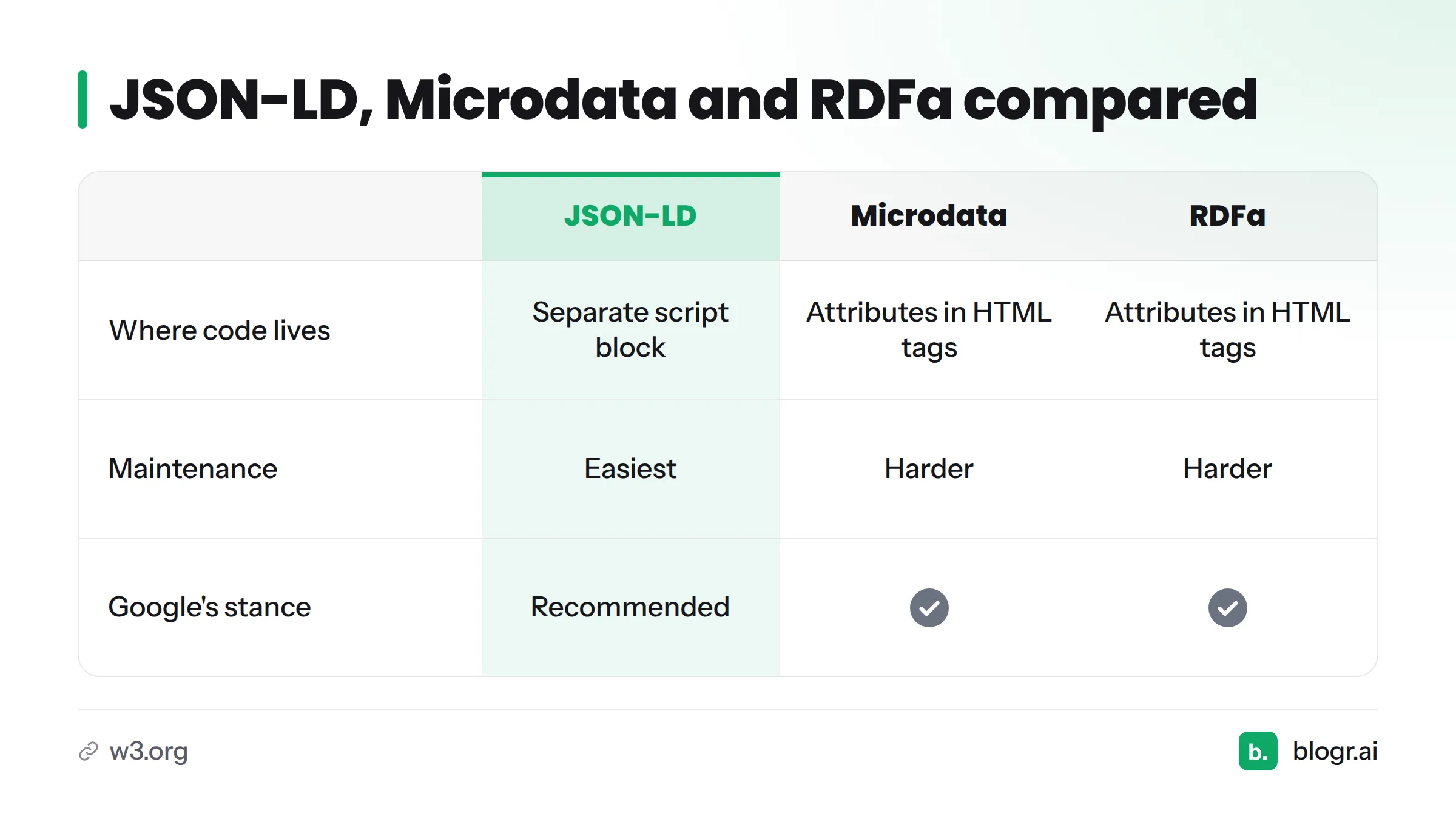
| Format | Where the code lives | Maintenance | Google's stance |
|---|---|---|---|
| JSON-LD | A separate script block in the page | Easiest; no need to touch visible HTML | Recommended |
| Microdata | Attributes woven into your HTML tags | Harder; tied to page layout | Supported |
| RDFa | Attributes woven into your HTML tags | Harder; tied to page layout | Supported |
Google's documentation recommends JSON-LD and says it is typically the easiest format for site owners to add and maintain at scale. JSON-LD is also a W3C Recommendation. For most people the choice is simple: use JSON-LD.
JSON-LD Example: Article Markup Step by Step
This schema markup example is a complete Article block you can adapt. Replace every value with your own.
<script type="application/ld+json">
{
  "@context": "https://schema.org",
  "@type": "Article",
  "headline": "What Is Schema Markup? A Practical Guide (2026)",
  "author": {
    "@type": "Person",
    "name": "Jane Doe"
  },
  "datePublished": "2026-11-23",
  "dateModified": "2026-11-23",
  "image": "https://example.com/images/schema-markup-guide.jpg"
}
</script>
Let's break it down.
Context and type
"@context": "https://schema.org" says the vocabulary in use is Schema.org. "@type": "Article" says what the page is. Everything else describes that article.
Headline
The headline property holds the article's title. Keep it matching the visible heading on the page.
Author
author is a nested Person with a name. Use the real byline shown on the page. The Schema.org Article type page lists every property the type accepts.
Dates
datePublished and dateModified use ISO 8601 dates. Update dateModified only when you make a real content change.
Image
image points to a crawlable image URL that represents the article. Pick an image that actually appears on the page.
How to Add Schema Markup to Your Pages
Here is how to add schema markup in five steps:
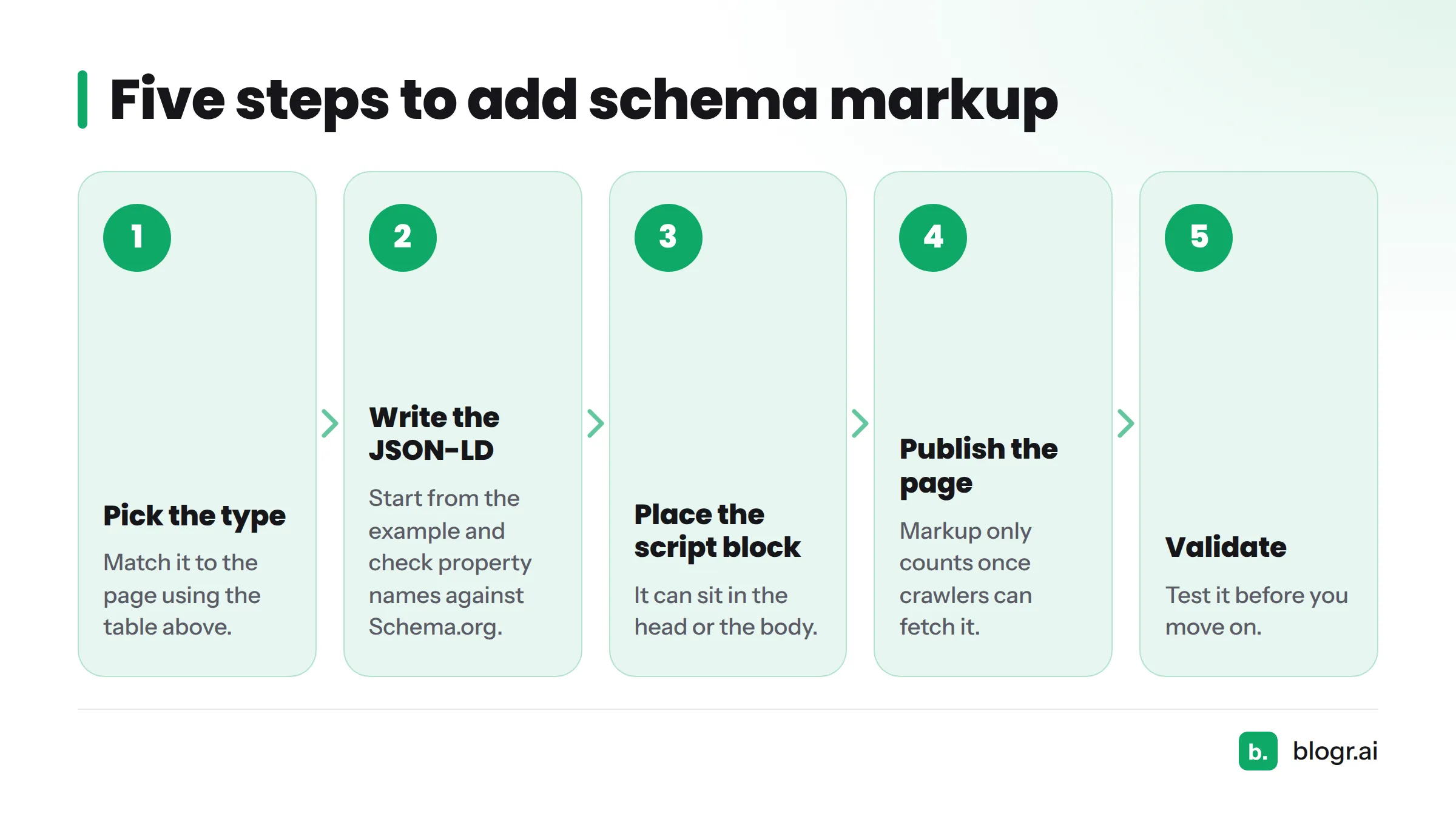
- Pick the type. Match it to the page using the table above.
- Write the JSON-LD. Start from the example and check property names against Schema.org.
- Place the script block. It can sit in the
<head>or the<body>. Both work. - Publish the page. Markup only counts once crawlers can fetch it.
- Validate. Test it before you move on (next section).
If you use a CMS, plugins and theme settings can generate markup for you. That saves time, but read the output. Auto-generated markup sometimes describes the wrong type or repeats itself. If you publish through a WordPress integration or something similar, confirm what the template emits.
The golden rule: markup must match what visitors see. Marking up hidden or invented content breaks Google's guidelines.
How to Validate and Test Your Schema
Two free tools do different jobs:
| Tool | What it checks | Use it when |
|---|---|---|
| Google Rich Results Test | Whether your page is eligible for Google rich results | You care about Google features |
| Schema Markup Validator | Whether your markup is valid Schema.org syntax, for any type | You want a general syntax check |
To see whether a page already has schema, paste its URL into either tool. You can also view the page source and search for application/ld+json.
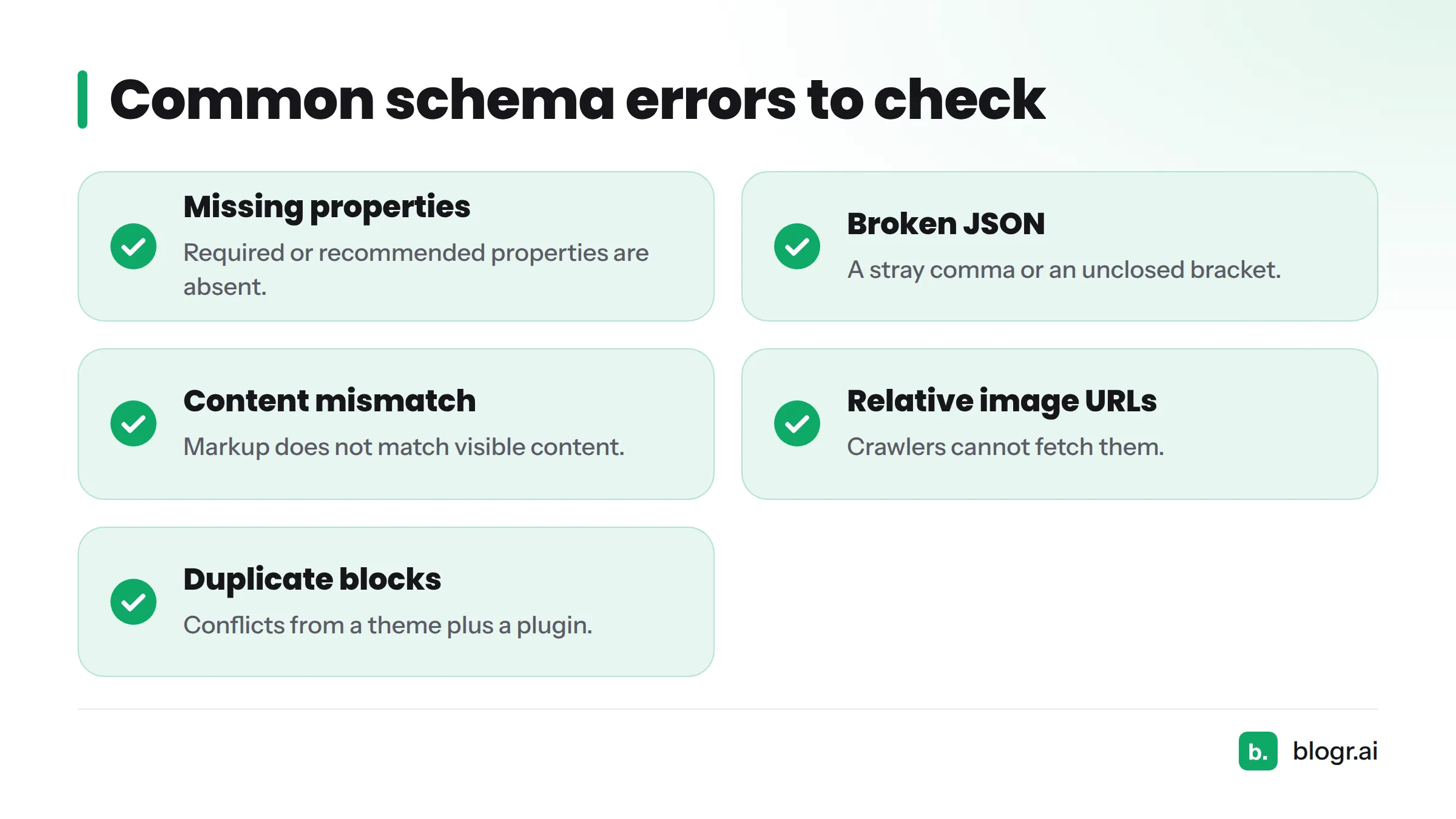
Common errors checklist:
- Missing required or recommended properties
- Broken JSON, such as a stray comma or an unclosed bracket
- Markup that does not match visible content
- Relative image URLs that crawlers cannot fetch
- Duplicate or conflicting blocks from a theme plus a plugin
Troubleshooting order:
- Fix syntax errors first, since they block everything else.
- Add any required properties the tool flags.
- Compare the markup to the visible page, line by line.
- Remove duplicate blocks.
- Retest, then watch the enhancements reports in Google Search Console. My guide on reading Search Console data covers that step.
Where Schema Made a Difference and Where It Didn't
This section is my own experience, with no invented numbers.
- Blog posts: Article markup gave me clean, consistent author and date signals. I rarely saw a visible change in the listing itself. I still add it because it costs little and stays accurate.
- Product pages: this is where markup earned its keep. Price and availability are the exact facts the vocabulary was built for, and product pages are where I have seen the most enhanced listings.
- Tool pages: markup made no visible difference. A standard type describes these pages poorly, so I keep the markup minimal and honest.
If your listings get impressions but few clicks, markup is rarely the first fix. Start with why you rank but get no clicks.
Schema Markup FAQ
Does schema markup improve rankings?
Not directly. Google says structured data is not a ranking factor. It helps search engines understand a page and can make it eligible for rich results, which may change how your listing looks.
What format should I use?
Use JSON-LD. Google recommends it, it sits in one script block, and you can edit it without touching your page layout. Microdata and RDFa still work.
How do I test my markup?
Run the page through the Rich Results Test for Google eligibility and the Schema Markup Validator for general syntax. Fix errors, then retest.
Is schema still relevant?
Yes. It remains a documented way to describe your content to search engines. Keep expectations realistic: eligibility, not guarantees.
What is the role of schema markup in SEO?
It supports search engine understanding. It labels entities, authors, dates, and prices so crawlers read them accurately, which can open the door to rich results.
Next Steps
You now have the definition, the types, the formats, and a working example. Here is what to do next:
- Run one page through the Rich Results Test today.
- Check your enhancements reports with the Search Console audit.
- Preview how your listing looks with the SERP snippet preview tool in our free SEO tools.
If you want content that ships with clean on-page SEO built in, see how blogr.ai handles research, writing, and refreshes in one place.
Last reviewed: November 2026.
Sources
- Introduction to structured data markup in Google Search, Google Search Central
- General structured data guidelines, Google Search Central
- Structured data markup that Google Search supports, Google Search Central
- Schema.org full hierarchy, Schema.org
- Article type, Schema.org
- JSON-LD 1.1, W3C Recommendation
- Rich Results Test, Google
- Schema Markup Validator, Schema.org