


Structured Data for SEO: What It Is and How to Use It

Structured data in SEO is standardized, machine-readable markup, usually JSON-LD written with the Schema.org vocabulary, that tells search engines what a page is about. A blog should carry Article or BlogPosting, BreadcrumbList, Organization, and Person author markup. Add FAQ schema only where the questions are visible on the page.
That is the short version. Let's break down what it means, what to add, and how to make sure it survives your publishing pipeline.
I see the same story again and again. Someone adds structured data markup, publishes, and assumes the job is done. A week later the theme has added a second Article block, the date is wrong, and nothing shows up in search. This guide exists to prevent that.
What Is Structured Data in SEO?
Structured data is a labeled description of your page that a crawler can read without guessing. Instead of inferring that "Jane Doe" is the author from a byline, the markup states it outright: this is an article, here is its headline, here is its author, here is when it was published.
Structured Data vs Unstructured Data: The SEO Meaning and the Database Meaning
Search the term and you will mostly find database definitions. In data management, structured data means information stored in fixed rows and columns, like a spreadsheet or a SQL table. Unstructured data, such as free-form text or video, has no such schema. A customer table and an order ledger are two classic examples of the database kind.
In SEO, the phrase means something narrower: markup added to a web page. The two senses share one idea (predictable labels beat guesswork), but the work is different. This article covers the SEO sense.
What Structured Data Does and Does Not Do
Google says it uses structured data to understand page content and to enable special search appearances called rich results. That is the honest promise: clearer understanding and eligibility for enhanced listings.
It is not a guaranteed ranking boost. Google's documentation describes markup as enabling features, not as a ranking factor, and valid markup does not guarantee that rich results will appear. Set that expectation early and you will judge the work fairly.
Structured data vs. schema markup: Practitioners use the terms interchangeably. Structured data is the concept; schema markup is the same thing written with Schema.org types. For a beginner definition and tool walkthrough, look for our guide on what schema markup is.
How Structured Data Works: Vocabulary, Formats and Markup
Think of three layers: a vocabulary (the words), a format (the grammar), and the markup itself (your actual sentence on the page).
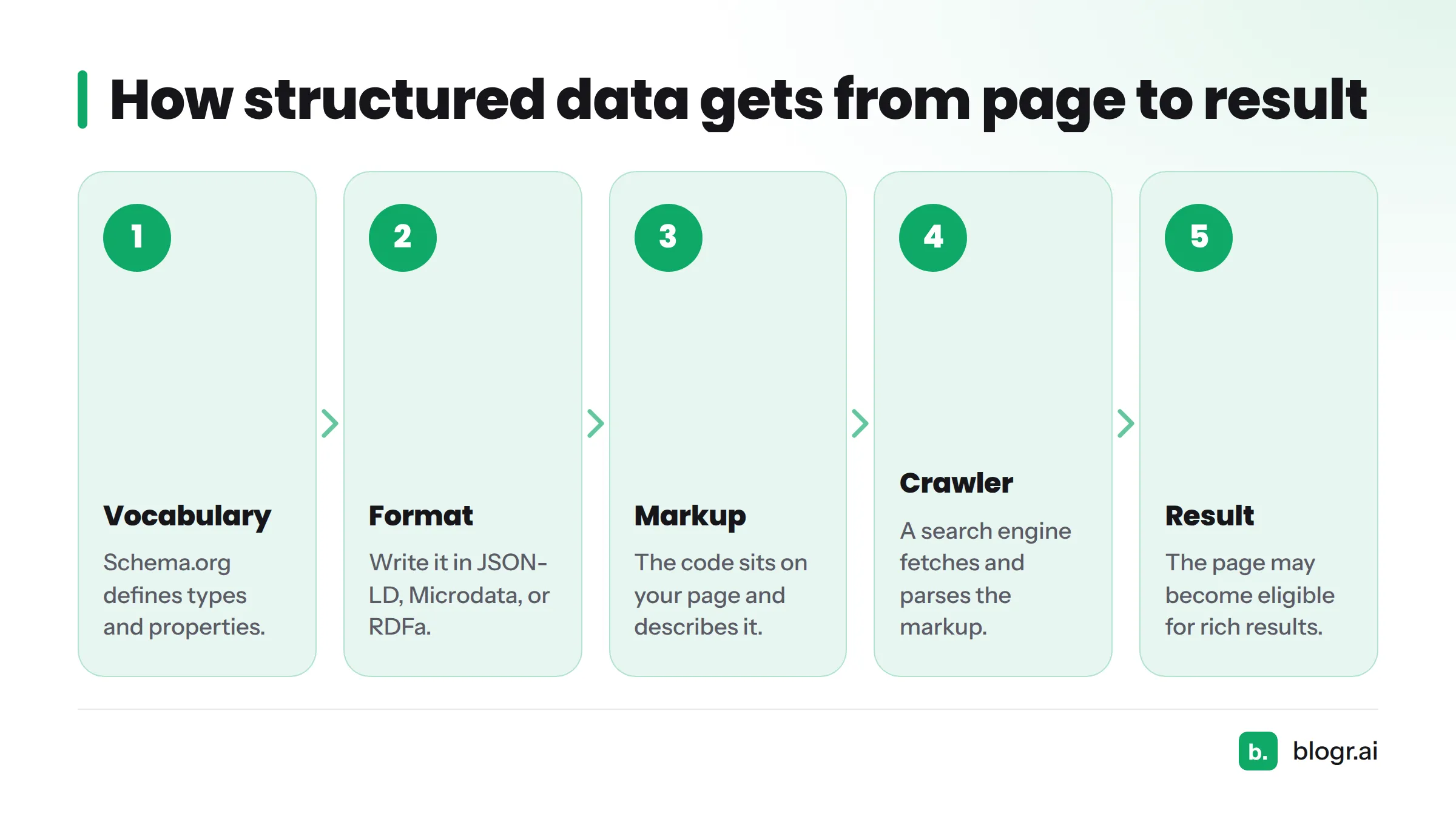
The flow looks like this:
- Vocabulary: Schema.org defines types and properties.
- Format: you write them in JSON-LD, Microdata, or RDFa.
- Markup: the code sits on your page and describes it.
- Crawler: a search engine fetches and parses the markup.
- Result: the page may become eligible for rich results.
The Schema.org Vocabulary
Schema.org is a shared vocabulary of types (Article, Person, Organization) and properties (headline, author, datePublished). Google, Bing, and other engines read it, so one set of markup serves them all. Types nest inside each other: an Article has an author, which is a Person.
JSON-LD vs. Microdata and RDFa
| Format | Where it lives | Maintenance | Google guidance |
|---|---|---|---|
| JSON-LD | One script block, in head or body | Easy: separate from visible HTML | Recommended |
| Microdata | Attributes inside HTML tags | Harder: tangled with design | Supported |
| RDFa | Attributes inside HTML tags | Harder: tangled with design | Supported |
JSON-LD is a W3C standard, and it is the practical default. You can edit it without touching your page layout, which matters when a CMS or template controls the HTML.
Which Structured Data Types a Blog Should Use
Here is what to add and what to skip.
| Type | What it describes | Needed? | Notes |
|---|---|---|---|
| Article / BlogPosting | The post itself | Yes | Main page markup |
| BreadcrumbList | Page path in the site | Yes | Mirrors visible breadcrumbs |
| Organization | The publisher | Yes | Nest as publisher |
| Person | The author | Yes | Nest as author, with a profile URL |
| FAQPage | Visible Q&A | Sometimes | Only if the page shows the questions |
| WebSite / WebPage | Site and page context | Optional | Helpful, rarely decisive |
| ImageObject | Cover image | Optional | Use absolute image URLs |
Article Schema: Article vs. BlogPosting
BlogPosting is a subtype of Article. Either is valid for article schema. I use BlogPosting for blog posts because it is more specific. The properties that matter most are headline, image, datePublished, dateModified, author, and publisher.
FAQ Schema: When It Is Worth Adding
Google has limited FAQ rich results, so check its current eligibility notes before expecting an expanded listing. The markup still describes your content clearly to machines. One rule is firm: mark up only questions and answers that readers can see on the page.
A Structured Data Example: Annotated BlogPosting
{
  "@context": "https://schema.org",
  "@type": "BlogPosting",
  "headline": "Structured Data for SEO: What It Is and How to Use It",
  "image": "https://example.com/images/structured-data-cover.jpg",
  "datePublished": "2026-11-05",
  "dateModified": "2026-11-05",
  "mainEntityOfPage": "https://example.com/blog/structured-data-seo",
  "author": {
    "@type": "Person",
    "name": "Jane Doe",
    "url": "https://example.com/authors/jane-doe"
  },
  "publisher": {
    "@type": "Organization",
    "name": "Example Co",
    "logo": {
      "@type": "ImageObject",
      "url": "https://example.com/logo.png"
    }
  }
}
Line by line: @context points to the vocabulary, @type names the type, and the nested author and publisher objects each carry their own @type. Dates use ISO 8601. Image and logo URLs are absolute. Swap in your own details and run the result through the validators below.
How to Add Structured Data to a Blog
- Choose your types. Start with BlogPosting, BreadcrumbList, Organization, and Person.
- Write the JSON-LD. Use the example above as a base, or generate it from your post fields.
- Place it in a script tag. Use
type="application/ld+json". Google accepts it in the head or the body. - Match the visible content. Headline, author, and dates in the markup must equal what readers see.
- Publish. Then view the live page source and confirm the script survived.
- Test. Run the validation steps in the next sections.
Manual vs. generated markup: You can hand-write JSON-LD, rely on theme templates or an SEO plugin, or let your publishing tool generate it. Whatever you pick, pick one source per page. Two sources means duplicates.
Structured Data for AI Search
Structured data also shapes how machines read your pages for AI answers. Our Google AI Overview explainer covers that feature, and a separate guide on how structured data supports AI citations goes deeper. Here is the short, honest version: Google has said the same structured data guidelines apply to its AI features, and no markup guarantees a citation.
What Survives Auto-Publishing: WordPress, Webflow, Shopify, Ghost and Webhooks
We publish to several platforms through our CMS publishing integrations, and the same pattern shows up everywhere: the platform, not the post, decides what ends up in the page head. Check each one.
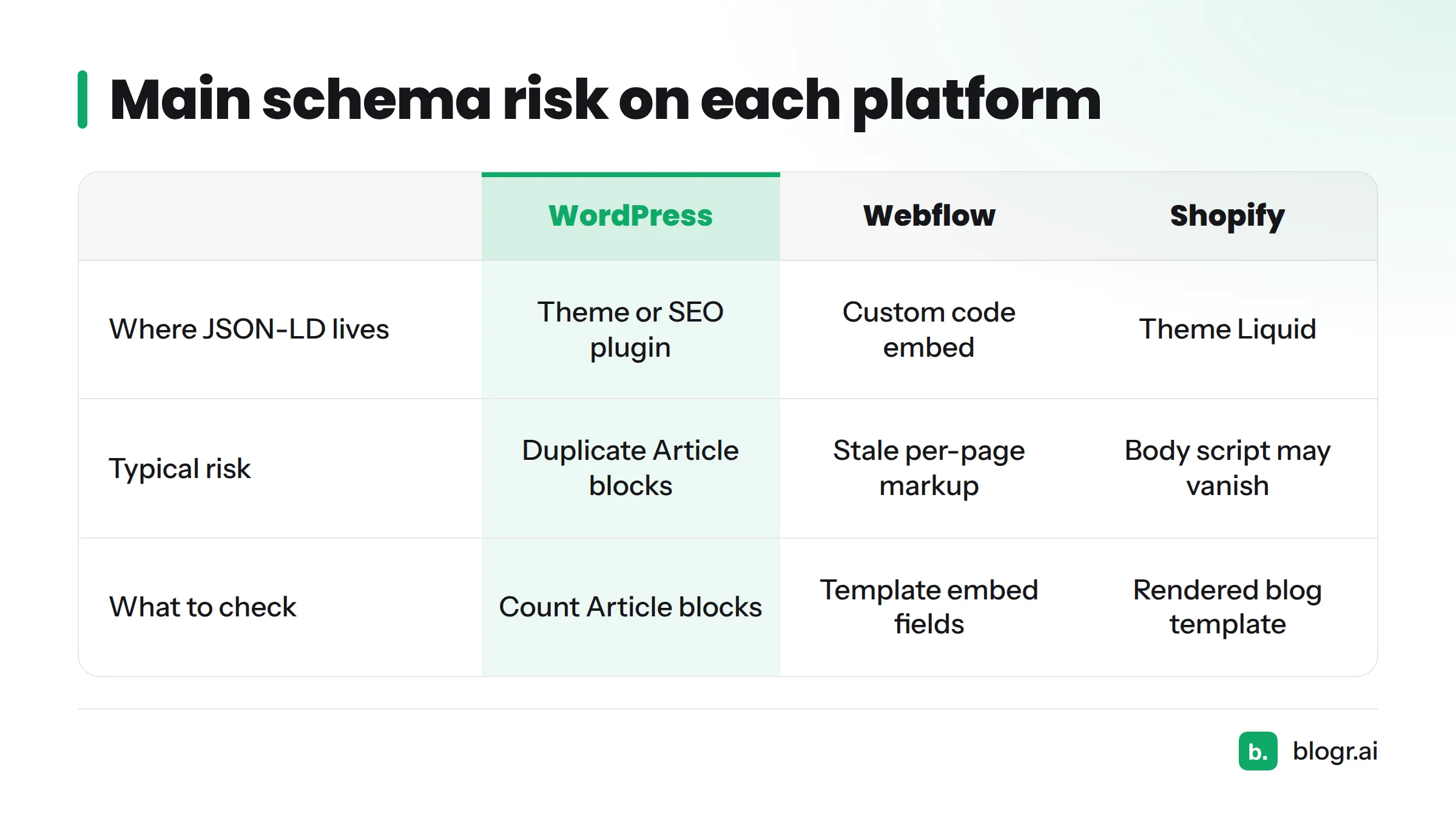
| Platform | Where JSON-LD lives | Typical risk | What to check |
|---|---|---|---|
| WordPress | Theme or SEO plugin output | Theme and plugin both emit Article, creating duplicates | View source; count Article blocks |
| Webflow | Custom code embed on the page or template | Markup added per page goes stale; template fields not mapped | Confirm template embed pulls the right fields |
| Shopify | Theme Liquid emits article markup | Body HTML may be sanitized, so a script pasted in the post body can vanish | Inspect the rendered blog template |
| Ghost | Built-in JSON-LD plus code injection | Injected markup duplicates the built-in block | Disable one source or inject only extra types |
| Webhook | Your receiving endpoint | The endpoint ignores the JSON-LD field | Make sure it stores and renders the field |
A few practical notes:
- WordPress: the WordPress integration publishes the post, but your theme or SEO plugin owns schema output. Decide which one is in charge.
- Webflow: template-level embeds hold up better than per-page code.
- Shopify: treat the theme as the source of truth for article markup.
- Webhooks: you receive a payload. Rendering it is your job.
How to Validate Structured Data
Use all three tools. They answer different questions.
Google Rich Results Test
The Rich Results Test checks whether a page or code snippet is eligible for Google rich results. It replaced the old Structured Data Testing Tool for that purpose, so if you are searching for a structured data testing tool, this is the one Google points to.
Schema Markup Validator
The Schema Markup Validator checks general Schema.org syntax and is not tied to Google features. Reach for it when a type has no Google rich result.
Search Console Enhancement Reports
After indexing, Search Console shows enhancement reports for detected markup, with errors and warnings across your site. If you already live in that tool, our guide to reading Google Search Console data helps you spot patterns.
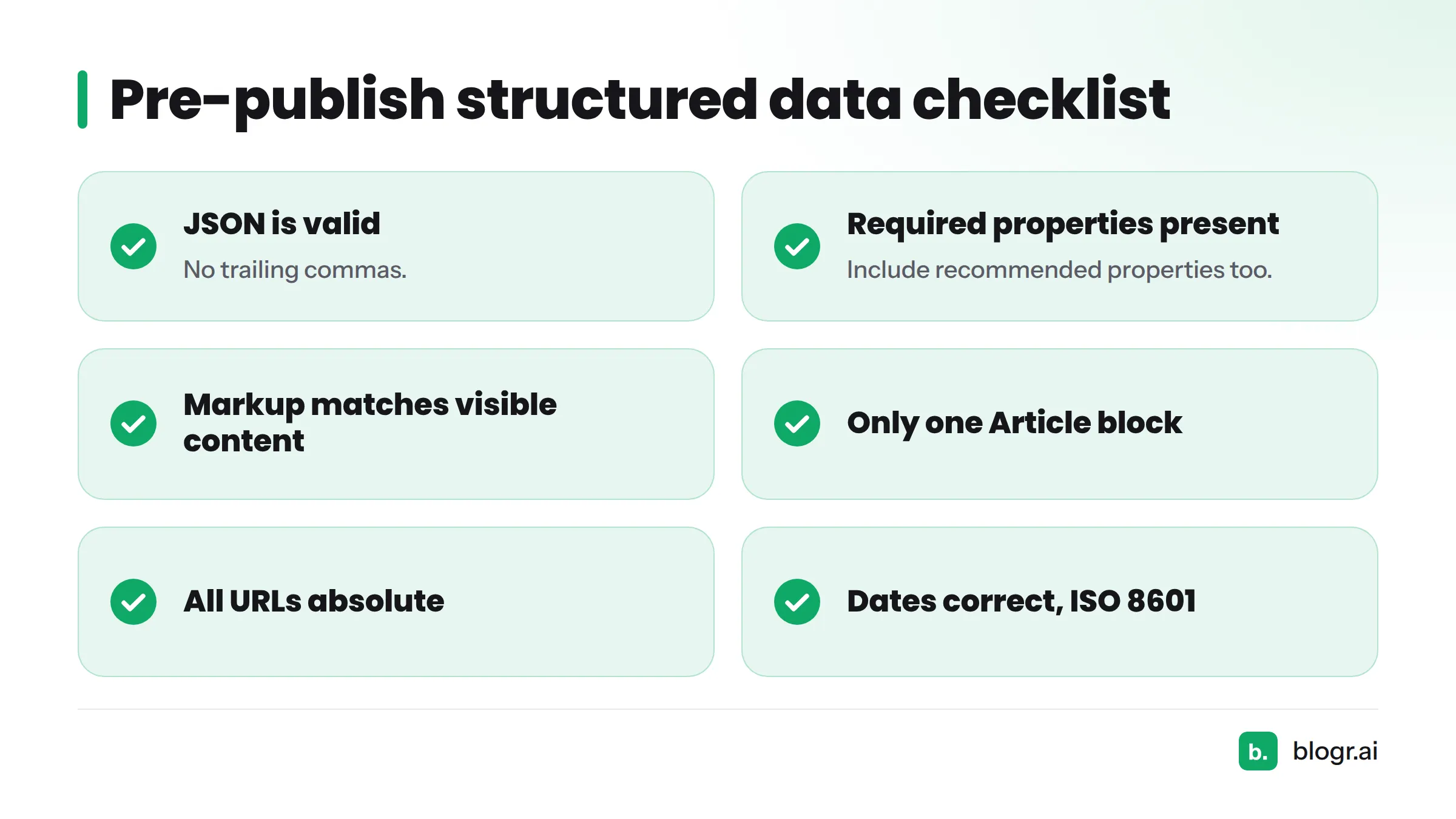
Pre-publish checklist:
- JSON is valid (no trailing commas).
- Required and recommended properties are present.
- Markup matches visible content.
- Only one Article block on the page.
- All URLs are absolute.
- Dates are correct and in ISO 8601.
Sometimes the Rich Results Test passes and nothing appears in search. That is normal. Eligibility is not a promise, and Google chooses when to show rich results.
Common Structured Data Mistakes to Avoid
| Mistake | Fix |
|---|---|
| Duplicate Article blocks from theme plus plugin | Turn off one source |
| Marking up content readers cannot see | Remove it or show it |
Stale dateModified |
Update only after real edits (see our guide to updating old posts) |
| Missing author | Add a nested Person with a URL |
| Invalid JSON or trailing commas | Validate before publishing |
| Wrong type (Product on a blog post) | Match the type to the page |
| Relative image URLs | Use full absolute URLs |
| Expecting rankings from markup alone | Treat it as eligibility and clarity |
Frequently Asked Questions
What is structured data in SEO? It is standardized markup, usually JSON-LD using Schema.org, that describes a page to search engines.
Is structured data a Google ranking factor? Google presents it as a way to understand content and enable rich results, not as a direct ranking factor.
What is the difference between structured and unstructured data? Structured data follows a fixed schema, like rows and columns. Unstructured data, like free text or video, does not.
Article or BlogPosting? Both work. BlogPosting is a more specific subtype of Article.
Do I still need FAQ schema? Only if the questions are visible on the page. Google limits FAQ rich results, so do not expect an expanded listing.
How do I test it? Use the Rich Results Test for Google eligibility, the Schema Markup Validator for syntax, and Search Console for monitoring.
Next Steps
Pick your types, ship one clean JSON-LD block, and verify it on the live page. Then watch the enhancement reports.
If you want a team that handles publishing across your CMS while you focus on strategy, blogr.ai does exactly that. Try the AI search visibility feature with a 7-day free trial and see how your content shows up where answers are now being written. For help with title and description writing alongside markup, look for our meta tag examples.
Sources
- Introduction to Structured Data Markup in Google Search, Google Search Central
- FAQ (FAQPage) structured data, Google Search Central
- General structured data guidelines, Google Search Central
- Schema.org
- Schema.org BlogPosting
- Schema.org Article
- JSON-LD 1.1, W3C
- Rich Results Test, Google
- Schema Markup Validator, Schema.org
- Rich result status reports, Google Search Console Help