


Search Console SEO Tool: Turn GSC Data Into Content
A Search Console SEO tool reads your Google Search Console data (queries, pages, impressions, clicks, average position) and tells you what to write, fix or refresh. blogr.ai scores each opportunity from 0 to 100, proposes titles for your approval, and flags pages that need updating. Want to see it on your own site? Start the 7-day free trial and connect Google Search Console, or run a free Search Console audit first.
Marketers and founders keep telling me the same thing. Search Console hands you thousands of rows and never says which one deserves your next Tuesday. So you export a CSV, filter by position, squint at impressions, and lose an afternoon. Let's break down what a better workflow looks like.
A Search Console SEO Tool Turns Raw GSC Rows Into Decisions
A Google Search Console SEO tool connects to your account, reads your real query and page data, and returns prioritized actions: which new posts to write, which titles to fix, and which pages to refresh. It does the analysis Search Console leaves to you, so you decide faster and publish sooner.
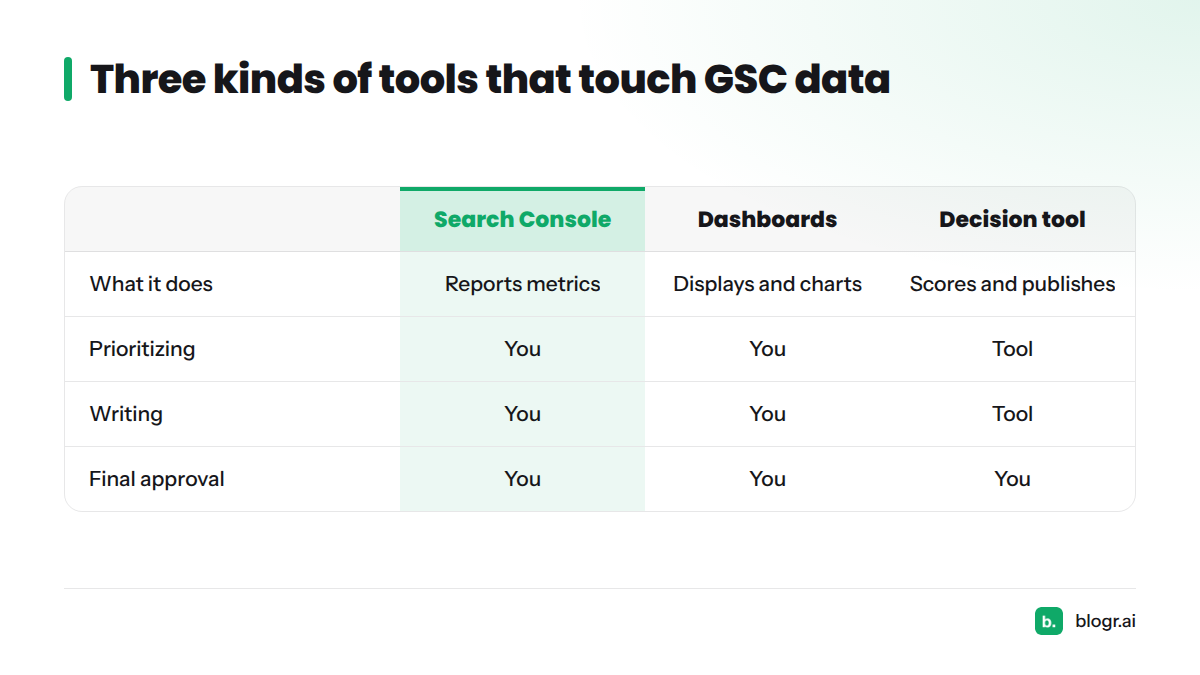
Viewer, dashboard or decision tool?
Not every tool that touches GSC data does the same job. Here is how the three categories compare.
| Category | What it does | What it leaves to you |
|---|---|---|
| Google Search Console itself | Reports clicks, impressions, CTR and average position in the Performance report | Everything: filtering, prioritizing, writing, publishing |
| Viewers and dashboards (mobile apps, reporting connectors such as Databox) | Display GSC metrics, build charts, schedule reports | Deciding what the numbers mean and what to do next |
| Decision-and-execution tool (blogr.ai) | Scores opportunities, proposes titles, writes briefs, flags refreshes, publishes on your approval | Approving or declining each suggestion |
Dashboards earn their place in reporting. A decision tool earns its place when the report isn't the goal and the next published page is.
How blogr.ai Reads Your GSC Data to Decide What to Write, Fix and Refresh
The connection is read-only
blogr.ai pulls the same fields you see in the Performance report:
- Queries and the pages they land on
- Impressions
- Clicks
- Average position
Google documents how these metrics are calculated in its Search Console Help, and approved apps can reach the underlying data through the Search Console API. If you'd rather learn to read the raw reports yourself, start with How to Read Google Search Console Data Like a Pro.
Three patterns drive most decisions
- Striking distance keywords. These are queries where you sit just off page one and a small push could earn real clicks. Our guide to finding striking distance keywords in GSC shows the manual method.
- CTR gap. A page gets strong impressions but a click-through rate below what its position usually earns. A weak title or snippet is the usual cause. See how to fix CTR gaps.
- Content decay. A page's position or clicks slide over several weeks. This guide to spotting ranking decay before traffic falls shows how to catch it early.
Nothing goes live without your yes
Every proposed title waits for you. You approve it or decline it. The full research-to-refresh loop lives on the features page.
The flow in plain words: GSC data comes in, the tool detects patterns, each opportunity gets a score, the score routes it to write, fix or refresh, and you approve.
The 0-100 Opportunity Score Turns a Long List Into a Ranked Queue
Every opportunity gets one number from 0 to 100. Two ideas sit behind that opportunity score.
Estimated click upside
How many extra clicks could this opportunity plausibly earn? A query with 5,000 monthly impressions at position 11 has more room than one with 40 impressions at position 11. Upside grows with demand, and with the gap between today's performance and what a better position or title could earn.
Urgency
Some opportunities cost more the longer you wait. A page losing position week over week is urgent. A stable page with a modest gap can sit. Urgency pushes the score up when delay carries a real price.
What the score is not
The score is a prioritization aid, not a ranking guarantee. I won't pretend a high score promises traffic, because search results depend on competitors, intent and Google's own changes. We also don't publish the internal weights. A number that looks precise but hides its inputs helps nobody.
Worked example (illustrative figures only). Page A: 3,000 impressions, position 9, CTR well below typical for that spot. Page B: 300 impressions, position 4, CTR on target. Page A carries far more click upside, so it outranks Page B in the queue. If Page A's position also dropped over the past month, urgency lifts it higher still.
Patterns From Connected Sites Shape Titles, Briefs and Refresh Calls
blogr.ai learns from patterns across connected sites. The learning is aggregate and anonymized. No individual site is identifiable, and we never share one customer's data with another.
Striking-distance patterns
Pages hovering around positions 8 to 15 often respond to focused work: a sharper title, a tighter answer near the top, better internal links. That pattern shapes the briefs we write for those pages.
CTR gap patterns
Titles that bury the main query, run too long, or promise nothing specific tend to underperform their position. Previewing your snippet catches most of this, and the free SERP snippet preview tool makes the check quick. If you rank but get no clicks, this breakdown walks through the causes.
Content decay patterns
Decay rarely arrives as a cliff. It shows up as a slow slide in average position, then in clicks. Flagging that slide early turns a rescue into a routine update, which is the idea behind the weekly content refresh loop.
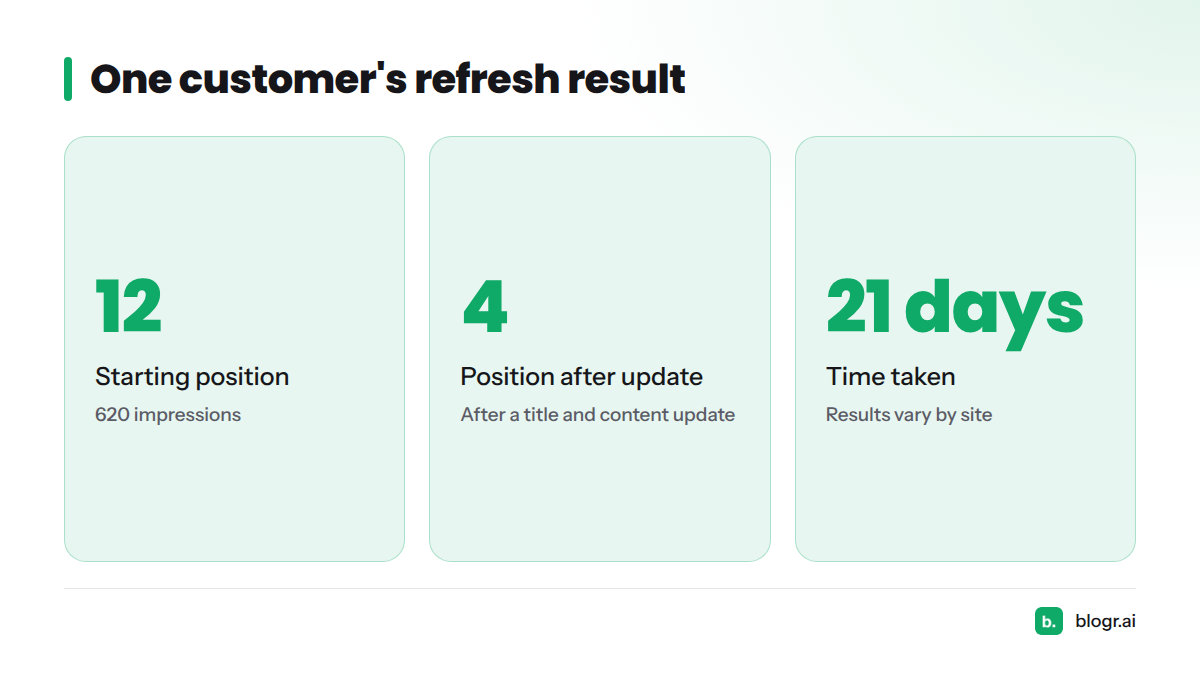
One customer's outcome. A customer's page targeting "best crm for startups" sat at position 12 with 620 impressions. After a title and content update, it reached position 4 in 21 days. Results vary by site, competition and timing, and this is not a promise of the same outcome.
From Score to Action: Write, Fix or Refresh
The decision logic is short:
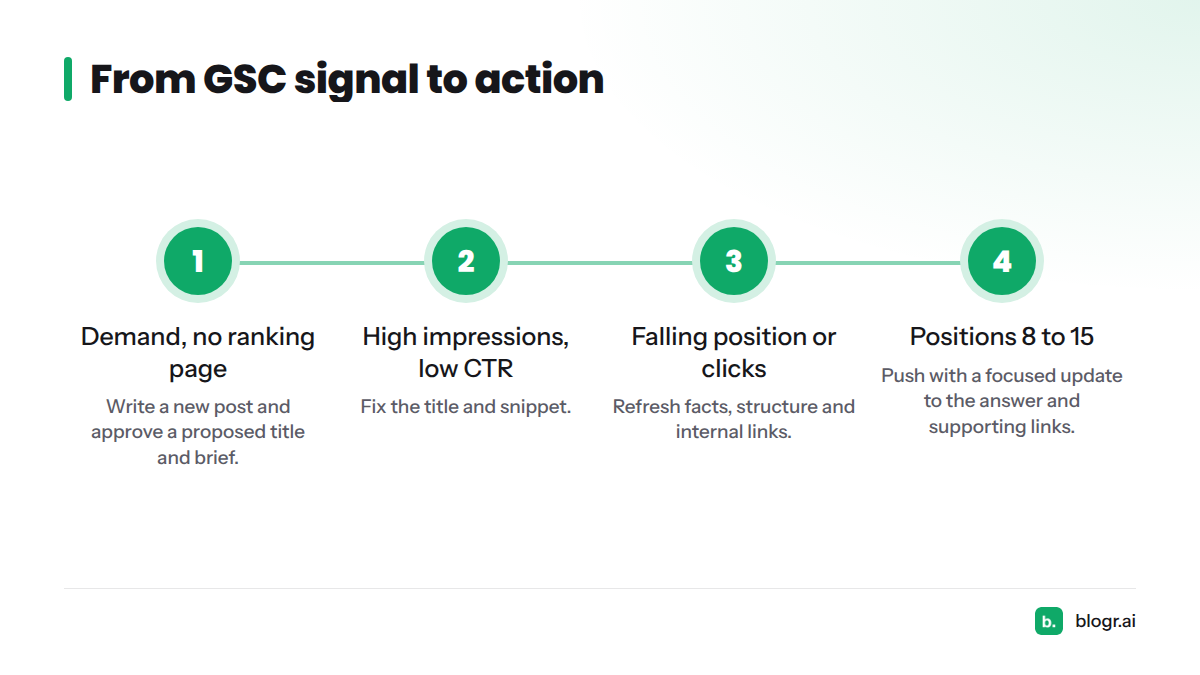
- No page ranks, but demand exists in your queries. Write a new post.
- Impressions are healthy, CTR is low. Fix the title and snippet.
- Position or clicks are declining. Refresh the page.
- You sit just off page one. Push the page onto page one with a focused update.
| What GSC shows | Action | First move |
|---|---|---|
| Demand, no ranking page | Write | Approve a proposed title and brief |
| High impressions, low CTR | Fix | Rewrite title and meta description |
| Falling position or clicks | Refresh | Update facts, structure and internal links |
| Positions 8 to 15 | Push | Strengthen the answer and supporting links |
For a hands-on routine, this guide on turning GSC data into an SEO to-do list pairs well with the queue.
Who a GSC-Driven Content Tool Fits, and Who Should Skip It
It fits you if:
- You already use Search Console and have some impressions to work with.
- You run a SaaS, ecommerce or local site and want a steady publishing and refresh rhythm.
- You're a founder without an SEO team. This guide on on-page SEO for founders shows how much one person can cover.
Skip it for now if:
- Your site is brand new and has no GSC data yet. A topical map is a better starting point.
- You want a one-off report only. The free Search Console audit covers that need.
Next Steps: Learn the Method, Audit Your Site or Start a Trial
- Learn the method: how blogr.ai turns Search Console data into SEO action.
- Check your site first: run a free Search Console audit.
- See plans and trial details: blogr.ai pricing and free trial.
Your Search Console already holds the next ten things worth doing. Start the 7-day free trial and connect Google Search Console to see them ranked.
FAQ
What does a Search Console SEO tool do?
It reads your GSC queries, pages, impressions, clicks and average position, ranks the opportunities, and tells you whether to write, fix or refresh. Search Console reports what happened. The tool recommends what to do next.
Does blogr.ai publish anything without my approval?
No. Every title waits for you to approve or decline it, and nothing is published without a yes.
Which Search Console data does blogr.ai use?
Queries, pages, impressions, clicks and average position, through a read-only connection to your account.
Can I try it before paying?
Yes. You can start a free trial, and the pricing page has the current details. If you only want a quick look at your data, the free audit is a lighter first step.
Sources
- Performance report (Search), Google Search Console Help
- Search Console API documentation, Google for Developers
- Google Search Console Dashboard and Reporting Software, Databox
- Click-through rate, Wikipedia
Related: content refresh tool