


AI Overview: What It Is and How It Affects SEO (2026)
A Google AI Overview is an AI-generated summary, powered by Google's Gemini models, shown at the top of some Google search results, with links to the sources it draws on. For SEO, it can change which results get clicked. Impressions may hold steady while clicks shift on some informational queries.
That is the short version. Here is the practical one: you probably noticed a box above your rankings, and you want to know whether it is eating your traffic. Let's break it down, then check your own data.
Last updated: October 2026. Google changes AI features often, so confirm current behavior in Google Search Central's documentation.
What Is a Google AI Overview? (The 60-Word Answer)
Definition: A Google AI Overview is a generated snapshot of key information about a topic or question, placed above the classic blue links. Google's Gemini models build it, it includes links to the web pages used as sources, and it appears only for some queries. It sits alongside organic results rather than replacing them.
Google's own AI Overviews page describes it as a snapshot of key information with links to learn more. Google also says it can handle multi-part questions that once needed several searches.
AI Overview, SGE, and "AI snapshot": the same feature, different names
The naming trips people up. Here is a quick glossary.
| Term | What it means |
|---|---|
| SGE (Search Generative Experience) | The experimental name Google used when it previewed the feature in 2023 |
| AI snapshot | A casual, informal label for the same summary box |
| AI Overviews | The launched product name, introduced in the US in May 2024 |
| AI Mode | A separate, conversational search experience, not the same box |
According to Wikipedia's AI Overviews article, Google unveiled SGE at Google I/O in May 2023, rebranded it and launched it in the US in May 2024, then expanded it globally that October. Treat that as a secondary source and check Google for current availability.
How AI Overviews Work: Sources, Links, and Query Fan-Out
A Gemini-generated summary with source links
Google's documentation says AI features in Search surface links to supporting web pages, so people can go deeper. The summary is generated. The links point to real pages. To be considered as a supporting link, a page generally needs to be indexed and eligible to appear in Google Search with a snippet. Google states there are no extra technical requirements beyond its standard Search Essentials (Google Search Central).
The box has three parts, top to bottom:
- The summary: a few generated sentences answering the query.
- Source links: cards or inline citations pointing to pages.
- Expand and follow-up controls: options to see more or ask a related question.
Query fan-out in plain English
Google says AI features may run several related searches behind one question, then assemble the answer. SEOs call this query fan-out. A search like "best way to start a vegetable garden" can pull in sub-topics such as soil, timing, and tools, so your page can earn a citation for a sub-question rather than the headline query. Google has not published a full selection formula, so treat any tactic claiming certainty with suspicion.
Which Searches Trigger AI Overviews
Not every query gets one. Google does not publish a trigger list, so this table reflects general patterns, not rules.
| Query type | Example | Likelihood of an AI Overview |
|---|---|---|
| Informational "what" and "how" | "what is a sourdough starter" | More likely |
| Multi-part or comparison questions | "sourdough vs yeast bread for beginners" | More likely |
| Complex, conversational phrasing | "why does my dough not rise in winter" | More likely |
| Branded or navigational | "King Arthur Baking login" | Less likely |
| Very short, ambiguous keywords | "bread" | Varies |
Why am I not getting an AI Overview? Usually the query is navigational, Google judged a summary unhelpful, or the feature is not available in your country, language, or account. There is no switch to force one.
How do I get one to show? You can't activate it on demand. You can only write pages that are eligible to be cited when one appears.
How AI Overviews Affect SEO: Clicks, Impressions, and Visibility
Zero-click searches and CTR
A zero-click search ends without a visit to any website. AI summaries can make that more common when the answer sits in the box. Independent research points the same way. Pew Research Center analyzed browsing data and found users clicked a traditional result less often when an AI summary appeared. Google disputes the broad conclusion that AI features hurt publisher traffic. My read: the AI Overview traffic impact varies by site and query type.
Where traffic shifts, and where it does not
Informational, non-branded queries are the most exposed. Branded queries tend to stay steadier because the searcher already knows where they want to go. That split is the most useful lens you have, and it drives the diagnostic below.
SERP real estate
Wikipedia reports a Botify and DemandSphere analysis finding that AI Overviews, combined with featured snippets, occupied about 67.1% of desktop and 75.7% of mobile screen space in the results they studied. Your listing may rank well and still sit below the fold.
What Search Console Patterns Show on Informational Queries
Across the sites connected to blogr.ai's Search Console workflow, we see recurring patterns. These are qualitative observations, not universal rules, and I am deliberately not quoting percentages.
| Pattern | What it often looks like | Possible reading |
|---|---|---|
| Impressions steady or up, CTR down | Informational, non-branded queries | A summary may be answering the question above you |
| Position flat, clicks down | Same pages, same rank | Click share moved, not rankings |
| Branded queries stable | Name-plus-keyword searches hold | Intent is navigational, less exposed |
| Position dropped, clicks down | Rank and CTR both fall | Likely a ranking issue, not just the box |
In my own monitoring, the first row surprises founders most. Nothing looks broken. Rankings are fine. The chart just quietly stops converting.
How to Check AI Overview Impact on Your Own Search Console Data
As far as Google's documentation describes, the standard report has no standalone AI Overview filter. Google says clicks, impressions, and position from AI features count in the overall Search Console Performance data for the "Web" search type (Google Search Central). So you infer impact from patterns. Interface labels change, so adjust for the current UI.
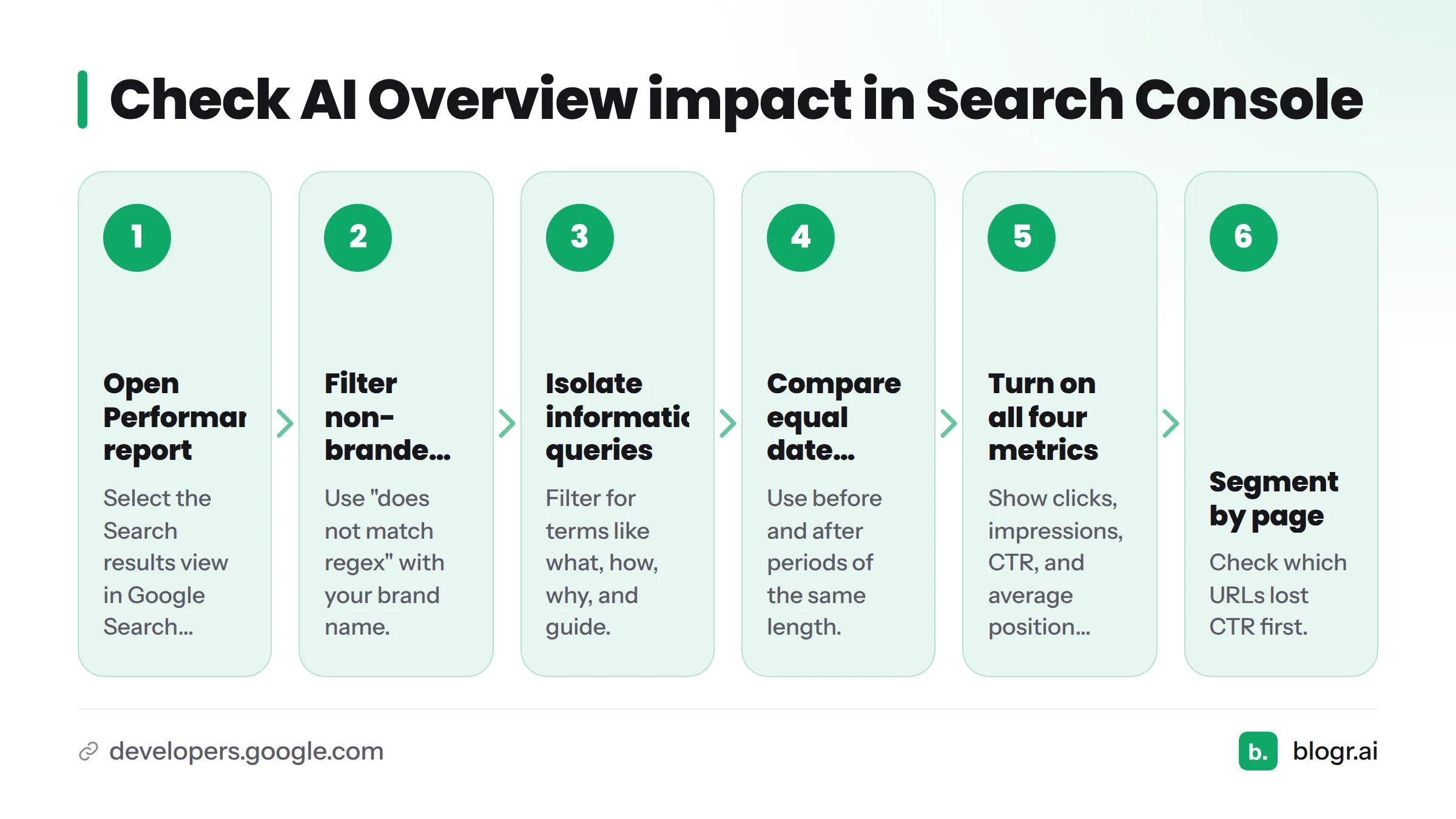
- Open the Performance report in Google Search Console and select the Search results view.
- Filter to non-branded queries. Use a query filter with "does not match regex" and your brand name.
- Isolate informational queries. Filter for terms like what, how, why, and guide.
- Compare two equal date ranges. Use before and after periods of the same length, such as 3 months versus the prior 3 months.
- Turn on clicks, impressions, CTR, and average position together.
- Segment by page. Check which URLs lost CTR first.
- Rule out confounders: seasonality, core updates, tracking changes, or a title rewrite.
New to the report? Start with how to read Google Search Console data, then use how to find keywords in Search Console to build your informational query list.
Decision tree: was it an AI Overview or something else?
- CTR down, position flat, impressions steady? Likely a SERP layout change, possibly an AI summary. Improve the title and snippet. See why you rank but get no clicks and how to fix CTR gaps.
- Position dropped, clicks down? This is a ranking problem. Check ranking decay.
- Impressions down everywhere, including branded? Look at indexing, tracking, or demand, not AI features.
- Only non-branded informational pages hurt? That fits AI summaries absorbing simple answers. Shift effort to queries that need depth.
What to Do Next: How to Appear in AI Overview Results
No tactic guarantees a citation or recovers lost clicks. These steps carry little risk and help classic SEO too.
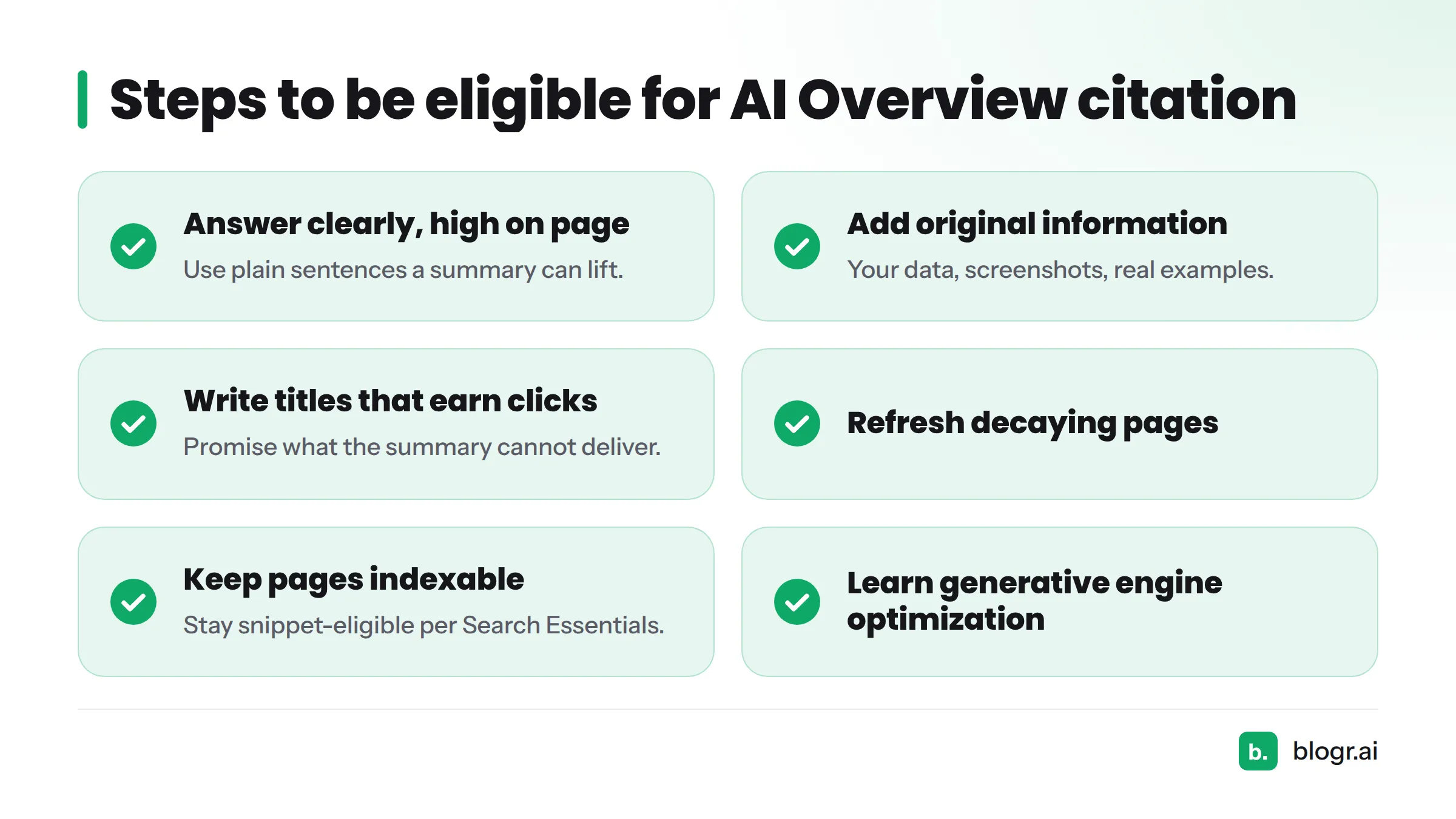
- Put a clear, direct answer high on the page, in plain sentences a summary can lift.
- Add original information a generic summary cannot reproduce: your data, screenshots, real examples.
- Write titles that earn the click, promising something the summary cannot deliver.
- Refresh decaying pages. Our guide on updating old blog posts shows how.
- Keep pages indexable and snippet-eligible, per Google's Search Essentials.
- Learn the wider discipline of generative engine optimization.
Want this watched for you? blogr.ai turns your Search Console and AI search visibility data into a prioritized to-do list. It also works as an AI SEO writer and AI blog writer, handling SEO content automation from research through publishing, so your pages have a better shot at ranking well and getting recommended by AI. You can start with a 7-day free trial, and the pricing page has the details. Browse the full feature set too.
AI Overviews vs. AI Mode and Other AI Answer Surfaces
| Surface | What it is | Where it appears | Click behavior |
|---|---|---|---|
| AI Overview | Generated summary with source links | Top of some standard results | Links to sources, but the answer may satisfy the searcher |
| AI Mode | Conversational, multi-turn AI search | Separate search experience | Answers first, links as support |
| Featured snippet | A passage extracted from one page | Top of some results | Credits and links one page |
| Classic organic results | Ranked blue links | Below any of the above | Direct click to the page |
The difference from a featured snippet comes down to sourcing: a snippet quotes one page, while an AI Overview synthesizes and links to several. For the conversational side, read how Google AI Mode differs.
FAQ
What is a Google AI Overview?
It is an AI-generated summary at the top of some Google results, built with Gemini models. It answers a question briefly and links to supporting web pages so people can read more.
Are SGE and AI Overviews the same thing?
Yes, effectively. SGE was the experimental name from 2023. Google rebranded it and launched it as AI Overviews in 2024, according to Wikipedia.
Is an AI snapshot the same as an AI Overview?
Yes. "AI snapshot" is an informal label for the same summary box.
Which model powers AI Overviews?
Google describes the feature as powered by its Gemini models. It does not publish which exact version answers a given query, and that can change over time.
Can I turn off AI Overviews?
There is no standard on/off setting for most users, and Wikipedia notes users cannot opt out. Google may change controls, so check its current documentation. Switching to the "Web" tab is a common workaround for an AI Overview Google users want to skip.
Do AI Overviews reduce clicks to websites?
Often on informational queries, but not uniformly. Pew Research Center found fewer clicks when a summary appeared. Google disputes broad claims of harm. Check your own Search Console data.
How can I appear in an AI Overview?
Make pages indexable and snippet-eligible, answer questions clearly, and add original information. Google says no special markup is required, and no tactic guarantees inclusion.
Are AI Overviews accurate?
Not always. Wikipedia documents early public errors, including the widely shared "eat rocks" example. Treat summaries as a starting point and verify important facts at the linked sources.
Is the AI Overview gone?
No. Availability and design vary by country, language, and query, and Google adjusts them regularly. If you do not see one, the query likely did not trigger it.