


Blogr.ai FAQ: How It Works and Whether It's Worth It

Blogr.ai works when your site already has Google Search Console data to build from. It picks titles from queries you already appear for, writes only what you approve, publishes to your CMS, then tracks impressions, clicks and position and flags what to refresh. Results vary, and rankings are never guaranteed.
That's the short version. This blogr ai faq answers the questions people ask before they start a trial, grouped by stage. I wrote it the way I wish every SEO tool wrote its FAQ: verdict first, limits included.
Does Blogr.ai Work? The Short Verdict
Yes, for the right kind of site. It works as a loop, not a one-off writer. It finds opportunities in your own search data, asks for your yes, writes a researched article, publishes it, then watches the result.
| Works best for | Sites with some Search Console history: SaaS, ecommerce and local businesses |
| Not for | Brand-new sites with zero search data, or teams that want a single article with no workflow |
| Control | Nothing is written or published without your approval |
| Next step | Start the 7-day free trial and test it on your own queries |
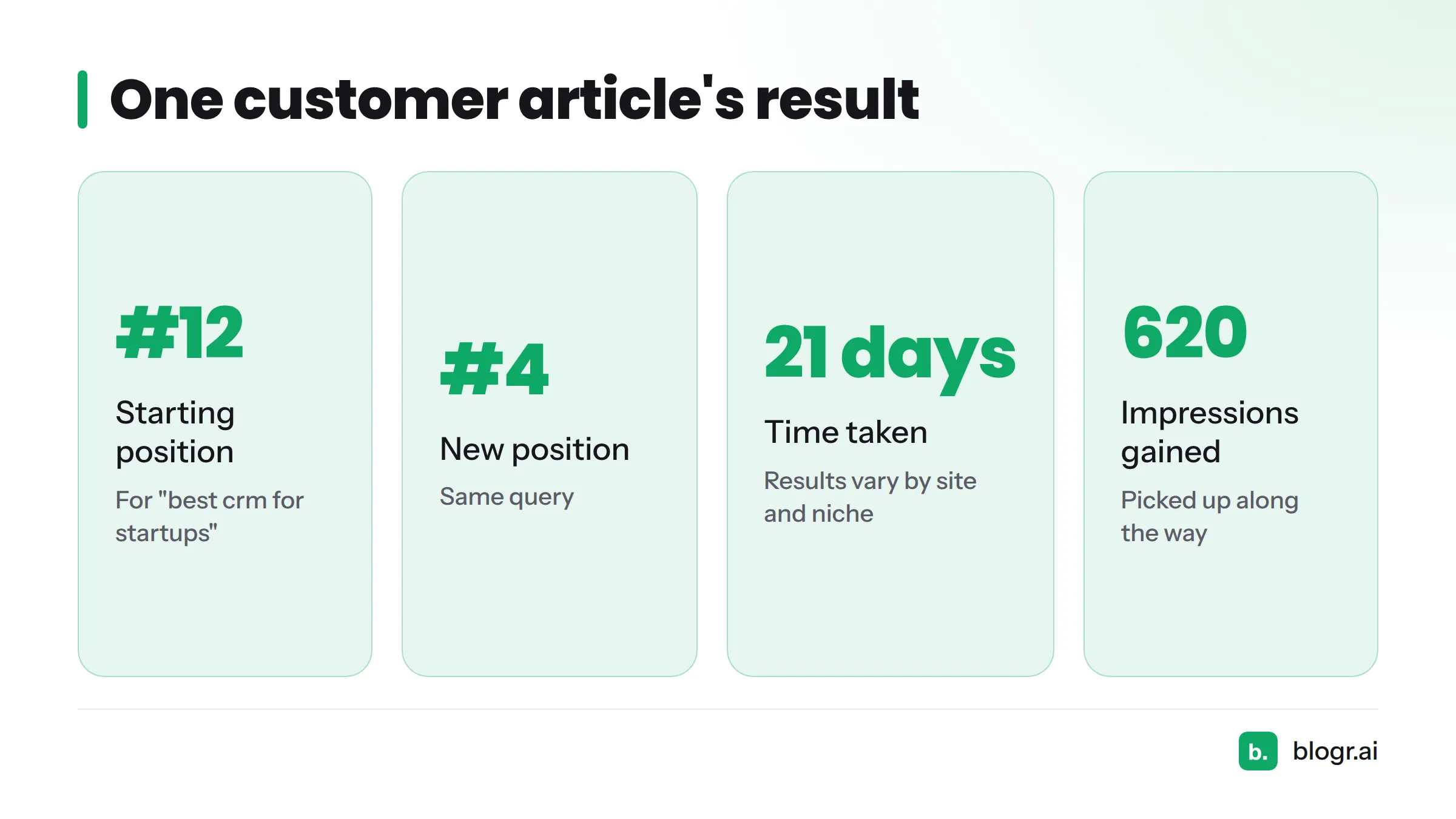
Here is a real result. One customer article moved from position #12 to #4 for "best crm for startups" in 21 days and picked up 620 impressions along the way. Treat that as an example, not a promise. Results vary by site, niche, competition and the authority your domain already has. You can browse measured outcomes on the case studies page.
What Is Blogr.ai?
Blogr.ai is an AI SEO content automation platform. It turns your Search Console queries into approved article topics, writes each piece from a live-SERP brief, publishes to your CMS, and tracks results so it can suggest refreshes. The full automation loop page shows each stage in depth.
If you've searched for an AI SEO writer or an AI blog writer, this is the distinction that matters: blogr.ai doesn't stop when the draft appears.
How Is Blogr.ai Different From One-Article AI Writers?
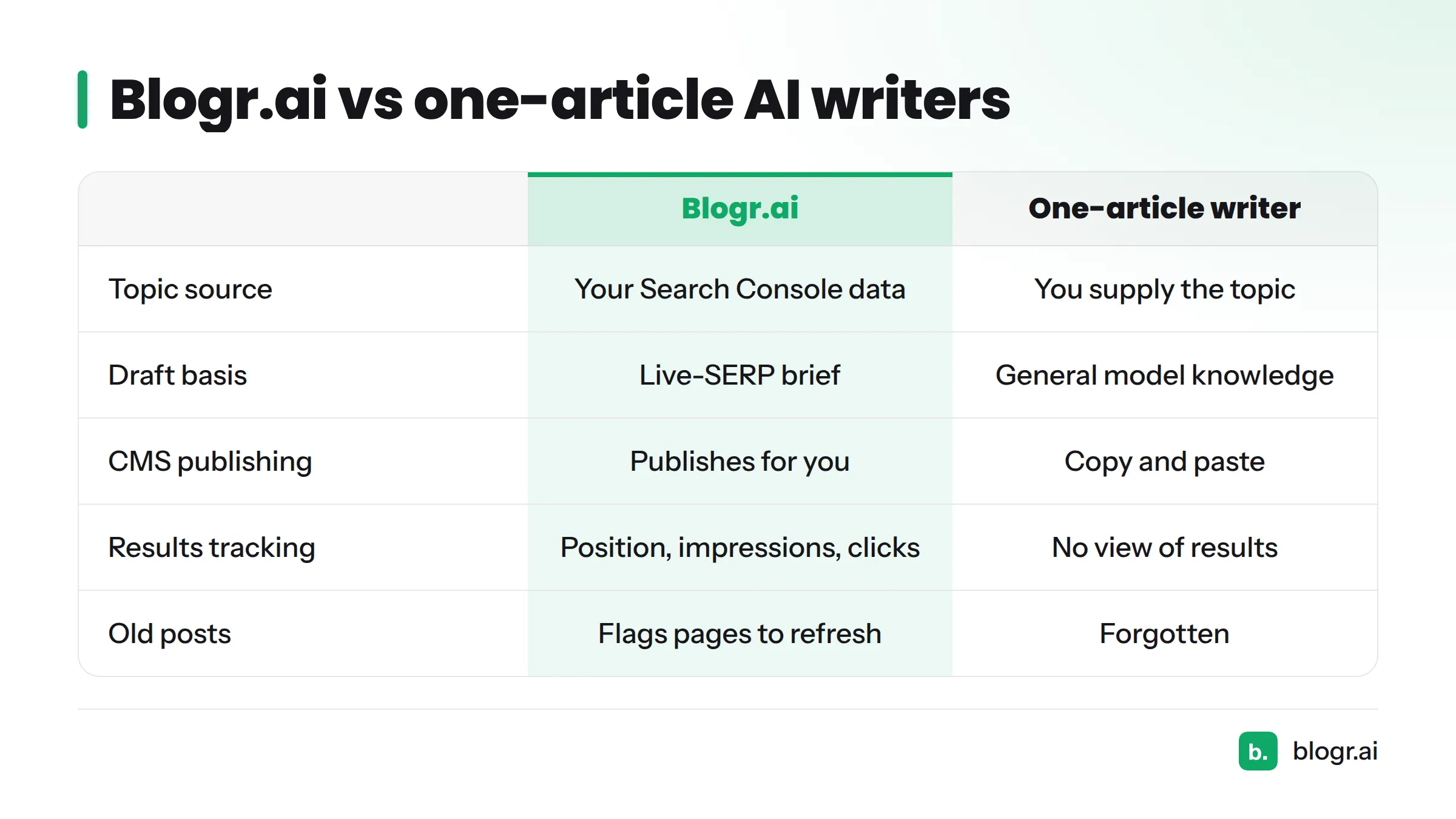
A one-article writer starts when you type a prompt and stops when the draft shows up. Blogr.ai covers the work before and after the draft. That's the core of the blogr.ai vs one-article AI writers question.
| One-article AI writer | Full publishing loop (blogr.ai) |
|---|---|
| You supply the topic | Topics come from your Search Console data and focus topics |
| Draft from general model knowledge | Draft from a brief built on the live SERP |
| You copy and paste into your CMS | Publishes to your CMS for you |
| No view of results | Tracks position, impressions and clicks |
| Old posts get forgotten | Flags pages to refresh |
Want to see how it stacks up against specific tools? The comparison page is the right place.
How Does Blogr.ai Work, From Research to Publishing?
The loop has seven steps:
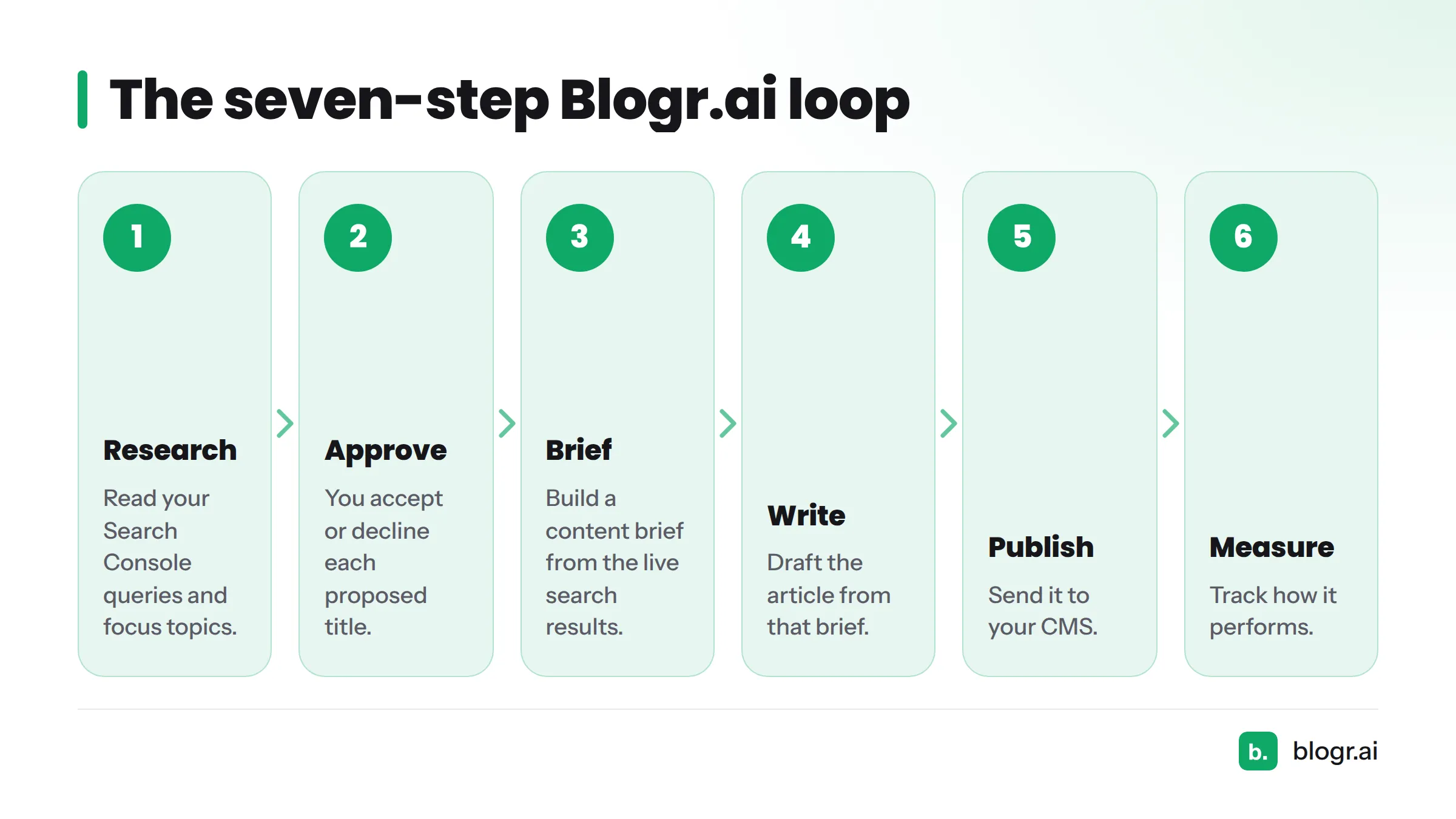
- Research: read your Search Console queries and focus topics.
- Approve: you accept or decline each proposed title.
- Brief: build a content brief from the live search results.
- Write: draft the article from that brief.
- Publish: send it to your CMS.
- Measure: track how it performs.
- Refresh: flag pages that need another pass.
Let's break down the parts people ask about most.
Where Do the Article Titles Come From?
Mostly from queries you already show up for, especially ones sitting just off page one. SEO people call these striking-distance keywords. You can also set focus topics yourself, and a topical map can organize them. Generic keyword guessing isn't the starting point.
What Is a Live-SERP Brief?
It's a brief built from the pages ranking right now. The platform reads those pages, works out the search intent, pulls the themes, entities and headings they share, and finds the questions they leave unanswered. Each opportunity also gets a 0 to 100 score. The live-SERP briefs page has more.
What Does a Finished Article Include?
Each article ships with:
- A clean H1 to H4 structure
- Internal links to your own pages
- An SEO title and meta description
- An FAQ section with schema markup
- Cited sources
- A cover image
Can I Control What Gets Written? The Blogr.ai Approval Workflow
The biggest worry I hear is "Will an AI flood my site with junk?" The blogr.ai approval workflow exists to answer exactly that.
Will Blogr.ai Publish Anything Without My Approval?
No. Every proposed title lands in an approval queue, and you approve or decline each one before it's written. Nothing gets drafted or published without a yes from you.
Can I Edit Before It Goes Live?
Yes. You can review and edit a draft before it publishes. If you want ideas for polishing machine-written text, our guide to humanizing AI content covers eight edits that work. Google's guidance on AI-generated content says the focus is on helpful, people-first quality, so a human review pass is worth your time.
Can I Go Fully Automatic?
Yes, as an option. Autopilot stays off until you set it up, and it applies only to the work you configure. If you'd rather keep a hand on the wheel, leave it off and approve titles one by one.
How Does Blogr.ai CMS Publishing Work?
Which CMSs Can Blogr.ai Publish To?
- WordPress (see the WordPress integration)
- Webflow
- Shopify
- Ghost
- Webhooks for anything else
Setup steps live on the integrations page. Check there for the current list.
What Happens After Publishing?
Your sitemap goes back to Google, which helps new URLs get discovered. You also get an email with the live link, so you can open the post and give it a final look.
How Does Blogr.ai Use Search Console Data to Measure Results?
What Does It Need From Google Search Console?
It needs read access to your property's performance data: the queries, pages, impressions, clicks and positions Google reports. That's why a site with some history gets the best results. The blogr.ai Search Console page shows how that data turns into actions. New to the tool? Start with how to read Search Console data.
Which Metrics Does It Track?
Position, impressions, clicks, click-through rate and new queries. Google defines these in its Search Console performance report documentation.
A quick glossary:
- Impressions: how often your page appeared in search results.
- Average position: your page's average ranking across those appearances.
- Striking distance: a ranking just below page one, where a small push can matter.
Does It Refresh Old Content?
Yes. It flags pages where you should widen coverage, fix a weak click-through rate, push a page onto page one, or refresh an aging post. If you rank but get few clicks, this click-gap guide explains the problem, and the content refresh feature handles the follow-up.
Is Blogr.ai Worth It? Free Trial and Plans
Is There a Blogr.ai Free Trial?
Yes, a 7-day free trial. Confirm the current terms on the pricing page, since plans and prices change.
What About the Lifetime Deal?
There's a lifetime option where you bring your own OpenAI or Claude API key. Details, limits and availability live only on the pricing page, so check it before you decide.
Who Is Blogr.ai a Good Fit For, and Who Isn't It?
| Good fit | Poor fit |
|---|---|
| Sites with Search Console history | Brand-new sites with no search data |
| SaaS, ecommerce and local businesses that want steady publishing | Anyone who needs one article, once |
| Teams that want approval control | Anyone who wants guaranteed rankings (nobody can honestly offer those) |
| Founders without an SEO team | Sites that can't connect a CMS or Search Console |
What if my site is new? Give Google time to collect impressions first. Without query data, the title-sourcing step has little to work with.
Are rankings guaranteed? No. Search results depend on competition, site quality and many factors outside any tool's control.
Blogr.ai FAQ: Quick Answers
Does blogr.ai actually work? It works when your site has Search Console data. It chooses topics from real queries, writes approved articles, publishes them, and tracks results. Rankings aren't guaranteed, and results vary by site.
What is blogr.ai? An AI SEO content automation platform. It finds topics in your search data, writes from live-SERP briefs, publishes to your CMS, and measures the outcome so it can suggest refreshes.
Will it publish without my approval? No. You approve or decline every title before it's written. Autopilot is optional and covers only the work you set up.
Which CMSs does it support? WordPress, Webflow, Shopify and Ghost, plus webhooks for other systems. Check the integrations page for the current list.
Does it need Google Search Console? Yes, for the best results. Search Console supplies the queries, impressions, clicks and positions that drive title selection and refresh suggestions.
Is there a free trial? Yes, 7 days. Confirm the current terms on the pricing page.
Who is it not right for? Brand-new sites with no search history, people who want a single article, and anyone seeking guaranteed rankings.
Next Steps: Test Blogr.ai on Your Own Site
The fastest way to answer "is blogr.ai worth it?" is to run it on your own queries. Start the 7-day free trial, approve a few titles, and watch what the data says. Want the plan details first? Visit the pricing page.