


Content Refresh Tool Driven by Search Console | blogr.ai
blogr.ai's content refresh tool reads your Google Search Console data and finds three kinds of problem: decaying posts, striking-distance keywords and CTR gaps. It scores each page from 0 to 100 on click upside and urgency, then recommends what to update on each one. You approve every change. This is an SEO content refresh software for existing blog posts, not a browser tab auto-reload utility.
Picture your blog on a Monday morning. A post that once brought steady clicks has gone quiet. Another sits at position 11, one nudge from page one. A third racks up impressions and almost no clicks. You have 80 posts and a free afternoon. Which one do you open first?
That is the question this page answers. Here is how the tool works, signal by signal.
How blogr.ai's content refresh tool picks which posts to update
The tool starts with data you already own. It connects to your Google Search Console property, reads performance for each page and query, and turns the pile of numbers into a ranked queue. You skip the spreadsheet exports and the guessing.
What the tool reads
For every page and query on your connected sites, it looks at three metrics that Google defines in its Search Console Performance report documentation:
- Impressions: how often a result for your page appeared in search.
- Clicks: how often searchers clicked through.
- Average position: where your page ranked on average for a query.
It then tracks how those numbers move over time. A single snapshot says little, while a trend shows what is slipping. That makes it a practical content decay tool as well as a way to refresh old blog posts before the damage spreads.
What you get back
You get a ranked list of posts. Each entry carries a flagged signal, an opportunity score and a recommendation for what to change. Think of it as a refresh queue sorted by payoff, with the best candidates at the top.
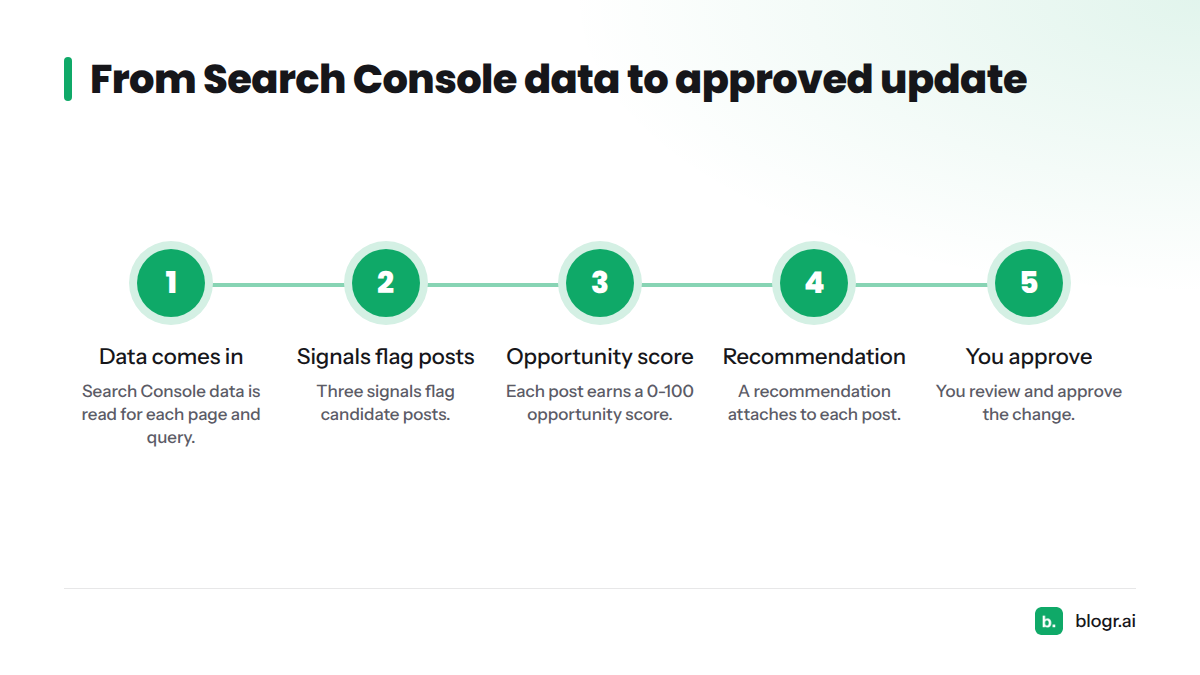
The flow runs in five steps:
- Search Console data comes in.
- Three signals flag candidate posts.
- Each post earns a 0-100 opportunity score.
- A recommendation attaches to each post.
- You review and approve.
The three Search Console signals: striking-distance keywords, CTR gap and decay
Each signal points at a different problem, so each calls for a different fix. Let's break it down.
Striking-distance keywords
Striking-distance keywords are queries where your page ranks just off page one, typically around positions 8 to 20. These pages already have relevance. They need a stronger case to climb. Our guide on finding and fixing striking-distance keywords in Search Console covers the manual method.
CTR gap
A CTR gap appears when a page earns plenty of impressions at a decent position but fewer clicks than that position usually earns. The page is visible, yet the listing fails to persuade. If that sounds like your site, read why you rank but get no clicks, or see how to fix CTR gaps and win more organic clicks.
Content decay (ranking decay)
Content decay is a steady slide in clicks, impressions or average position for a page that used to perform. Competitors publish, facts age and search intent drifts. If you want to update aging content by hand, start with spotting ranking decay in Search Console.
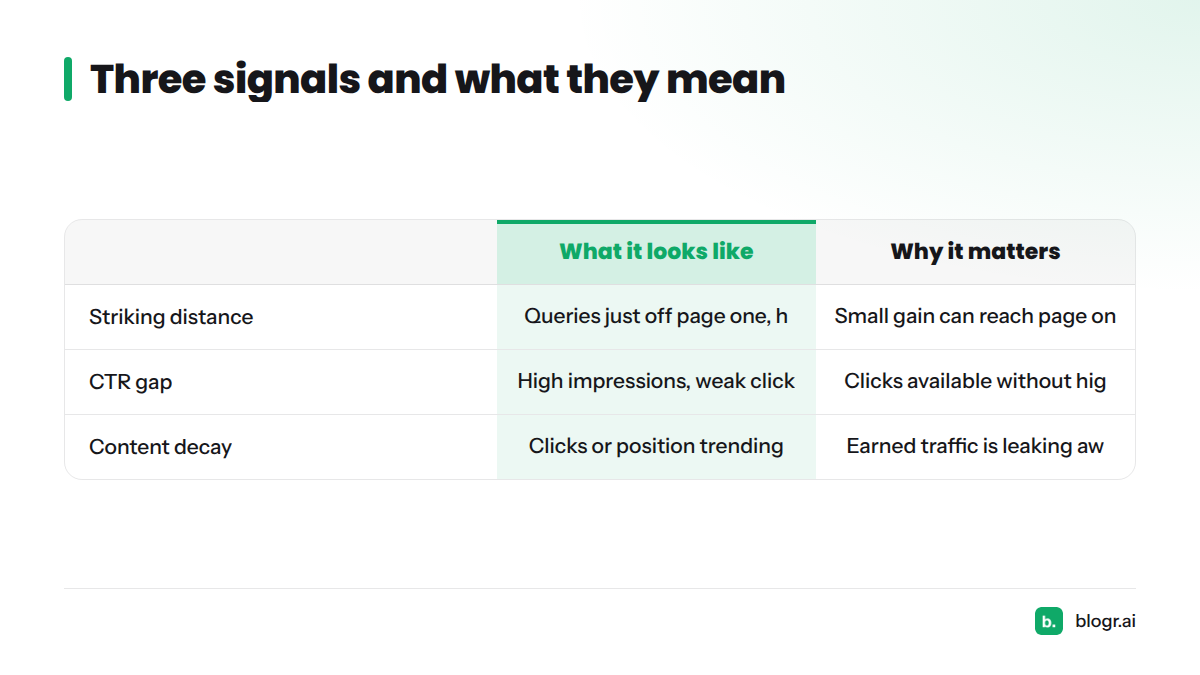
| Signal | What it looks like in Search Console data | Why it matters |
|---|---|---|
| Striking distance | Queries averaging just off page one, often with healthy impressions | A small improvement can move the page onto page one |
| CTR gap | High impressions, decent position, weak click-through | Clicks are available without needing a higher rank |
| Content decay | Clicks, impressions or position trending down over weeks or months | Traffic you already earned is leaking away |
The 0-100 opportunity score: click upside and urgency
Flagging posts is the easy part. Ordering them is where the value sits. Every flagged post gets an opportunity score from 0 to 100, built from two ideas:
- Click upside: how many extra clicks a fix could plausibly win, given the impressions and position the page already has.
- Urgency: how fast the page is losing ground, or how close it sits to a meaningful jump.
A decaying post with big impressions scores high. A tiny page with flat numbers scores low. We do not publish the exact weights or thresholds, but the logic is plain: fix the posts where effort buys the most.
How the score is built: it draws on anonymized Search Console patterns across connected sites. One site's data is never shown to another.
Start your 7-day free trial and see refresh recommendations from your own Search Console data. Want a taste first? Run the free Search Console audit.
What blogr.ai recommends for each flagged post
A score tells you where to look. A recommendation tells you what to do, and it follows the signal behind the flag:
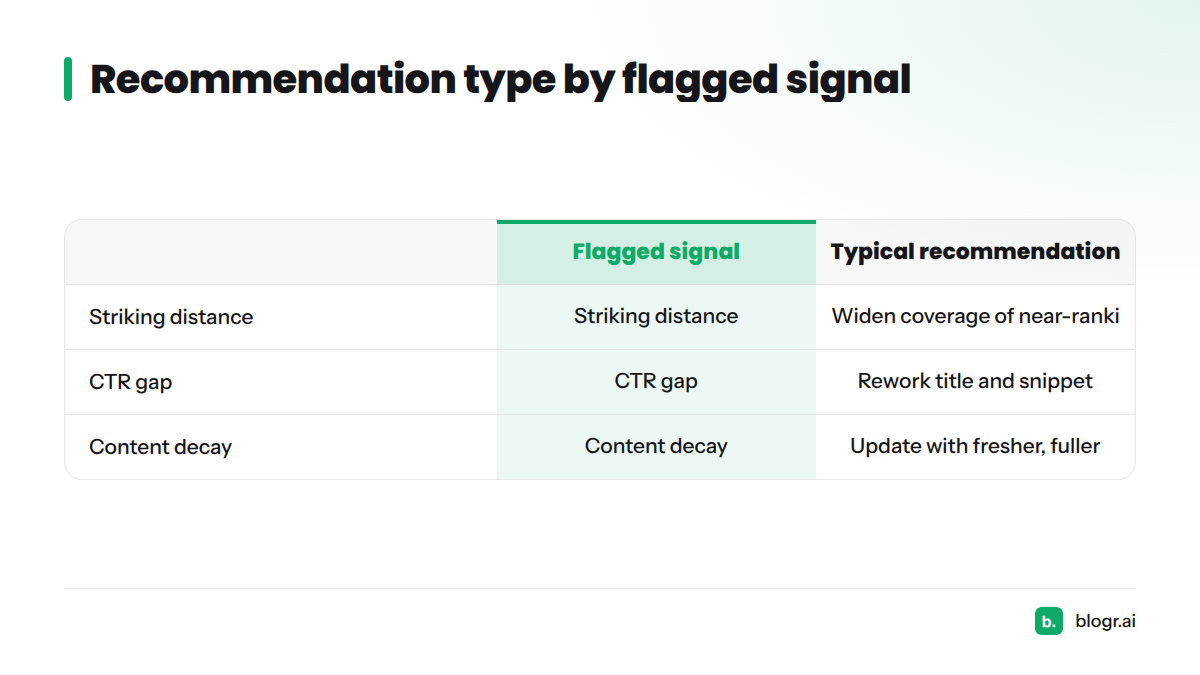
| Flagged signal | Typical recommendation type |
|---|---|
| Striking distance | Widen coverage of the queries the page nearly ranks for |
| CTR gap | Rework the title and snippet so the listing earns the click |
| Content decay | Update and re-optimize the post with fresher, fuller content |
Before you approve a new title, you can preview how it will look with the SERP snippet preview tool.
One customer's result: an article targeting "best crm for startups" moved from position #12 to #4 in 21 days and picked up 620 impressions. That is one customer's outcome, not a promise. Rankings depend on your niche, your competition and the quality of the update.
From recommendation to updated post: review and publish
You stay in control. Here is the loop:
- Open a recommendation and review the proposed update.
- Approve it or decline it.
- Approved changes publish to your connected CMS.
Nothing reaches your site without your approval. Supported destinations include WordPress, Webflow, Shopify and Ghost, among others listed on the integrations page. Teams that want zero involvement can switch on an optional full-autopilot mode. In my view, most people should start with approvals and loosen the reins once they trust the recommendations.
Wondering how often to run the cycle? Our weekly content refresh loop shows a rhythm that works.
Who a Search Console-driven refresh tool fits (and what it does not do)
It fits:
- SaaS, ecommerce, local and publisher sites with a back catalog of posts.
- Agencies juggling several client sites.
- Founders with no SEO team who need a clear to-do list, like the one in on-page SEO for founders without an SEO team.
It does not:
- Guarantee rankings, traffic or uplift. Nobody honestly can.
- Replace your judgment. You approve each change for a reason.
- Work without Search Console data. A brand-new site with no impressions has nothing to read yet.
Recommendations come from Search Console data on your own site. Whether a post written outside blogr.ai can be refreshed depends on what your connected setup supports, so check the current product docs. If you prefer a manual walkthrough, see how to read Google Search Console data or how to turn GSC data into an SEO to-do list.
Related features in the automation loop
Refreshing is one step in a larger cycle. See how SEO content automation from plan to refresh fits together, and how the platform turns Search Console data into SEO action after publishing.
Frequently asked questions
How does blogr.ai decide what to refresh?
It reads Search Console impressions, clicks and average position, then flags decaying posts, striking-distance queries and CTR gaps. Each page gets a score from 0 to 100 on click upside and urgency, and the highest scores rise to the top of your refresh queue.
Does it rewrite posts automatically?
It recommends what to change and prepares updates for your review. You approve or decline each one, and nothing publishes without your approval. Full-autopilot mode is optional for teams that want no manual step.
How often should content be refreshed?
No universal schedule exists. Check performance regularly, weekly or monthly for active sites, and refresh when a post is slipping, stuck near page one or underperforming on clicks. Signals, not the calendar, should trigger the work.
Can it refresh posts not written in blogr.ai?
Recommendations come from Search Console data on your site, so the signals apply to any indexed post. What the tool can update on externally written posts depends on your setup, so check the current product docs before you plan around it.
Next steps: Start your 7-day free trial and get your first ranked refresh queue from your own data. Prefer to look around first? Start from the blogr.ai homepage, and read our Privacy Policy to see how data is handled.
Sources
Related: how to update old blog posts for SEO