


Topical Map Software for SEO Teams | blogr.ai
A topical map tool plans the pillar pages, supporting cluster posts, and internal linking a site needs to own a subject. blogr.ai builds that map from your existing pages and focus topics, then adjusts planned titles using Search Console queries. To be clear, this is SEO planning, not topographic maps. Want to see it work? Start the 7-day free trial, or try the free topical map generator first.
I have watched plenty of SEO teams open a spreadsheet, paste in 300 keywords, and stall by Friday. The list is rarely the problem. The hard part is deciding what belongs together, what to write first, and how the pages should point at each other. Let's break it down.
What Is a Topical Map Tool, and How Does blogr.ai Run One?
A topical map is a structured plan of the topics a site should cover, grouped into pillars and supporting clusters with the links between them. It shows what to write, in what order, and how pages connect.
A topical map tool builds and maintains that plan for you. Instead of a spreadsheet you update by hand, you get software that reads your site, proposes a structure, and keeps that structure current. You will also see this called topical map software, a content map generator, a topic cluster planner, or a hub-and-spoke plan. The idea is the same.
Not a topographic map: search results for this phrase are full of USGS terrain charts. This page covers the SEO kind, a plan for content, not a map of land.
Topical Map for SEO: The Terms You Need
Five terms carry most of the weight:
- Topical map: the full plan of topics, groups, and links for one subject area.
- Topic clusters: groups of related pages built around one theme.
- Pillar page: the broad, central page that covers the theme and links out to the details.
- Cluster (supporting) posts: narrower articles that each answer one specific question and link back to the pillar.
- Topical authority: the reputation a site earns when it covers a subject thoroughly enough that search engines treat it as a dependable source.
Where blogr.ai Goes Beyond a Generator
A generator hands you a list of topics and stops. blogr.ai keeps going:
- It connects to Google Search Console so the plan reflects real demand.
- It puts every planned title in an approval queue.
- It builds a brief from the live search results for each approved title.
- It publishes to your CMS and tracks how the article performs.
Our founding team are SEO operators who grew organic search for their own products. We built the tool around the step where most plans die: turning the map into published pages.
Who Gets the Most From a blogr.ai Topical Map
Different sites need different page types. Here is how the map adapts to each.
- SEO teams: pillar pages for core services, with cluster posts that capture long-tail questions.
- Agencies: one repeatable map per client, with approvals that keep clients in control.
- SaaS marketing teams: feature and use-case pillars, plus comparison and "best for" cluster posts.
- Ecommerce brands: category-led pillars, buying guides, and product-type clusters.
- Local businesses: service pillars with location and question-based supporting posts.
- Publishers: topic hubs that group archives into clear subjects and link them together.
How blogr.ai Builds Your Topical Map, Step by Step
Here is the sequence, start to finish.
- Read the pages your site already has. The map starts from what you have published, so it does not propose topics you already cover.
- Decide which topics your site should own. You can set your own focus topics, and blogr.ai proposes the rest.
- Lay out pillars with supporting cluster posts. Each pillar gets a set of narrower posts beneath it.
- Name the gaps competitors have left. The map flags subjects where rival pages are thin or missing.
- Place the internal links between pages. Pillars link down to clusters, clusters link up to the pillar, and related clusters link sideways.
- Build a brief from the live results for each approved title. The brief reflects what currently ranks, not a guess.
- Publish to your CMS. Approved articles go out through publishing integrations such as WordPress, Webflow, Shopify, Ghost, Lovable, Directify, webhooks, or the REST API.
Picture the structure like this. One pillar page sits in the centre. Five to eight cluster posts surround it, each with a two-way link to the pillar. Dotted links join clusters that share a sub-theme. Every arrow is an internal link the tool places for you.
If you would rather do the keyword clustering yourself first, the free keyword clustering tool covers that job.
Next step: start the 7-day free trial and watch your first map take shape. You can review blogr.ai plans and the 7-day free trial before you commit.
Search Console Queries Just Off Page One Reshape Your Titles
A static plan guesses at demand. Your own data does not.
Google Search Console reports the queries your site already appears for, with impressions, clicks, and average position. The queries sitting just off page one, roughly positions 11 to 20, deserve the most attention. Google already links your site to the topic, and a focused page often nudges those queries onto page one.
Here is how blogr.ai uses that signal:
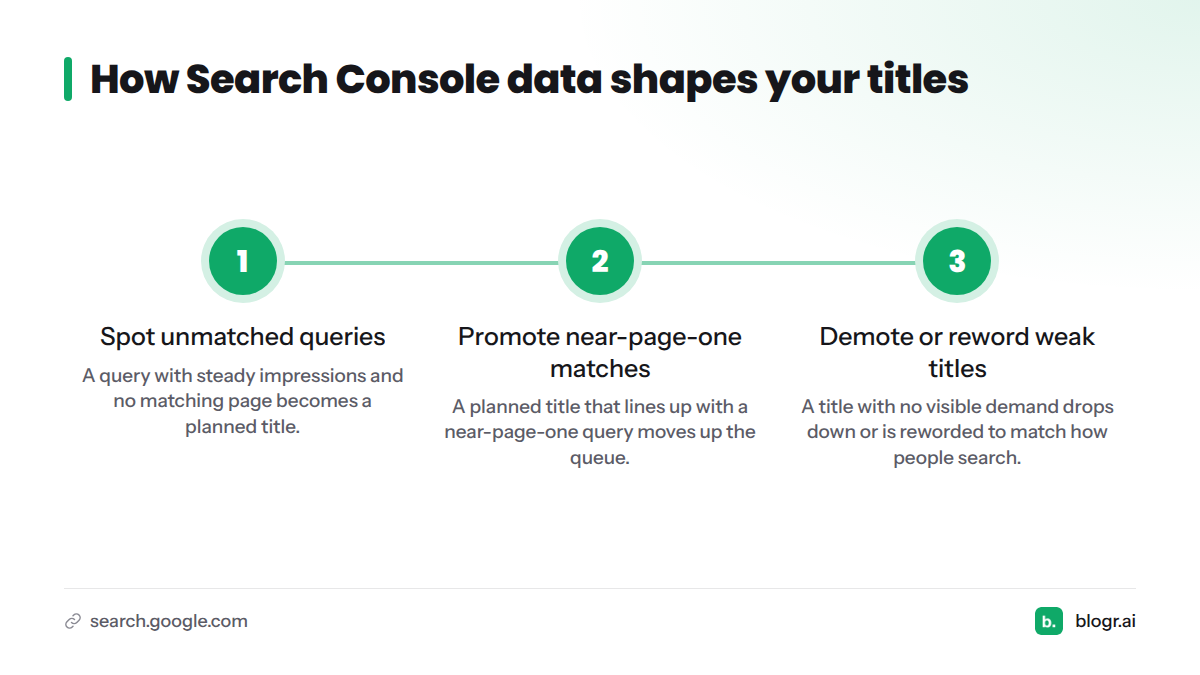
- A query with steady impressions and no matching page becomes a planned title.
- A planned title that lines up with a near-page-one query moves up the queue.
- A title with no visible demand drops down or gets reworded to match how people actually search.
Connecting Search Console is optional, and the map works without it. The connection sharpens priorities, because your publishing order now follows evidence from your own site. Want the manual version of this analysis? Read the guide to striking distance keywords, or see how to turn Search Console data into SEO actions.
You Approve, Decline, or Review Every Planned Title
I am wary of any tool that publishes on its own without asking, so we built the opposite default.
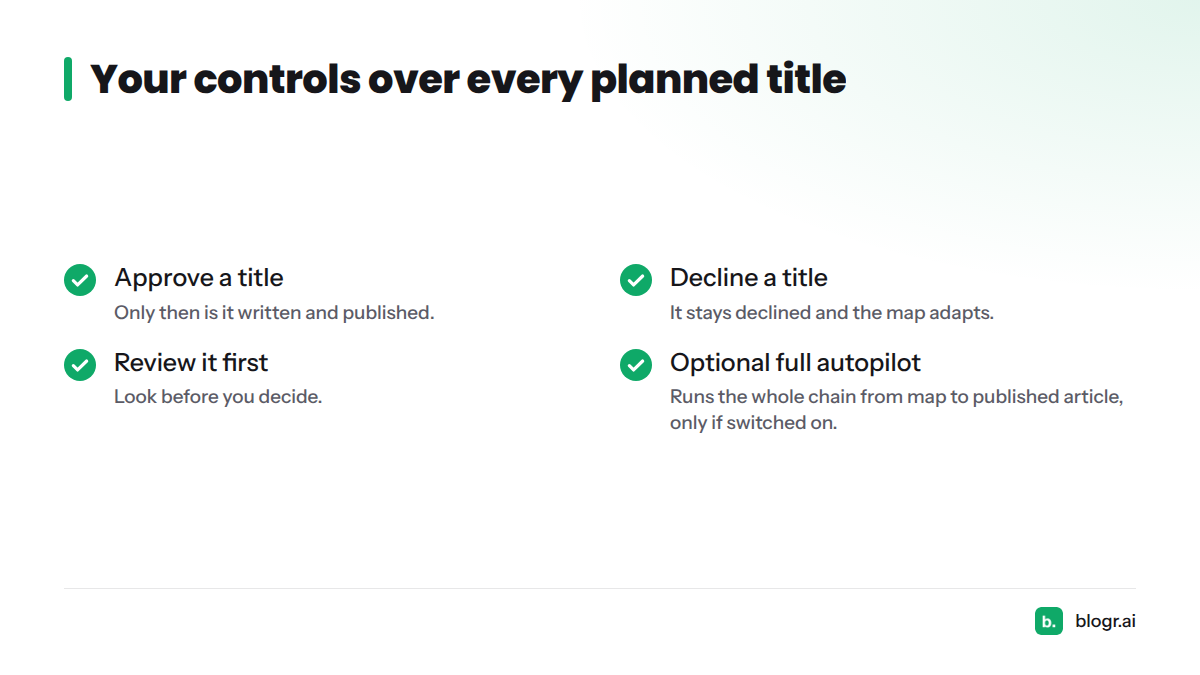
Every planned title waits for you. You can approve it, decline it, or review it first. Nothing is written or published without a yes. A declined title stays declined, and the map adapts around your choice.
Teams that want none of that friction can switch on the optional full autopilot. It runs the whole chain from map to published article. It is a choice, never the starting point.
A Demand-Led Map Tells You What to Do Next
A keyword list tells you what people might search. A demand-led map tells you what to publish next, in order, with the links already planned. Here is the side-by-side.
| Static keyword list | Topical map generator | blogr.ai | |
|---|---|---|---|
| Data source | One-time keyword export | Seed topic and AI suggestions | Your existing pages, focus topics, and Search Console queries |
| Updates over time | No, you re-export by hand | No, you regenerate | Yes, titles shift as queries change |
| Internal links | You plan them yourself | Usually not included | Placed between pillars and clusters |
| Approval | Not applicable | Not applicable | Approve or decline every planned title |
| Publishing | Manual | Manual | Publishes to your CMS |
| Measurement | Separate tools | Separate tools | Tracks performance after publishing |
How is blogr.ai different from a topical map generator? A generator outputs a list of topics and ends there. blogr.ai keeps the map connected to Search Console, routes each title through your approval, builds briefs, publishes to your CMS, and measures results, so the map keeps working after day one.
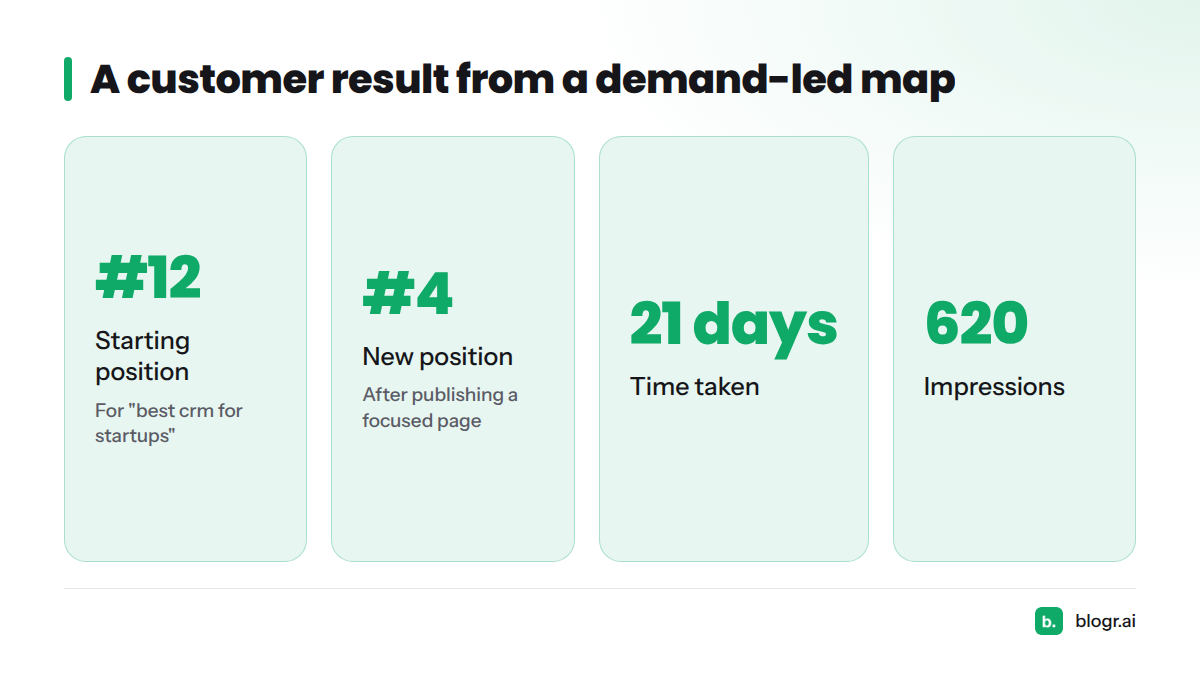
One customer article went from position #12 to #4 for "best crm for startups" in 21 days, on 620 impressions. The full write-up lives in our case study library, so I will not retell it here. The takeaway is simple: when the plan follows real queries, results can show up fast.
Ready to build yours? Start the 7-day free trial.
Topical Map Software FAQs
What is a topical map?
A topical map is a structured plan of the topics a site should cover, grouped into pillars and supporting clusters, with the links between them. In SEO, it guides what to publish, in what order, and how the pages connect.
How does blogr.ai build a topical map?
It reads the pages your site already has, works out which topics you should own, lays out pillars with supporting cluster posts, names gaps competitors left, and places the internal links. It then builds a brief from the live results for each title you approve.
Does blogr.ai publish articles without my approval?
No. Every planned title waits for you to approve or decline it. Nothing is written or published without a yes. Full autopilot exists, but only for teams that turn it on.
Do I need Search Console connected?
No. The map works without it. Connecting Google Search Console adds your real queries, which sharpens which titles come first, especially for queries just off page one.
Can I build a topical map by hand instead?
Yes. A spreadsheet works for small sites. Group keywords by theme, pick one pillar per theme, and list the supporting posts beneath it. Our free tools can speed up the grouping, and the manual how-to guide will cover the full process.
Start With a Map That Follows Your Own Data
A topical map earns its keep only when it turns into published pages. blogr.ai builds the plan, keeps it tied to your queries, and leaves every decision with you. Start the 7-day free trial and see your first pillar and cluster plan today.
Sources
Related: the full SEO content automation loop, how to create a topical map by hand