


SEO Content for SaaS: Automate Publishing That Ranks
A SaaS marketing team can publish more SEO content that ranks without adding headcount. blogr.ai turns your Google Search Console queries into titles you approve, writes and publishes the articles, then flags the ones stuck on page two for a refresh. One customer article moved from #12 to #4 in 21 days and picked up 620 impressions.
Start the 7-day free trial and connect Search Console. You can see plans and the free trial any time.
Why SaaS Teams Struggle to Publish SEO Content at Scale
The roadmap is packed, the team is three people, and the blog has not moved in six weeks. I have seen that pattern often. Strategy guides tell you what to do, and they rarely say who will do it.
One small team, five content types
A SaaS site needs feature pages, comparison articles, tutorials, use cases, and help content. Each type has its own research and its own search intent. One marketer cannot cover all of it and still ship a launch.
Publishing stops at "published"
Most teams hit publish and move on. Nobody checks whether the page earned impressions, and nobody refreshes it when it stalls near page one. Content decays quietly, and the effort behind it goes to waste.
Here is the short version of what goes wrong:
- Topic lists come from guesses instead of the demand your site already shows.
- Briefs get skipped when deadlines hit.
- Posts go live without internal links or schema.
- Nothing gets measured, so nothing gets improved.
Ready to close that gap? Start the 7-day free trial and connect Search Console.
How a SaaS Content Marketing Automation Loop Works
The fix is a loop, not a one-off article. Let's break it down:
- Research. blogr.ai reads your Search Console connection and your focus topics to find queries worth targeting.
- Approve or decline. You review every title before anything gets written.
- Brief. Each article starts from a brief built from the live SERP. It reflects the pages ranking today, not a static template.
- Write. The draft follows your brand voice and includes schema, internal links, an FAQ, and a cover image.
- Publish. The article goes to your CMS automatically and your sitemap is resubmitted. You get an email with the live link.
- Measure and improve. Search Console data feeds the next round of titles and refreshes.
Full autopilot is optional. Many teams start with manual approval and switch later.
The CMS list is long: WordPress, Webflow, Shopify, Ghost, and more on the integrations page. Building a Lovable app? There is a Lovable integration too. For the full strategy behind the loop, read our on-page SEO guide for founders without an SEO team.
Comparison Queries Sit Closest to the Signup
Someone typing "best crm for startups" is not browsing. They are choosing, which makes these queries the most valuable ones in any SaaS blog SEO plan.
The loop favors queries your site already appears for. If Search Console shows impressions on a comparison phrase, that is proven demand. You approve the title, the brief studies who ranks, and the article goes after that exact intent. SaaS comparison page SEO then becomes a routine task instead of a quarterly project, which is how a SaaS SEO content platform earns its place in a B2B SaaS organic growth plan.
Proof: A Startup-CRM Article Moves From #12 to #4 in 21 Days
Here is the measured result from one customer's startup CRM article:
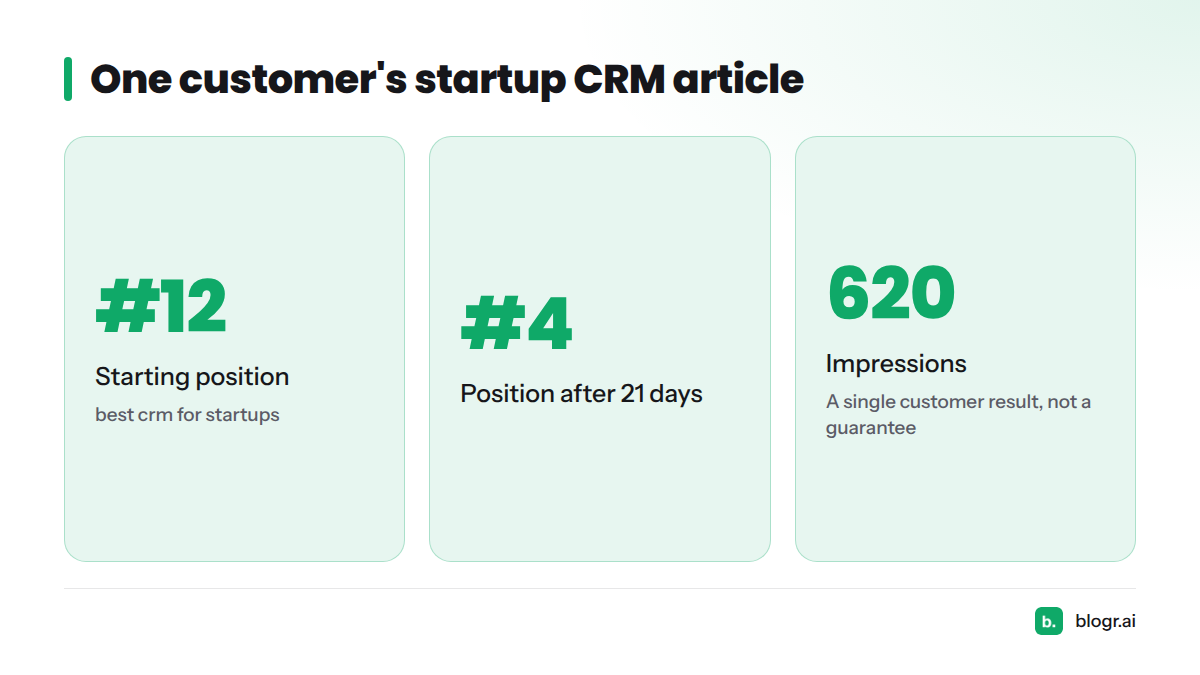
| Query | Starting position | Position after 21 days | Impressions |
|---|---|---|---|
| best crm for startups | #12 | #4 | 620 |
Treat this as a single customer result, not a guarantee. Timing varies by site and query.
SaaS Content Refresh: Moving Page-Two Keywords Up
Striking-distance keywords are queries where a page already ranks just off page one, usually at positions 8 to 20. A small improvement there can bring real clicks. Our guide on finding and fixing striking-distance keywords in GSC shows how to spot them by hand.
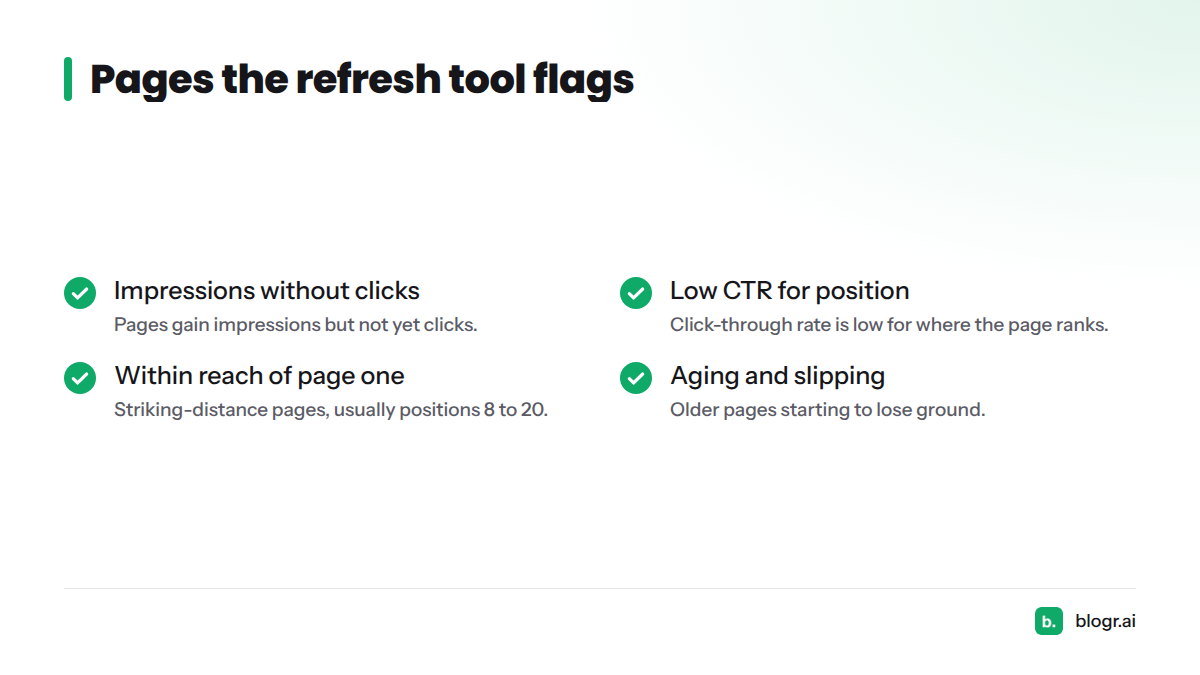
The content refresh tool does the flagging for you. It surfaces pages that:
- Gain impressions but not yet clicks.
- Show a low click-through rate for their position.
- Sit within reach of page one.
- Are aging and starting to slip.
Google documents the data behind this in its Search Console Performance report help. For a weekly routine, see the weekly content refresh loop.
What a SaaS Team Gets Without Adding Headcount
- Titles pulled from real search demand
- Approval control over every title
- Live-SERP briefs for each article
- Articles with schema, internal links, FAQ, and a cover image
- CMS auto-publish and sitemap resubmission
- Search Console tracking after launch
- Refresh recommendations for pages that stall
That list covers a good part of what a junior SEO and a freelance writer would handle. It does not replace your product judgment, so you stay in the approval seat. In my view, that split is the right one: the software handles the repetitive work, and you decide what the blog says about your product.
Next Steps: Start With the Free Trial
You need Search Console access and a few focus topics. Connect your property, set your topics, and review your first titles.
Start the 7-day free trial and connect Search Console.
FAQ
Does blogr.ai suit a SaaS blog with few posts?
Yes, once the site has Search Console data. Titles come from queries you already appear for, especially those just off page one, plus the focus topics you set.
Will it write product-led content?
You set focus topics and approve every title, so you steer toward product-relevant subjects. Nothing is written or published without your yes.
How fast can results show?
One customer article moved from #12 to #4 in 21 days. That is a single result, not a guarantee, and timing varies by site and query.