


SEO Content Templates: Free Briefs, Plans & Checklists
Seven SEO content templates cover the full job from planning to maintenance: a keyword research template, an SEO content calendar template, a content brief template, a glossary template, an FAQ post template, a content refresh checklist and an SEO audit checklist. Each handles one task. All of them are free SEO templates you can copy, they come from SEO operators, and none needs a blogr.ai account.
I run this workflow on blogr.ai's own site, so these formats come from real work, not theory. Let's break it down.
Which SEO Content Templates Are Worth Using?
Here is the full set at a glance.
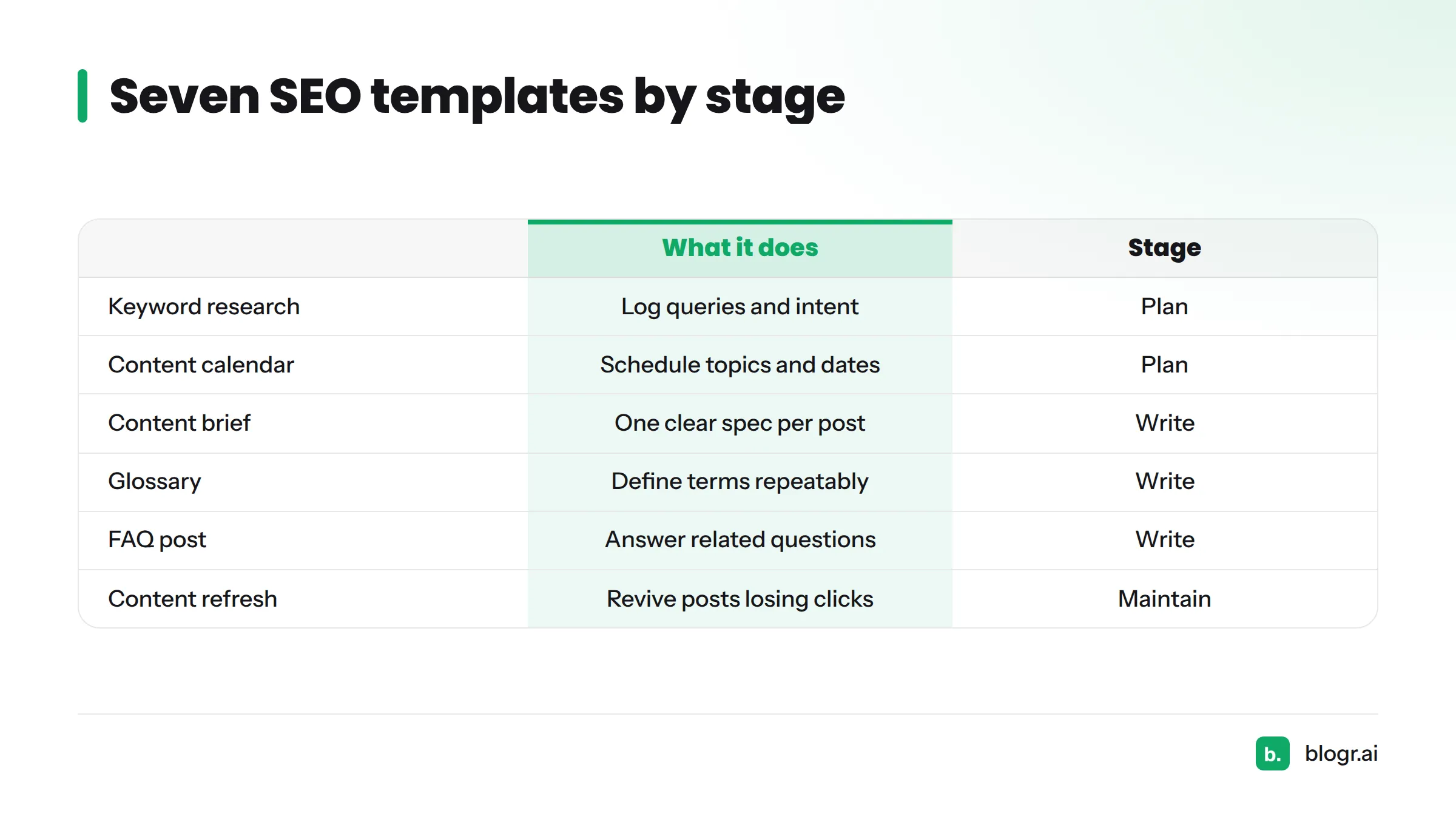
| Template | What it helps you do | Stage |
|---|---|---|
| Keyword research template | Log queries, intent, volume and target page | Plan |
| SEO content calendar template | Schedule topics, owners and publish dates | Plan |
| Content brief template | Give a writer one clear spec per post | Write |
| Glossary template | Define terms in a repeatable entry format | Write |
| FAQ post template | Answer related questions in a tight format | Write |
| Content refresh checklist | Revive posts that are losing clicks | Maintain |
| SEO audit checklist | Catch site-wide issues before they cost traffic | Maintain |
Think of them as blog planning templates at the front, writing formats in the middle, and SEO checklist templates at the back. Marketing teams, agencies, solo founders and publishers can all use the same set. Only the order changes.
Research and Planning Templates
Keyword Research Template
Best for: anyone starting a content plan. The sheet tracks the query, the search intent, the page that should rank and its current position. Pull your starting queries from Google Search Console using the steps in our guide to finding keywords in Search Console.
SEO Content Calendar Template
Best for: teams that already have a topic list. Each row holds a working title, an owner, a status and a publish date. Still missing the topic list? The free topical map generator is a good place to begin.
Brief and Writing Templates
Content Brief Template
Best for: handing work to a writer. A good brief fits on one page and names the target query, the intent and the outline. We build ours from the live results page, as described in live-SERP briefs. Approval comes before drafting, so nobody writes against an idea that was never signed off.
Glossary Template
Best for: defining terms. Every entry carries a one-sentence definition, a short example and links to related terms. Our own SEO glossary shows the finished format.
FAQ Post Template
Best for: capturing question-style searches. Use one question per heading. Put a one-to-two sentence answer first, then add supporting detail underneath.
Publishing and Refresh Templates
Content Refresh Checklist
Best for: posts whose clicks are sliding. The checklist covers updating facts, tightening the title, fixing internal links and re-checking intent. Our guide on how to update old blog posts shows it in action, and the weekly refresh loop shows how to keep the habit going.
Audit and Checklist Templates
SEO Audit Checklist
Best for: stalled traffic. It walks through indexing, titles, internal links, speed and content gaps. Prefer a tool to a list? Try the free interactive SEO tools, including the free Search Console audit.
How blogr.ai's Workflow Shapes These Templates
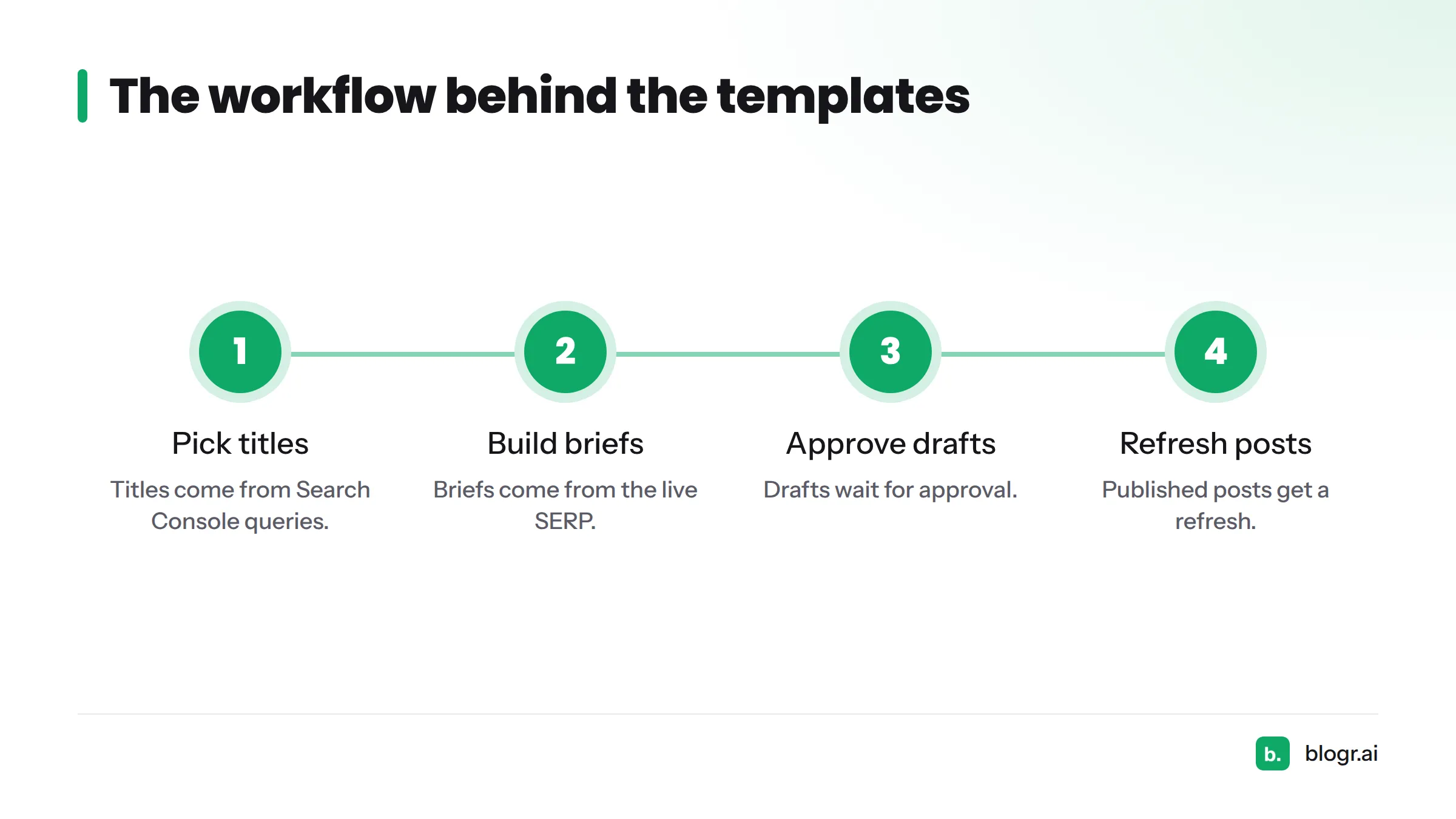
Every template maps to a step we run ourselves. Titles come from Search Console queries, briefs come from the live SERP, drafts wait for approval, and published posts get a refresh. If you would rather not run that loop by hand, you can automate the whole SEO content loop.
How to Pick the Right Template for Your Stage
Match the template to the problem in front of you:
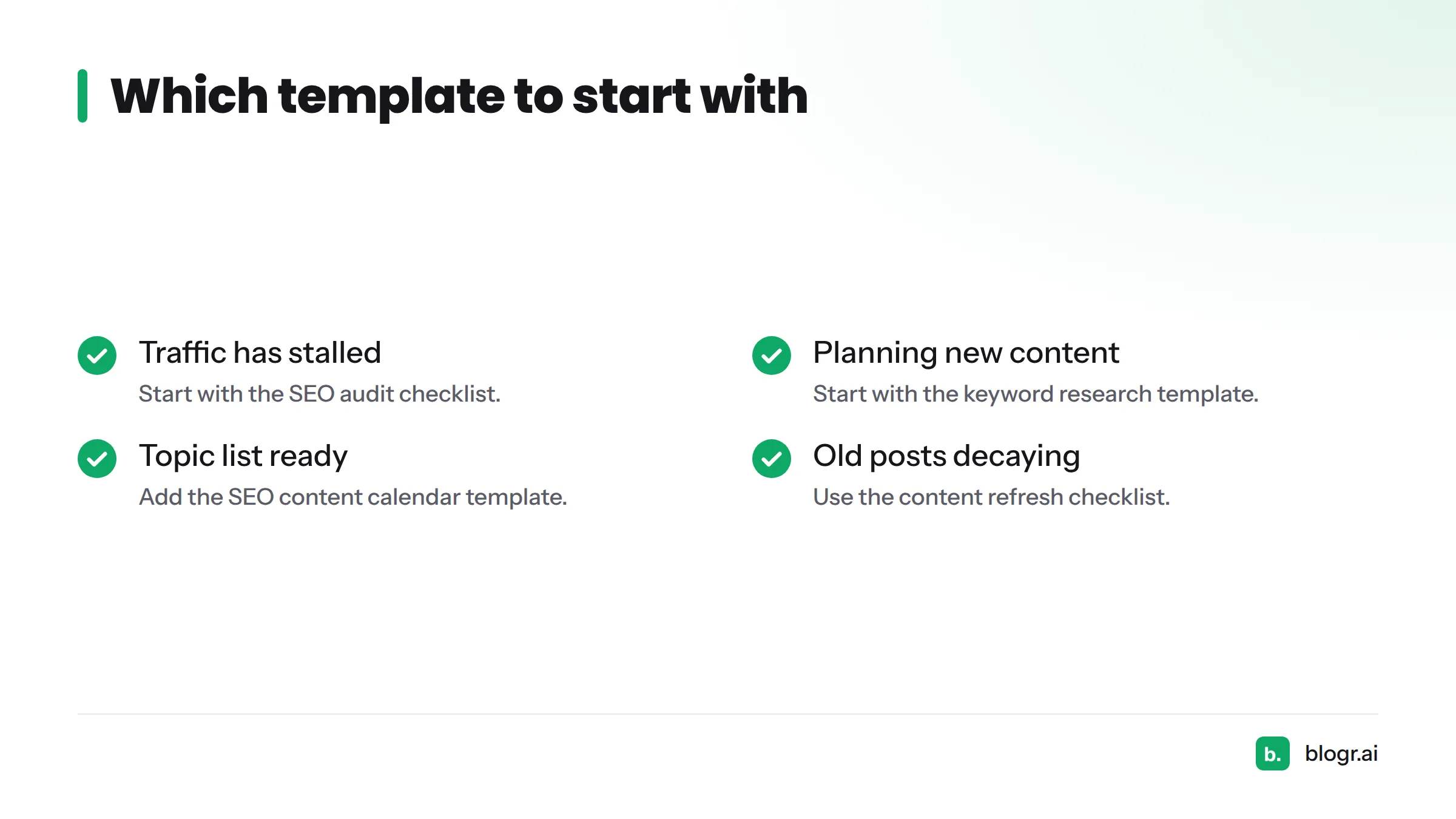
- Traffic has stalled: start with the SEO audit checklist.
- Planning new content: start with the keyword research template.
- Topic list ready: add the SEO content calendar template.
- Old posts decaying: use the content refresh checklist.
New to all this? Begin with the keyword research template. It needs the least setup.
FAQ
Are these SEO content templates free?
Yes. You can copy and use every template at no cost, and you do not need a blogr.ai account.
Which SEO template should I start with?
Pick by problem. Use the audit checklist for stalled traffic and the keyword research template when you plan new posts.
Can I edit the templates for my own site?
Yes. Copy a template, then change the fields to fit your niche, team size and CMS.
Ready to automate these steps? Try the 7-day free trial at blogr.ai.
Last updated: October 2026. Revised for 2026.