


Google AI Mode: What It Is and What It Means for SEO

Google AI Mode is a conversational search experience inside Google Search, powered by Gemini. It answers complex questions with a written response, cited links, and follow-up questions. AI Overviews appear on the standard results page. AI Mode is a separate, chat-style space that users choose to enter.
That's the short version. Most guides stop there and skip the part site owners care about: what to do about it. I'll define it fast, then show you how to measure it calmly in your own data.
What Google AI Mode Is
In one sentence: Google AI Mode is a chat-style way to search Google, where a Gemini model writes an answer to your question, shows source links, and lets you keep asking follow-ups.
Google introduced it as a Search Labs experiment in March 2025 and has expanded it since. Think of it as Google Search with a conversation layer on top. You type, speak, or snap a photo, and the answer comes back as a written response instead of a plain list of results.
How to Use Google AI Mode
You can open AI Mode from the AI Mode tab or button in Google Search, through the Google app, or at google.com/ai. Availability varies by country and language, and Google changes the rollout often. Check Google's AI Mode help page for the current list before you assume it works for your audience.
What AI Mode Search Can Do
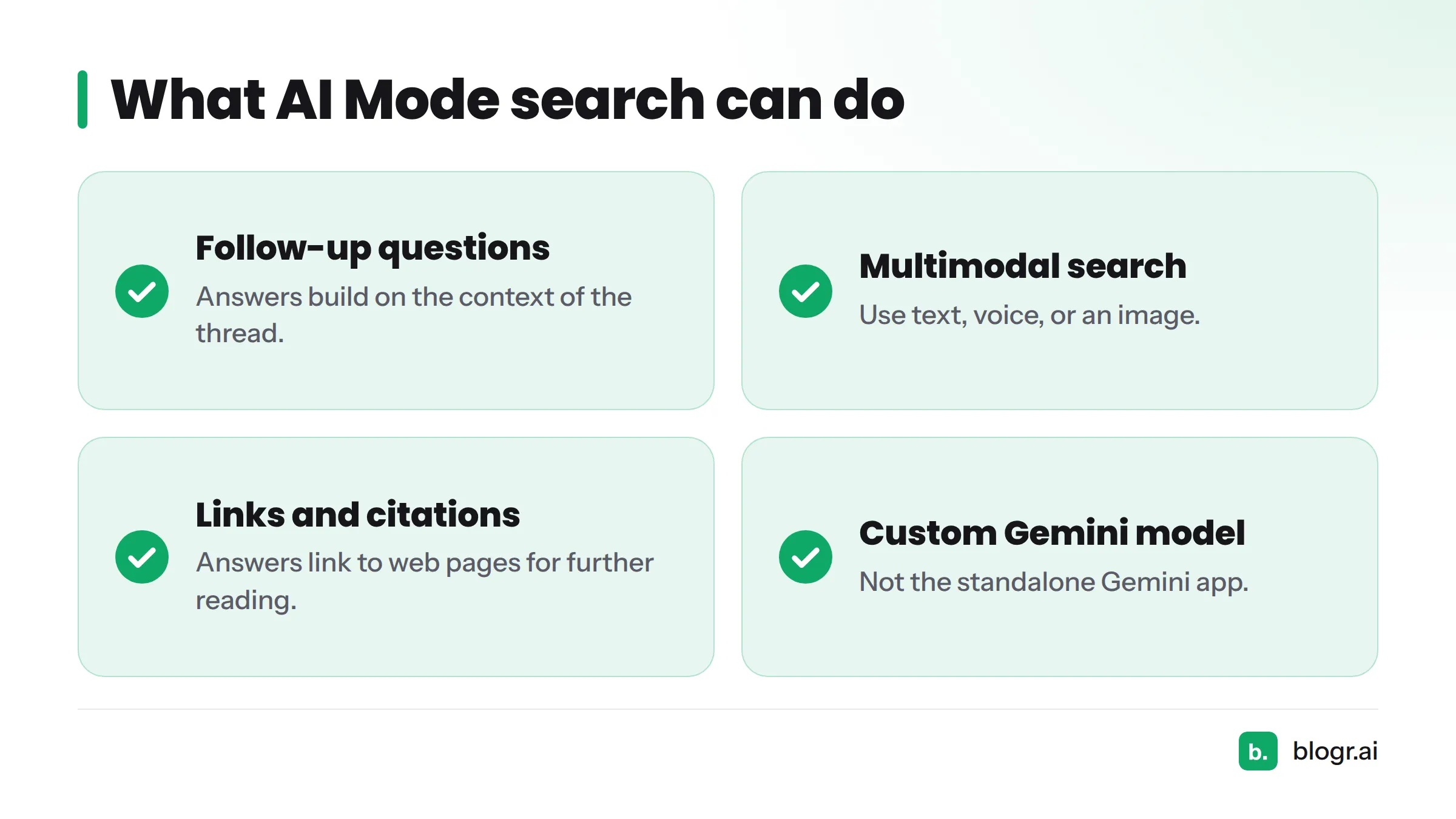
- Follow-up questions. Ask a second and third question in the same thread, and the answer builds on the context so far.
- Multimodal search. Use text, voice, or an image. Google describes this as built on Google Lens and Gemini capabilities.
- Links and citations. Answers include links to web pages, so people can read further.
- Gemini under the hood. Google says AI Mode uses a custom version of Gemini. That makes Google AI Mode Gemini-based, but it is not the standalone Gemini app, though both draw on the same model family.
AI Mode vs AI Overviews
Here is the side-by-side view. I built the AI Mode and AI Overviews columns from Google's own descriptions in its AI features documentation for site owners.
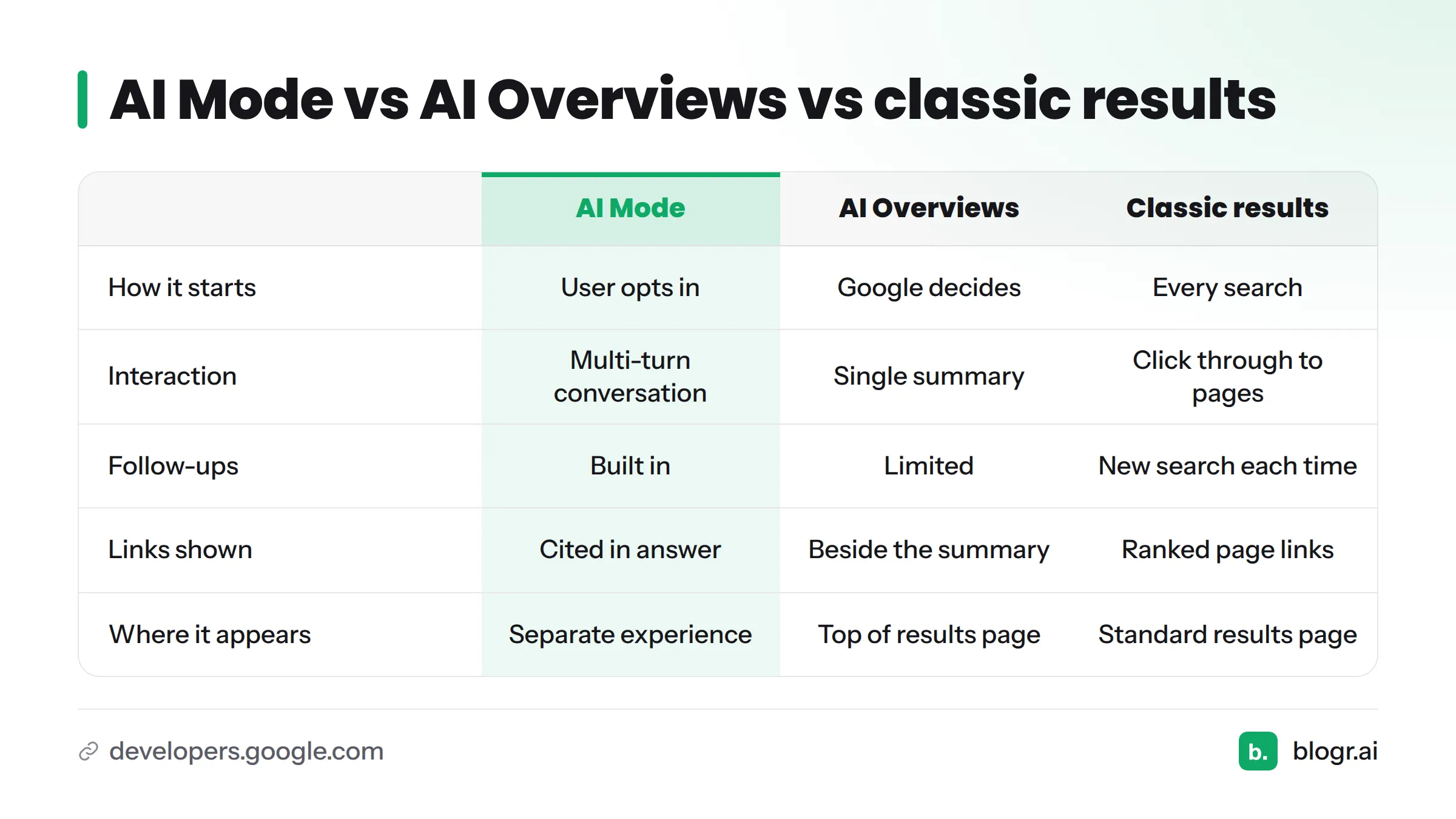
| AI Mode | AI Overviews | Classic results | |
|---|---|---|---|
| Where it appears | A separate AI Mode experience | At the top of the regular results page, for some queries | The standard results page |
| How it starts | The user opts in by choosing AI Mode | Google decides to show it for a query | Every search |
| Interaction | Multi-turn conversation | A single summary, with an option to go deeper | Click through to pages |
| Typical query | Longer, open-ended, multi-part questions | Queries where a quick summary helps | Any query |
| Follow-ups | Built in, with context carried over | Limited | New search each time |
| Links shown | Cited links inside the written answer | Links alongside the summary | Ranked page links |
The biggest difference is choice. A person sees an AI Overview whether they asked for one or not. A person in AI Mode picked a conversation on purpose. For the full explanation of the other format, see our guide to what an AI Overview is (coming soon to the blog).
How AI Mode Changes the Search Experience
Searchers Write Longer, More Conversational Queries
People type to a chat box the way they talk. Instead of "running shoes flat feet," they write "what running shoes work for flat feet if I also have bad knees?" That is conversational search, and it produces long-tail queries that few keyword tools ever listed.
Follow-Ups Replace Repeat Searches
In classic search, a second question means a second query and often a second click. In AI Mode, the thread continues. Your page may show up in the answer to question one and never appear again by question four. Visits get distributed differently, even when overall interest stays the same.
Zero-Click Behavior and Where Links Appear
Zero-click behavior means a searcher gets what they need without visiting any site. AI answers can raise it, because the written response may settle the question on its own. Google states that AI features show links to the web, and that pages must be indexed and eligible to show a snippet to appear as a supporting link. Beyond that, Google doesn't publish how it picks sources, so treat any claim of certainty about selection with suspicion. To see how one question splits into many sub-searches, read how query fan-out expands a search (coming soon).
Google AI Mode SEO: What Is Documented and What Is Opinion
Here is my read, split into fact and interpretation.
Documented: Google says the same foundational SEO practices apply to AI features, with no special markup required, per its AI features guidance.
My interpretation:
- Visibility is no longer only rank position. Your page can earn impressions in places where clicks are less likely.
- Specific, well-structured, trustworthy pages still carry the load. Long-tail conversational questions reward pages that answer one thing clearly.
- Effects vary by site. A recipe publisher, a SaaS blog, and a local plumber will not see the same shift.
If you want the strategy side of conversational search SEO, read our primer on generative engine optimization. A dedicated guide on earning citations in AI answers is on the way. No tactic here is a guarantee.
Google AI Mode in Search Console: How to Spot Query Shifts
This is the gap most guides leave open. Let's break it down.
Where the Data Lives
Open the Performance report in Google Search Console. Google states that AI Mode clicks, impressions, and positions are counted in the Web search type of the Performance report, combined with other results. You can't isolate AI Mode traffic precisely. You can only look for patterns that suggest a shift. Confirm the current wording in Google's Search Console documentation, since reporting details change.
If the report is new to you, start with how to read Search Console data. Plain-English definitions of impressions, clicks, and CTR live in the SEO glossary.
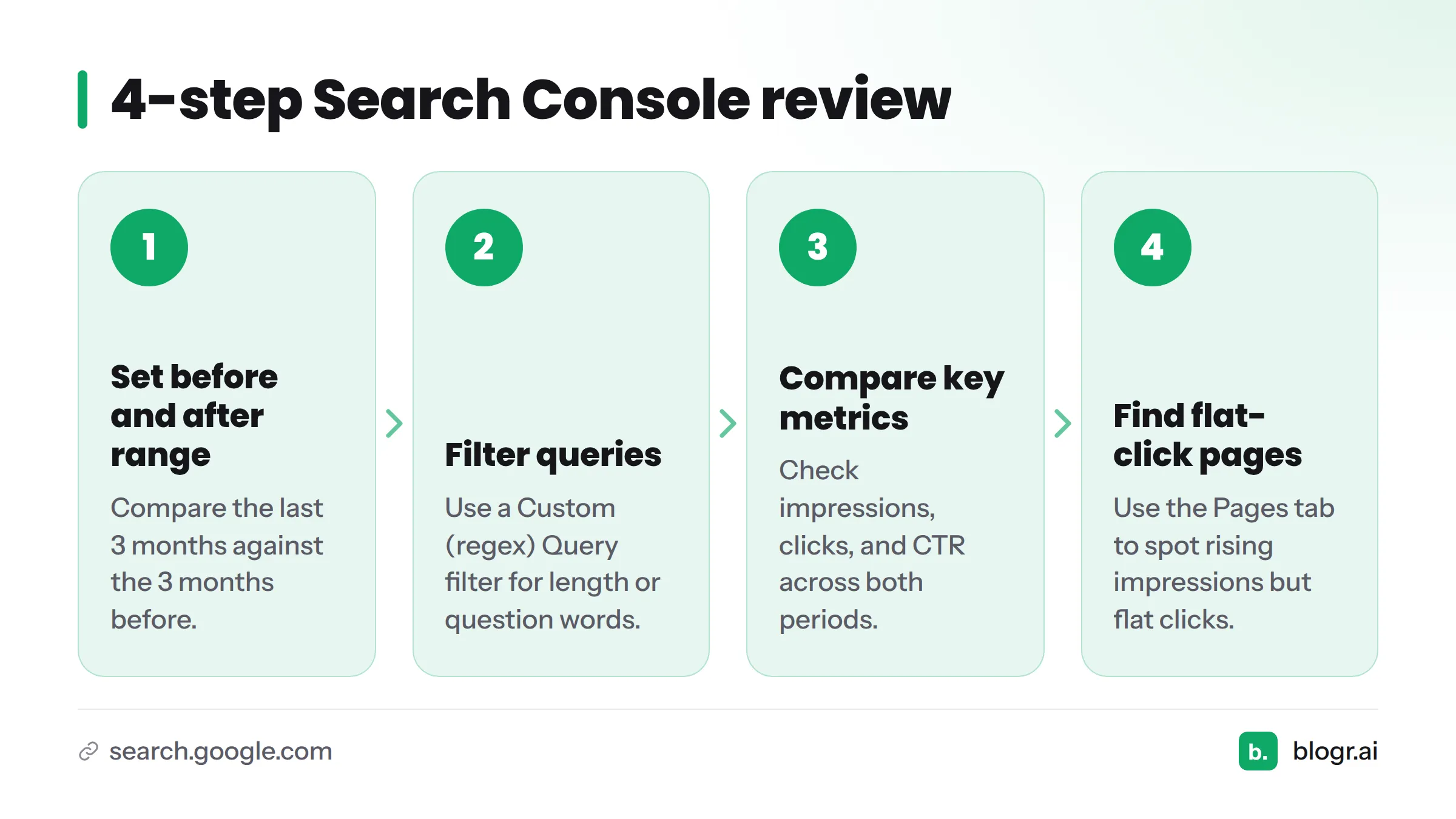
A 4-Step Review
- Set a before and after date range. Compare the last 3 months against the 3 months before. Use the "Compare" option in the date filter.
- Filter queries by length or question words. Add a Query filter with "Custom (regex)" and paste the starter below.
- Compare impressions, clicks, and CTR on those filtered queries across both periods.
- Look for pages with rising impressions but flat clicks. Switch to the Pages tab while the query filter stays on.
Regex starter for question-style queries:
^(who|what|when|where|why|how|can|should|does|is|are|which)\b
For long queries (roughly eight words or more), try:
^(\S+\s){7,}\S+$
Search Console's regex uses RE2 syntax, so both patterns work in the filter box.
What Anonymized Patterns Suggest
Across sites connected to our Search Console tooling, here is what I tend to see. This is interpretation, not a measured claim, and it doesn't apply to every site:
- Longer, question-like queries often grow in impressions.
- On some sites, clicks on those queries stay flat while impressions climb.
- Informational pages feel this more than product or brand pages.
Decision Tree: What Is Behind the Change?
| What you see | Likely explanations | Check next |
|---|---|---|
| Impressions up, clicks flat | Conversational query shift, or an AI or SERP feature change | Question-style queries, CTR by page |
| Impressions down, clicks down | Ranking loss, seasonality, or indexing trouble | Position trend, last year's same period, Index coverage |
| Impressions flat, clicks down | Title or snippet weakness, or a new competitor result | CTR by query, SERP snippet preview |
For the "rank but no clicks" case, see why you rank but get no clicks. To catch slow declines early, use ranking decay detection in Search Console.
How to Optimize for AI Mode Without Overreacting
Calm beats panic here. Next steps:
- Keep the fundamentals. Crawlable, indexed, useful pages still matter most.
- Answer questions plainly. Put the direct answer near the top, then add depth.
- Refresh pages with impressions but no clicks. Tighten the title, sharpen the answer, and add what's missing. Our guide to updating old blog posts shows how.
- Monitor monthly. A monthly review catches trends without chasing noise. Our Search Console to-do list can turn each review into tasks.
- Avoid guarantees. Be wary of anyone who promises AI Mode visibility.
No tactic guarantees AI Mode visibility. Measure, improve the page, and measure again.
Next step: Connect Search Console to blogr.ai and let it flag pages with rising impressions and flat clicks for you. Plans start with a 7-day free trial, and you can see the details on the pricing page. You can also run the free Search Console audit first. Disclosure: blogr.ai makes these tools, so we have a product interest here.
Where to Go Deeper
- Generative engine optimization basics
- What an AI Overview is (coming soon)
- How query fan-out expands a search (coming soon)
- Earning citations in AI answers (coming soon)
- SEO vs GEO (coming soon)
- More guides on the blogr.ai blog
FAQ
What is Google AI Mode?
Google AI Mode is a chat-style search experience inside Google Search. A Gemini model writes an answer to complex questions, shows links to sources, and accepts follow-up questions by text, voice, or image. Users choose to enter it, so it is separate from the standard results page.
How is Google AI Mode different from AI Overviews?
AI Overviews are summaries Google places on the regular results page for some queries. AI Mode is a separate conversational experience that users opt into. It supports multi-turn follow-ups and longer questions, while an AI Overview is usually a single summary shown above or among results.
Is AI Mode the same as Gemini?
No. Gemini is Google's family of models and also the name of a standalone assistant app. AI Mode is a search experience that uses a custom Gemini model to produce answers grounded in Google Search. They share technology but serve different purposes.
How do I access Google AI Mode, and is it available in my country?
Look for the AI Mode tab or button in Google Search, use the Google app, or go to google.com/ai. Availability varies by country and language and keeps changing, so check Google's current AI Mode help page for the latest supported regions.
Can I see AI Mode traffic in Search Console?
Not separately. According to Google's Search Console documentation, AI Mode activity is counted within the Web search type alongside other results. You can look for patterns, such as growth in question-style queries, but you can't precisely isolate AI Mode clicks or impressions.
Do I need to change my content strategy for AI Mode?
Probably not a rebuild. Google says standard SEO fundamentals apply to its AI features. Focus on clear, trustworthy pages that answer specific questions, refresh pages that earn impressions without clicks, and review Search Console monthly. Effects vary by site, so let your own data guide changes.