


Glossary Formats: How to Choose and Set One Up

To choose among glossary formats, decide what the glossary has to do, then compare three options: a single page, an A-Z index, or one page per term. A simple rule based on term volume and search goals settles most cases. After that, set up URLs and page structure, write every definition the same way, link entries together, and plan upkeep.
Writing a glossary for a report, thesis, or manual? That is a document glossary: terms in alphabetical order, a bold term, a short definition, placed in the back matter. The APA Style site covers those conventions. This guide is about website glossaries.
A glossary format is the way a set of terms and definitions is organized and published: on one page, as an A-Z index, or with one page per term. Picking the wrong one is a quiet mistake. You build 60 entries on one endless page, or you spin up 60 thin pages nobody needs. Let's fix that before you write a single definition.
Step 1: Decide what your glossary needs to do
Start with the job, not the layout. At blogr.ai, we see this as the step most teams skip, and it shapes every choice that follows.
Set one goal
A glossary can work as an internal reference, a source of search traffic, a support aid, or a bridge to your product pages. Each goal pulls the glossary layout in a different direction, so pick one main purpose.
Know your audience and their search intent
People who type a term into Google usually want a fast, plain answer. Google Search Central advises creating content that helps people, so ask what a reader searching "what is a canonical URL" expects to see. If your audience looks up terms one at a time, a single page will not meet them.
Count your terms
Tally the terms you will define in the first six months, and be honest about it. Ten terms and 100 terms call for different structures.
Answer these three questions before choosing:
- What is the one job this glossary does?
- Will readers arrive by searching individual terms, or by browsing?
- How many terms will it hold now, and in six months?
Step 2: Compare the types of glossary
Here is how the main types of glossary work on a website.
Single-page glossary
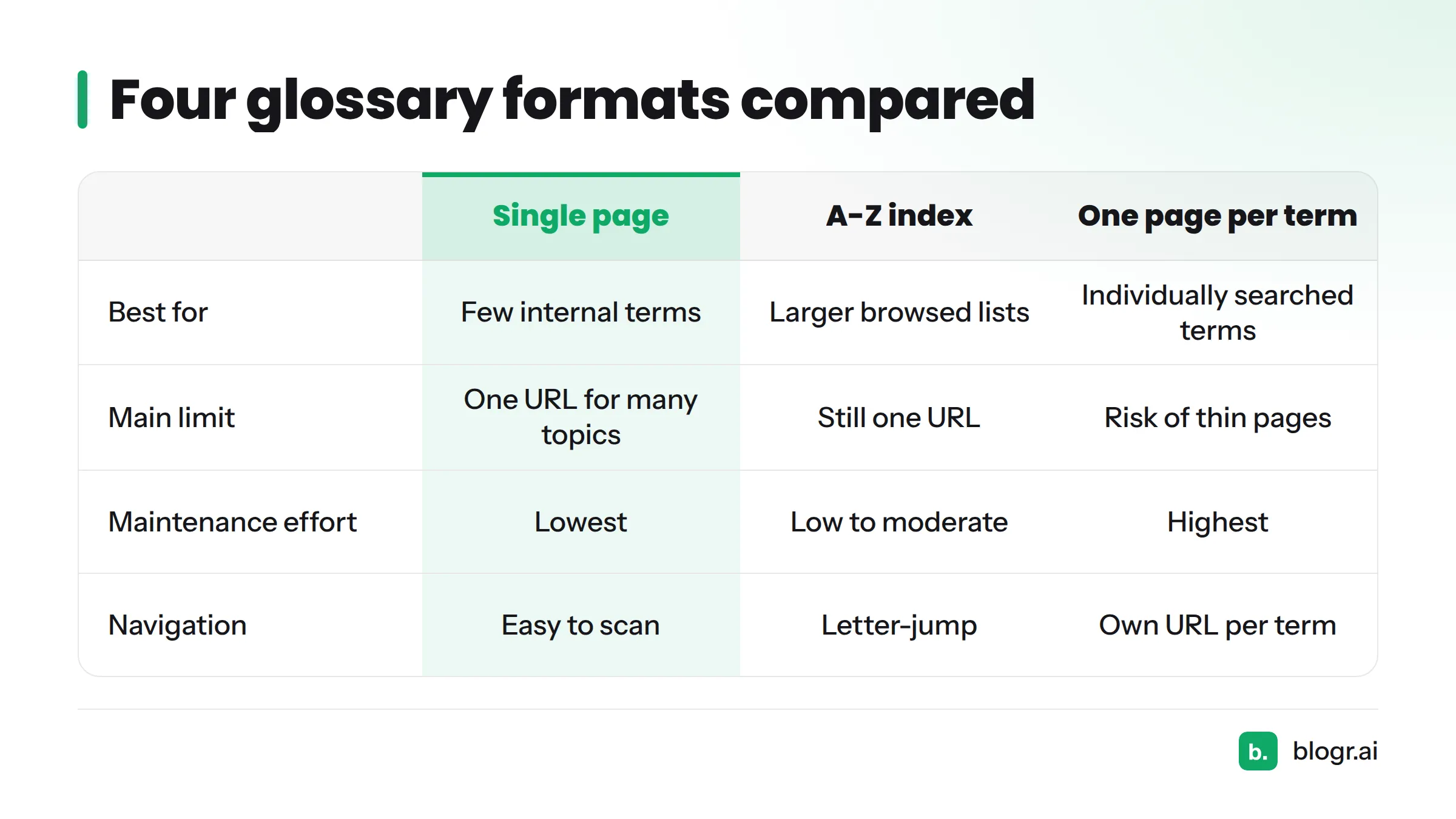
Every term sits on one page, usually in alphabetical order with jump links. A single-page glossary is quick to build and easy to scan. Its limit: one URL cannot rank well for dozens of separate searches.
A-Z index glossary
An A-Z index glossary groups entries by first letter, often with letter tabs or anchors. It copes with longer lists than a plain page because readers jump straight to "M." It still lives on one URL, so it shares the single-page ranking limit.
One page per term glossary
With a one page per term glossary, each term gets its own URL, and a glossary hub lists them all. Someone searching one term can land on exactly that definition. The cost is more pages to write, link, and maintain.
The hybrid: glossary hub plus term pages
The hybrid pairs a browsable hub (the A-Z index) with a full term page for each entry. Readers can scan the hub or land directly on a term. This is the format blogr.ai uses.
| Format | Best for | Strengths | Limits | Maintenance effort |
|---|---|---|---|---|
| Single page | Under roughly 20 internal-reference terms | Fastest to build, easy to scan | One URL for many topics | Lowest |
| A-Z index | Larger lists people browse | Quick letter-jump navigation | Still one URL | Low to moderate |
| One page per term | Terms people search individually | Each entry can match one query | Risk of thin pages | Highest |
| Hybrid (hub + term pages) | Search traffic plus product links | Browsing plus targeted landing pages | Needs a consistent template | High, but predictable |
This table reflects reasoning about trade-offs, not measured outcomes.
Structure at a glance:
- Single page: one URL → A, B, C... sections stacked top to bottom.
- A-Z index: one URL → letter links at the top → entries grouped under each letter.
- Hub and spokes:
/glossary/lists all terms → each term links to/glossary/term-name/→ each term page links back to the hub.
Step 3: Pick a format with a simple decision rule
Run through this if-then rule:
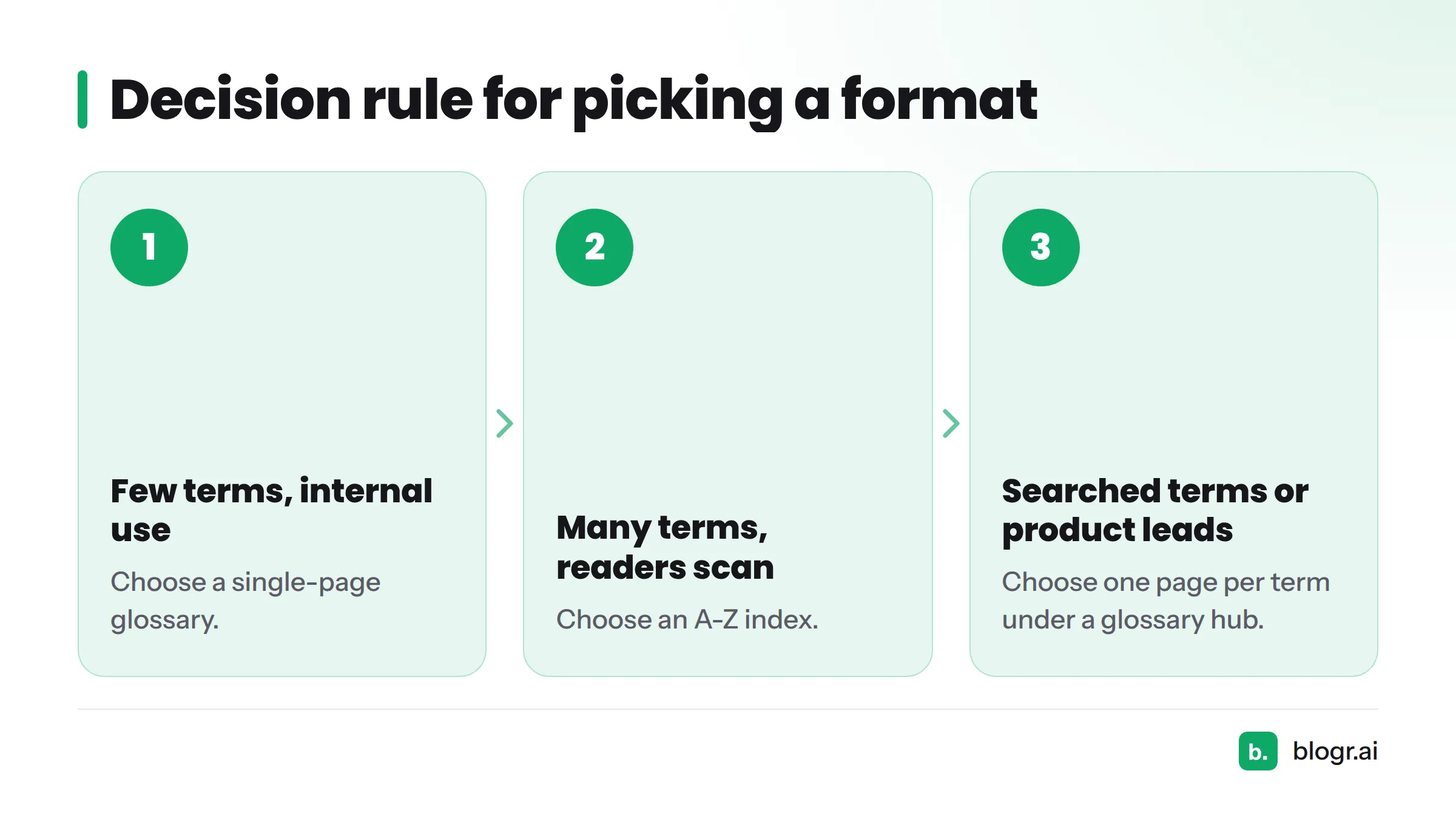
- Few terms, internal use only? Choose a single-page glossary.
- Many terms, and readers mostly scan? Choose an A-Z index.
- Terms people search one at a time, or terms that should lead to products? Choose one page per term under a glossary hub.
When to start small and migrate later
If you are new to this, start with a single page and grow from there. Keep each definition self-contained, and moving it to its own page later becomes a copy-and-expand job. When you migrate, redirect old anchors to the new term URLs so no link breaks. The experienced route is the hybrid: build the hub first, then add term pages in priority order. If you plan to scale, the programmatic SEO guide shows how repeatable page patterns work.
Step 4: Set up glossary page structure and URLs
Page structure for each format
For a single page or index, use one H1, letter headings as H2s, and each term as an H3 or bold lead. In the hybrid, the hub carries the H1 and the letter groups, while each term page has its own H1 (the term), a one-sentence definition, and related links.
URL structure
Keep one hub path and one short slug per term:
- Hub:
/glossary/ - Term:
/glossary/canonical-url/
Keep slugs short, lowercase, and stable. Changing a slug later breaks links and forces redirects. You can see this pattern live on the canonical URL term page.
Navigation and A-Z jump links
Add an A-Z bar at the top of the hub, with anchor links to each letter group. Put the hub in your sitemap and in your main navigation or footer, so crawlers and readers can both find it. Good glossary design for SEO depends on this: a hub nobody can reach cannot pass readers to its terms.
Step 4b: Write each definition from a glossary entry template
A repeatable entry pattern
How to format a glossary entry comes down to using the same four parts every time:
- Term as the heading.
- One-sentence definition that stands alone.
- Short context: why the term matters, in two or three sentences.
- Related terms as links.
Lead with a direct definition so a search engine can lift it as a snippet. A fill-in glossary entry template is coming as its own resource. For finished layouts to borrow, see these glossary examples.
Plain-language rules
- Define the term without using the term.
- Keep the definition to one or two sentences before any extra detail.
- Use the words your reader uses, not internal jargon.
- Skip legal, medical, and financial claims unless a qualified reviewer signs off.
Step 5: Link terms to each other and to your product pages
Term-to-term links
When one definition mentions another glossary term, link it on first use. Those links build a topic cluster and keep readers moving.
Definition-to-product links
Where a term relates to something you offer, add a natural link from the definition to that page. A definition of a topical map, for instance, can point to topical map software. Keep it helpful, not pushy.
Linking back to the hub
Every term page should link back to the hub. That closes the loop and sends readers on to other terms. We're preparing a deeper guide on internal linking for term pages.
Step 6: Budget for upkeep
What changes over time
- New terms appear as your product and field change.
- Definitions go stale and need edits.
- Links break when pages move.
Cost differences by format
A single page is the cheapest to maintain: one file, one review. The hybrid costs the most, because each term page needs checking. Once a template exists, though, the work becomes predictable.
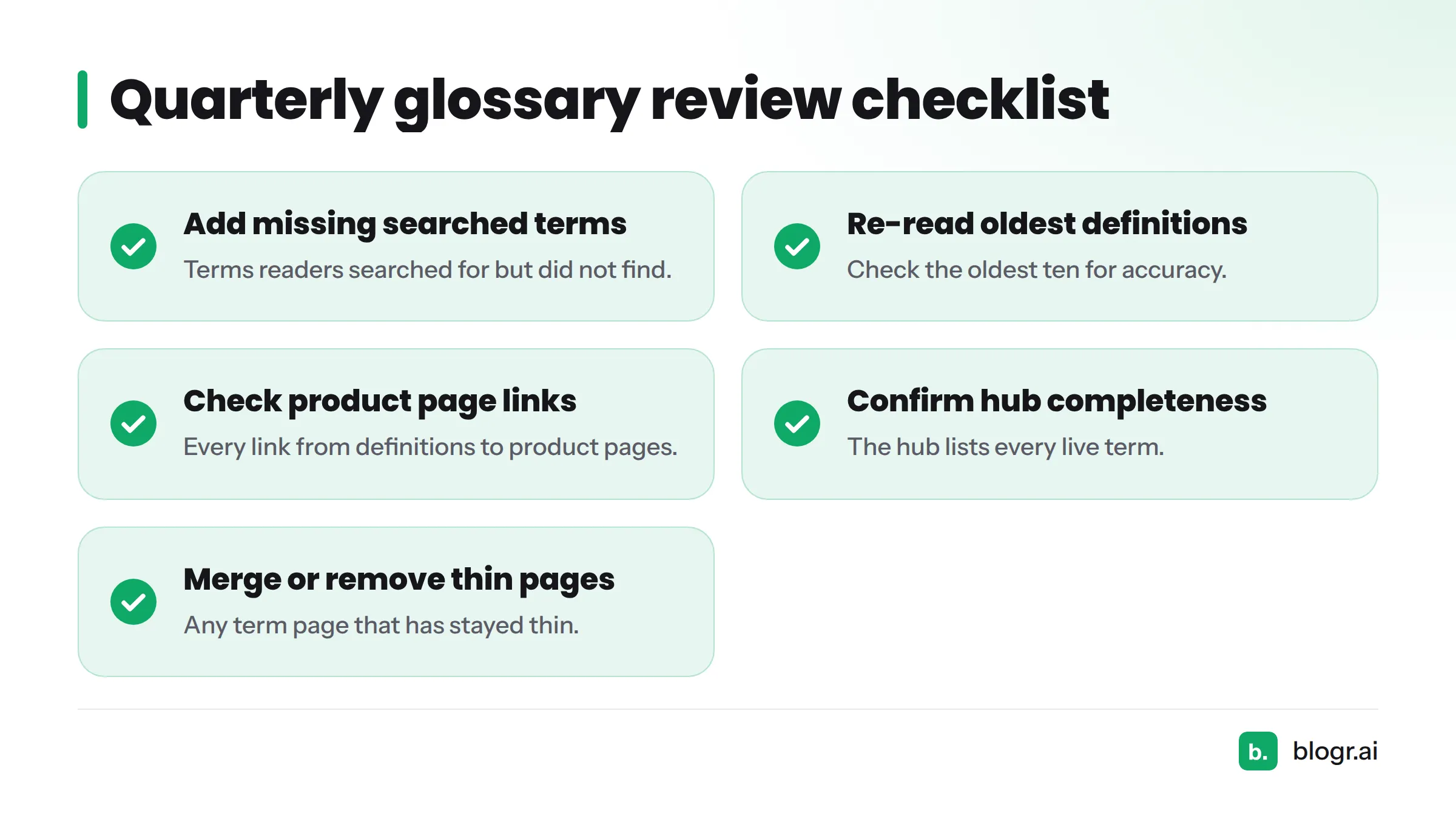
Quarterly review checklist:
- Add the terms readers searched for but did not find.
- Re-read the oldest ten definitions for accuracy.
- Check every link from definitions to product pages.
- Confirm the hub lists every live term.
- Remove or merge any term page that has stayed thin.
Our guide on updating old blog posts uses the same review habit.
Why blogr.ai runs a hub plus one-page-per-term glossary
We chose the hybrid because our glossary has two jobs. The hub helps people browse, and each term page can answer one specific search. Every definition also feeds our product pages, so a reader who learns a term has a clear next click.
The trade-off is upkeep. More pages means more to review, and we accept that cost for the targeted landing pages and product links. You can browse the result yourself in our one-term-per-page SEO glossary.
Next steps
Once you've picked your format, write your first entry using a standard pattern. Grab a fill-in SEO content template to keep your first ten definitions consistent, and look at a few glossary examples before you publish.
FAQ
How do you choose the right glossary format for a website?
Match the format to the job. Use a single page for a few internal-reference terms, an A-Z index for larger browsable lists, and one page per term when readers search terms individually or when definitions should lead to products.
What are the main glossary formats?
The main formats are the single-page glossary, the A-Z index glossary, one page per term under a glossary hub, and the hybrid that combines a hub with term pages.
When is a single page enough?
A single page works when you have a small set of terms, mostly for internal reference, and you do not need each term to rank on its own.
When should each term get its own page?
Give a term its own page when people search for it individually, or when its definition should link to a product or service page.
How should glossary URLs be structured?
Use one hub path, such as /glossary/, and one short, stable slug per term, such as /glossary/canonical-url/.
Can you start with one page and move to term pages later?
Yes. Write self-contained definitions, then move each to its own URL and redirect the old anchors.
Where does a glossary go in a report or document?
In a report, thesis, or manual, the glossary usually sits in the back matter, in alphabetical order. Check your style guide, such as APA, for exact rules.
What does a hybrid glossary cost to maintain?
It takes the most effort of the formats because each term page needs review. A consistent entry pattern and a quarterly checklist keep the work predictable.